Repeatable card-listing maker
You photograph complete card fronts regularly for an online shop. Consistent framing and colour matter because the images need to work together across a collection.


For complete handmade-card photos, choose a camera you can use with controlled exposure and white balance, then check whether its lens focuses closely enough for your framing. Consistent lighting, a matte white background and stable support are just as important to repeatable results. A close-focusing zoom can cover whole cards and moderate details; tiny decorations that need to fill the frame call for a suitable macro lens, with working distance and lighting becoming more demanding.
You photograph complete card fronts regularly for an online shop. Consistent framing and colour matter because the images need to work together across a collection.
You need additional images of embossing, layered paper, fine lettering or small attachments so shoppers can inspect details that a whole-card photo cannot show clearly.
You photograph cards for listings and also film demonstrations or tutorials, sometimes bringing a card or material towards the camera.
Start with the full-card image and your lighting setup. Then decide whether close details or demonstration video change the lens and camera features you need.
| Concern | What to check | Who this matters to |
|---|---|---|
| Consistent colour and background | Check exposure and white-balance controls. Plan for stable support, consistent lighting and a matte white background. | If I photograph a range of cards, I want the whites and printed colours to stay consistent between shots. Around 44% of consumers would put that repeatability first. |
| Close detail | Check the exact lens’s maximum magnification and front working distance, not just its minimum focus distance. | When small lettering or raised decorations are central to a listing, I need them to occupy enough of the image to inspect. About 33% of consumers would make close-detail framing their primary concern. |
| Stills and demonstrations | If you film cards held towards the camera, check product-focused autofocus and the screen position; assess the lens separately for still photos. | I also film how a card opens or how its layers are assembled, so a workable demonstration setup matters alongside listing photos. Roughly 23% of consumers would prioritise that combined workflow. |
A white background does not automatically make white card stock look neutral. Sony UK explains that white balance compensates for the colour of the shooting light, while Adobe recommends matte white paper to reduce unwanted reflections and colour casts.
Try a fixed tabletop position with consistent lighting and a matte white sweep. Compare a photographed white reference with the card stock, then adjust or fix white balance as needed.
Close focus and life-size reproduction are different capabilities. Canon specifies 0.25x magnification for the RF-S 18-45mm; Sony specifies 1:1 for its E 30mm F3.5 Macro.
Decide whether your images need to show whole cards, moderate crops or tiny details filling the frame. Compare magnification for the exact lens in the kit.
Sony specifies a minimum working distance of 2.4 cm from the front of the E 30mm F3.5 Macro. At that close position, the lens and camera may make it harder to place light without shadows.
Check your card, support and lighting positions at the magnification you intend to use. If the arrangement is too cramped, consider a lens with a different working distance or a less extreme crop.
A mode that shifts focus to a card held near the camera helps with demonstrations, but does not determine how closely the lens can frame a small detail or how the card’s colour looks under your lights.
Give video features priority if you will use them. For listing photos, check the lens, exposure controls and white-background setup in their own right.
The EOS R50 with an RF-S 18-45mm lens is relevant to full-card images and moderate close details.
The Z50II and NIKKOR Z DX 16-50mm suit a setup that combines card photographs with demonstrations.
An APS-C E-mount body paired with the E 30mm F3.5 Macro is relevant when small craft details are the priority.
The X-M5 is a compact APS-C body to consider alongside an appropriate X-mount lens for the required card framing.
These mirrorless camera bodies and zoom kits are relevant to photographing complete cards, with some also suited to demonstration video. For small, frame-filling details, check the exact lens and bundle contents before choosing.
 No image available
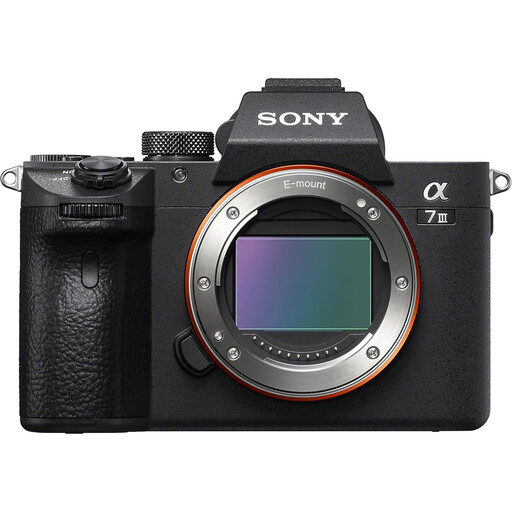
The supplied zoom offers a choice of framing for complete-card photographs. This is a full-frame mirrorless kit with a 28–70mm lens; check the lens’s magnification if small details must fill the image.
 No image available
Consider this full-frame mirrorless listing if you intend to choose a lens for your card-framing needs. The title says body only, while the accompanying description mentions a 28–70mm lens; confirm the actual bundle before buying.
 No image available
This APS-C mirrorless kit is worth considering if you make card listings and demonstration clips. Its title specifies a 16–50 mm f/3.5–5.6 Power Zoom lens, 26 megapixels and 4K60p video; check the lens’s close-up capability for fine decorations.
 No image available
The included zoom gives you framing options for complete cards. This is an APS-C mirrorless kit with a 16–50mm lens; check that lens’s magnification if your listings also need close images of small features.
 No image available
This APS-C mirrorless kit offers a zoom for framing complete-card images. Before relying on it for small embellishments, check the included 16–50mm lens’s magnification and the space you will have for lighting.
Not for every card image: a close-focusing zoom may cover complete fronts and moderate details. Canon UK specifies 0.25x magnification for its RF-S 18-45mm, while Sony UK specifies 1:1 for the E 30mm F3.5 Macro. If very small elements need to fill the frame, compare the exact lens’s magnification and working distance before deciding.
The shooting light can give white surfaces a colour cast, which white balance is designed to compensate for, as Sony UK explains. Keep the light consistent and check white balance against the card stock; a fixed setting can help when automatic results vary between shots.
Test your current camera with stable support, controlled lighting and a matte white background, then see which part of the result still falls short. Adobe recommends a matte white paper sweep to reduce reflections and colour casts. If small details remain too distant, examine the lens’s close-focus capability rather than assuming a different body will solve the problem.
Check an appropriate electrical-equipment route for the camera and a battery collection route for its battery, including the items accepted by your local authority or retailer. UK government guidance describes waste electrical and electronic equipment rules as supporting recovery, reuse and recycling rather than disposal with ordinary household waste.