Local iOS simulator developers
If you build or test Apple-platform apps locally, your starting point is a Mac that supports the Xcode release your project needs. Apple documents its supported macOS versions by Xcode release.


Choose the operating-system route before comparing hardware: local Xcode and Apple-platform simulator work calls for a Mac compatible with the Xcode release you need, while Android-focused testing offers other operating-system choices. Android Developers recommends at least 16 GB RAM and 16 GB disk space for the Android Emulator experience; at a shared desk, also check how the laptop connects to the display, peripherals and test phones.
If you build or test Apple-platform apps locally, your starting point is a Mac that supports the Xcode release your project needs. Apple documents its supported macOS versions by Xcode release.
If you regularly use Android Studio with local virtual devices, compare memory and available disk space against Android Developers’ emulator guidance, as well as the devices you plan to run.
If you change desks or share a workstation, the laptop must connect to the equipment you use there. The UK Health and Safety Executive also advises a basic workstation risk assessment when workers change desks regularly.
Choose when: Your work requires local Xcode and Apple-platform simulators; check the intended Xcode release against the Mac’s macOS version.
Trade-off: Memory and storage still need to accommodate your projects, simulator runtimes and any Android tools you also use.
Choose when: You need Android testing but not local Xcode; Android Studio can also be used with a modern physical Android device instead of the emulator.
Trade-off: Local virtual devices need memory and disk capacity, while physical-device testing does not provide the same range of virtual-device configurations.
| Concern | What to check | Who this matters to |
|---|---|---|
| Local iOS tools | Match the required Xcode release to a supported macOS version; choose memory and storage for the intended projects and simulators. | If I need to run iPhone or iPad simulators locally, I must settle Mac and Xcode compatibility before comparing other laptop features. Roughly 33% of consumers put that local iOS requirement first. |
| Android virtual devices | Compare RAM and available disk space with Android Developers’ 16 GB RAM and 16 GB disk best-experience guidance; consider the virtual devices you will keep locally. | When I regularly test across Android virtual devices, I want room for the emulator alongside my development tools. Around 42% of consumers make local emulator capacity their primary concern. |
| Shared-desk setup | Check the exact laptop’s display and USB connections against the desk’s monitor, dock and test phones; assess the whole workstation when desks change. | If I move between desks, I need a setup I can connect and use comfortably without relying on an unconfirmed adapter. For approximately 25% of consumers, shared-desk fit takes priority. |
A powerful Windows laptop does not provide the local Mac and Xcode route needed for Apple-platform simulators. Apple ties Xcode releases to supported macOS versions.
List the platforms and local tools your project requires, then check Xcode compatibility before choosing a Mac configuration.
Android Developers presents 16 GB RAM and 16 GB disk space as emulator best-experience guidance, not a capacity guarantee for every combination of virtual devices.
Decide which API levels and virtual devices you will use, and check the laptop’s available disk space as well as its advertised storage capacity.
The monitor, furniture, peripheral layout and working conditions can change between desks. The UK Health and Safety Executive says workstation assessments should consider the whole setup.
Check the desk’s display connection, dock, power arrangement and test-phone connections before buying; follow the applicable workplace assessment when desks change.
A compatible cable, dock or adapter may be needed to connect the equipment at the desk.
MacBook Pro is a range to consider when local Xcode and Apple-platform simulator work determines the laptop choice.
ThinkPad P Series is a mobile-workstation range to consider if your workflow calls for a configurable laptop alongside several local development tools.
Precision mobile workstations are another configurable range to assess for development workflows that include local emulation and multitasking.
These laptops cover Mac options for local Apple-platform work and Windows options for Android-focused testing. Match the exact configuration to your tools, then check the connections required at your shared desk.
 No image available
A Windows option to assess for Android-focused testing and use between shared desks.
16 GB RAM, 1 TB SSD and Windows 11 Home. Check available disk space for the emulator and confirm the display and peripheral connections your desk requires.
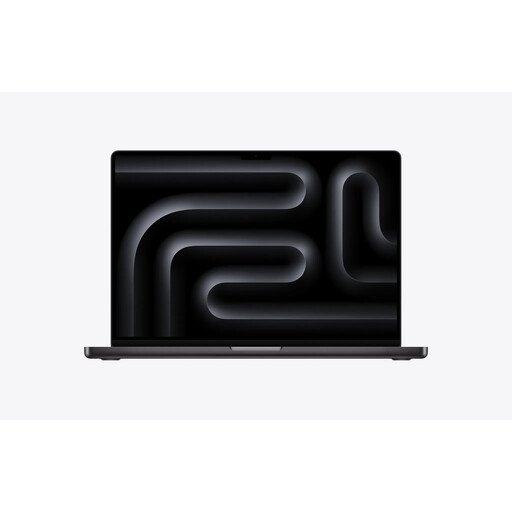 No image available
A Mac configuration to assess when your testing requires local Xcode and Apple-platform simulators.
18-core CPU, 40-core GPU, 48 GB unified memory and 2 TB SSD. Check the required Xcode release against the macOS version and confirm compatibility with the shared desk’s equipment.
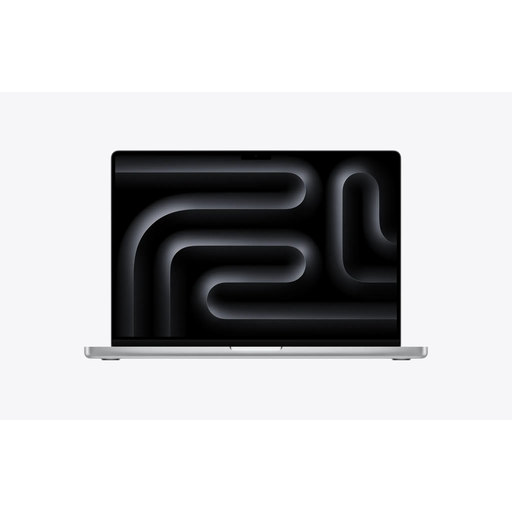 No image available
A Mac configuration to compare for local Apple-platform testing, particularly if you are deciding how much memory your tools need.
18-core CPU, 32-core GPU, 36 GB unified memory and 2 TB SSD. Confirm Xcode-to-macOS compatibility, shared-desk connections and whether a compatible power adapter is included.
 No image available
A smaller-screen Mac option to consider when local Xcode work and moving between desks are both part of the brief.
18-core CPU, 20-core GPU, 24 GB unified memory and 2 TB SSD. Check Xcode-to-macOS compatibility, desk connections and whether a compatible power adapter is included.
 No image available
A Windows configuration to consider if Android-focused development involves local virtual devices and several tools in use together.
16-inch display, Intel Core Ultra 9, 64 GB RAM, 2 TB SSD, NVIDIA GeForce RTX 5090 and Windows 11 Home; model 83F5000UUK. Check available emulator disk space and how the laptop, charger and desk equipment fit your setup.
You need the Mac route if your work requires local Xcode and Apple-platform simulators. Apple documents iOS and iPadOS simulators as part of Xcode on macOS; check the required Xcode release against the Mac’s macOS version before buying.
Android Developers gives at least 16 GB RAM and 16 GB disk space as best-experience emulator guidance. Check available space, not just the SSD’s advertised capacity, and account for the virtual devices you intend to use.
Yes. Android Developers says Android Studio can be used with a modern physical Android device or Android Device Streaming instead. Decide whether those options cover your tests before choosing laptop capacity around a local emulator.
Check the laptop against the monitors, docks, power arrangements and test-phone connections at the desks you use. For workplace hot-desking, the UK Health and Safety Executive advises a basic risk assessment when desks change regularly and says assessments should consider the whole workstation.