Workers changing locations
If you work from several addresses, compare indoor and outdoor coverage for each one and test reception where you actually sit. Ofcom’s coverage checker provides predictions, which can differ from your experience.


Choose a mobile network by comparing indoor and outdoor coverage at each important work location, then test your calls and work applications before relying on it as your main connection. Match the setup to your needs: a phone hotspot for occasional sharing, a separate hotspot or router for shared data, or a cellular tablet or laptop for direct access on one device. Check the selected plan’s allowance and device-use terms; Wi-Fi calling still needs a working internet-connected Wi-Fi network.
If you work from several addresses, compare indoor and outdoor coverage for each one and test reception where you actually sit. Ofcom’s coverage checker provides predictions, which can differ from your experience.
If your laptop and other devices need to use one mobile connection, check the selected plan’s tethering terms, data allowance, device capacity and how the hotspot will be powered. Three describes tethering on its specified phone plans; check the terms for the plan you intend to use.
If you mainly work on one tablet or laptop, confirm that the exact device has cellular hardware and supports the SIM or eSIM setup offered by your provider. Apple’s setup guidance applies to Wi-Fi + Cellular iPads, not Wi-Fi-only models.
Compare the connection at your work locations first, then check that the device and plan suit your applications, sharing needs and voice requirements. Each row below focuses on a different first priority for consumers choosing mobile connectivity for work.
| Concern | What to check when buying | Who this matters to |
|---|---|---|
| Reception at work locations | Check indoor and outdoor predictions for each postcode, identify the underlying network, and test at your working position. | I need a connection where I actually work, not just a favourable postcode-wide prediction. Around 31% of consumers put location reliability first. |
| Work-application performance | Test the applications you use, including uploads and video calls, on the shortlisted network during representative work sessions. | I need calls, meetings or uploads to work rather than simply seeing a signal indicator. Around 25% of consumers prioritise application performance. |
| Data allowance and plan terms | Check the exact plan’s allowance, tethering and device-use terms, plus any recurring charges or services not included. | I want a plan that fits regular work use and does not leave an essential service outside my allowance. Around 19% of consumers put plan suitability first. |
| Sharing capacity and power | Check how many devices need to connect together and the exact hotspot’s stated connection limit and battery runtime. | I need several work devices to stay connected through a session, and I need to plan for charging. Around 13% of consumers prioritise sharing capacity and power. |
| Device and voice compatibility | Confirm cellular hardware and SIM or eSIM support; check voice service separately if calls are essential. | I need mobile data or voice communication to work on the device I choose, rather than assuming one guarantees the other. Around 12% of consumers put device and voice compatibility first. |
Ofcom’s checker shows predicted coverage by network, while its performance guidance is not a guarantee at your desk. For a specific workload, use the requirements of the application you rely on: Zoom, for example, recommends 2.6 Mbps upload and 1.8 Mbps download for 720p group video in its Web App. Those figures apply to that Zoom mode, not every kind of remote work.
Ofcom cautions that predicted coverage can differ from real experience. A device’s rated speed also does not establish the performance available at your work location.
Use coverage maps to shortlist networks, then test your actual calls and work applications where and when you expect to use them. Keep rated specifications separate from measured connection performance.
Mobile data and ordinary voice service are not interchangeable. Three states that calls and texts may be charged outside the allowance when its business MiFi SIM is used in a device that makes calls and texts.
Check the selected plan’s voice, text and data inclusions, and confirm how you will make essential calls.
Three’s business MiFi terms identify conditions such as VAT, recurring price changes and charges outside the allowance. These details apply to that provider’s plan terms, not to every mobile plan.
Read the full terms for the particular plan and compare the payment conditions and included services that matter to your use.
Specifications can depend on the hardware revision or variant. For example, the cited TP-Link M7350 specifications apply to V9, while direct mobile data on an iPad requires a Wi-Fi + Cellular model.
Check the exact revision or cellular variant on the product listing and the device you receive before relying on a specification.
Portable mobile Wi-Fi hardware, including the M7350 V9 for sharing a 4G connection.
The UK Nighthawk M6 MR6150 is a 5G hotspot option with Wi-Fi 6.
Wi-Fi + Cellular iPads provide a direct mobile-data option, and supported iPhones can use Wi-Fi calling subject to provider and device support.
Three offers phone tethering and mobile broadband options, including data SIMs and business MiFi plans.
Vodafone documents Wi-Fi calling for compatible business devices and guidance for Wi-Fi calling through its 5G Hub.
These options cover several ways to get mobile data for work away from fixed broadband: a separate hotspot, a cellular tablet, a phone and a UK data SIM. The right route depends on the network available where you work and whether you need to share the connection or use data directly on one device.
 No image available
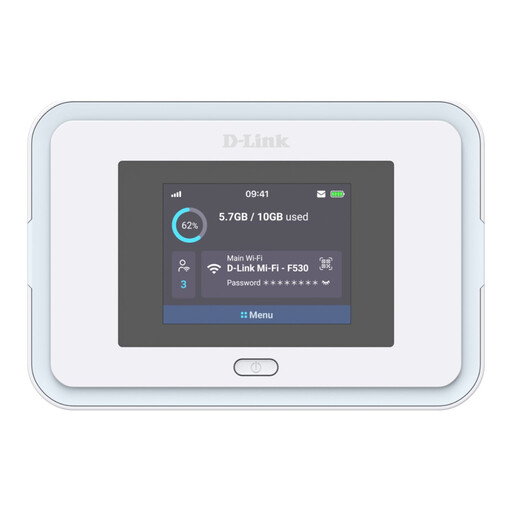
A separate portable hotspot for sharing mobile data with work devices; it needs a Nano SIM and usable local network coverage.
5G NR; Wi-Fi 6; 5260 mAh battery; up to 7 hours of use.
 No image available
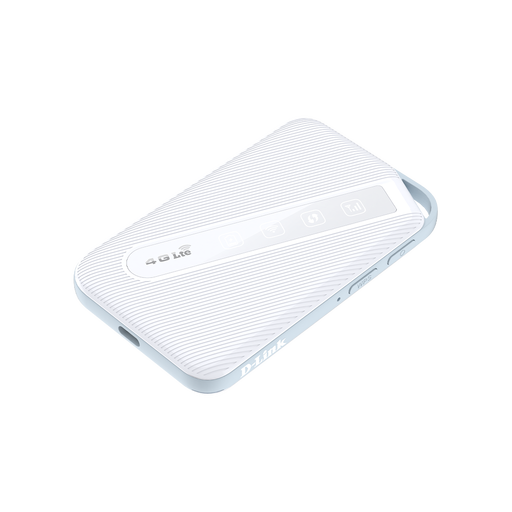
A portable 4G hotspot for sharing a mobile connection; local 4G coverage and a Nano SIM are needed.
Wi-Fi 6; up to 32 connected devices; 3000 mAh battery; up to 16 hours of operation.
 No image available
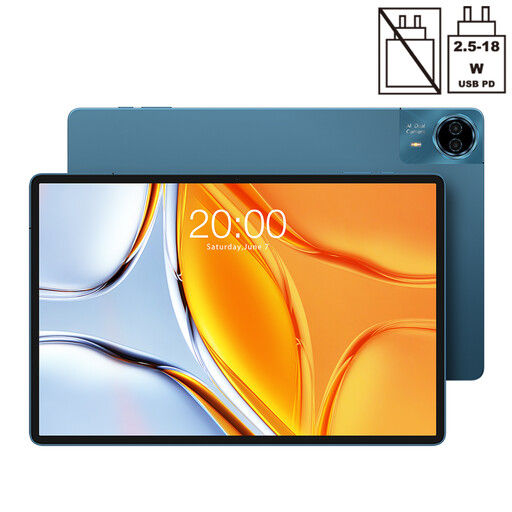
A direct mobile-data option for work on the tablet, provided the required cellular service is available and the plan supports your use.
14-inch display; 1920×1200 resolution; dual SIM 4G LTE; 10,000 mAh battery.
 No image available
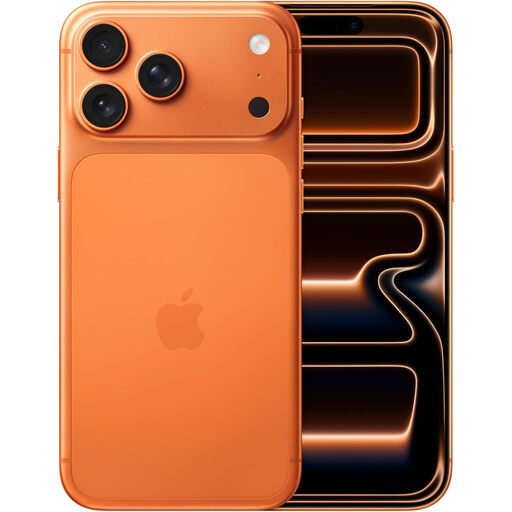
A phone-based mobile-data option for work; check local coverage and the selected plan’s tethering terms if you intend to share data with a laptop.
5G; eSIM; Wi-Fi 7.
 No image available
A SIM-based route for a compatible device after checking coverage on the EE network at your work locations.
The listing specifies a preloaded one-month UK data plan and 20 GB for the EU and other destinations. It states that the plan renews monthly when there is sufficient balance; check the full plan terms before relying on it.
Check each postcode separately, compare indoor and outdoor predictions, and identify the network used by each provider. Ofcom explains that predicted coverage may differ from your experience, so test calls and work applications at your actual working position before relying on a connection.
Use the requirements for your actual application and meeting mode. Zoom recommends 2.6 Mbps upload and 1.8 Mbps download for 720p group video in its Web App; those figures are specific to that use and do not guarantee meeting quality or set a universal threshold for remote work.
Only if another working internet-connected Wi-Fi network is available. Wi-Fi calling uses an existing internet connection; it does not provide an independent connection where neither mobile data nor another usable internet service is available.
Confirm that the exact model has cellular hardware, then check SIM or eSIM compatibility and provider activation. Apple’s mobile-data setup guidance is for Wi-Fi + Cellular iPads, while Microsoft’s eSIM guidance requires a PC with cellular connectivity.
Do not assume that it can. Three states that calls and texts may be charged outside the allowance when its business MiFi SIM is put in a device that makes calls and texts. Check the selected plan’s voice and text terms separately from its data allowance.