What should you check first?
Start with the network at your work locations, then choose the connection method and plan that fit your devices and working routine. Ofcom’s checker provides location-specific guidance, but buildings and other surroundings can change the result you experience.
Phone or cellular tablet
Consider it: For occasional backup when you already have a suitable device and your carrier permits hotspot use.
Check: Carrier limits, data allowance and employer approval; a Wi-Fi-only tablet cannot share a cellular connection.
USB modem
Consider it: For a compact, laptop-centred connection when broad sharing is not the main need.
Check: The work computer’s port and operating-system compatibility, as well as how the exact modem shares its connection.
Dedicated mobile hotspot
Consider it: When several devices need one portable mobile connection without using your everyday phone.
Check: Charging, the supported SIM and network, and the device’s stated connection limit.
4G or 5G SIM router
Consider it: For a recurring work site that needs shared Wi-Fi, or wired and fixed-broadband backup features where the model offers them.
Check: Power, ports, SIM requirements and whether the intended network works at that site.
| Concern | What to check | Who this matters to |
|---|
| Coverage where you work |
Compare host networks at each regular postcode using Ofcom’s indoor and outdoor 4G and 5G guidance. Test at the intended location if reliable calls are essential. |
When I move between client sites or temporary workspaces, I need service inside the places where I work; about 36% of consumers put location reliability first. |
| Calls and data use |
Test upload, download and stability during your usual work hours; check the plan’s allowance and hotspot terms. |
If meetings, screen sharing and uploads must continue during a broadband outage, browsing alone is not enough. Meeting and data capacity is the primary need for about 29% of consumers. |
| Devices and work site |
Count simultaneous devices and check the exact model’s sharing limit, power needs and any required Ethernet or WAN/LAN port. |
At a recurring workspace, I may need to connect several devices or wired equipment rather than one laptop; about 21% of consumers put shared-site capability first. |
| Workplace approval |
Confirm which personal devices and SIMs are permitted, then test the required VPN and authentication setup. |
For work involving managed access or client data, a quick connection is useful only if the organisation permits it. About 14% of consumers primarily need an approved, straightforward backup. |
Joybuy hotspot and USB options
These portable hotspot and USB-adapter options relate to changing work locations and laptop-centred backup. Check the intended mobile network, computer or SIM requirements, plan terms and workplace approval for the exact setup before choosing one.
 Image unavailable
D-Link F530 5G NR AX3000 Wi-Fi 6 Mobile Hotspot
Consider this mobile hotspot if you need to share a portable backup connection rather than tether from your everyday phone.
The product name specifies 5G NR and AX3000 Wi-Fi 6. Confirm the exact model’s network-band and SIM compatibility, then check service at your work locations.
View on Joybuy
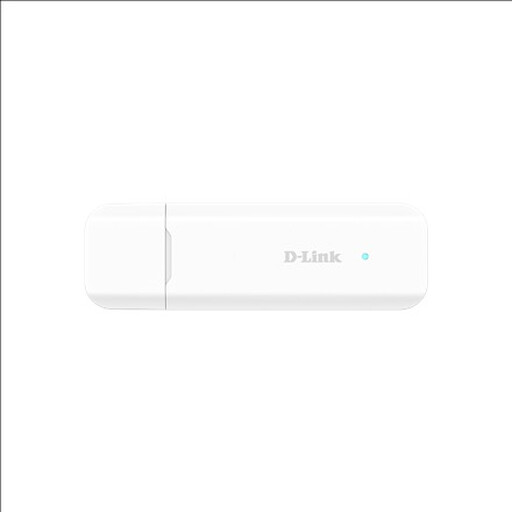 Image unavailable
D-Link DWM-222W/R 4G LTE AX300 Wi-Fi 6 USB Adapter
Consider this USB-adapter route for a laptop-centred backup, provided it fits your work computer.
The product name specifies 4G LTE, AX300 Wi-Fi 6 and USB. Check the DWM-222W/R variant’s operating-system, USB-port, SIM and network compatibility rather than relying on specifications for another variant.
View on Joybuy
 Image unavailable
D-Link DWR-932W 4G LTE AX300 Wi-Fi 6 Mobile Hotspot
Consider this mobile hotspot when you want portable Wi-Fi sharing and a suitable 4G connection is available where you work.
The product name specifies 4G LTE and AX300 Wi-Fi 6; it does not specify 5G. Confirm network-band and SIM compatibility and test the connection for your work calls.
View on Joybuy
Frequently asked questions
Should I choose a device before a mobile network?
Check the network first at the postcodes where you work. Ofcom’s mobile checker gives network-specific coverage guidance, but indoor conditions can differ from its predictions. Once you have a plausible network, check the device’s exact bands and SIM or eSIM format.
What connection speed do remote video calls need?
The required connection depends on the meeting settings and what else is using it. Zoom lists 720p group-video requirements of 2.6 Mbps down and 1.8 Mbps up, and 1080p requirements of 3.0 Mbps down and 3.8 Mbps up. Test your actual meeting application and VPN at the intended location; a rated device speed is not a substitute for that check.
Can I use my phone or tablet as a work hotspot?
An iPhone or Wi-Fi + Cellular iPad can share its cellular connection, according to Apple, if the carrier makes Personal Hotspot available. A Wi-Fi-only iPad cannot do this. Check your plan’s terms and your employer’s device policy, then test the work laptop and VPN with the intended tethering method.
Will a UK mobile plan include roaming for backup use in the EU or EEA?
Do not assume it will: GOV.UK says surcharge-free roaming in EU and EEA countries is no longer guaranteed for UK users. Before travelling, check your operator’s terms for the destination, data allowance and hotspot use.
What should I clear with my employer before using mobile backup?
Confirm which personal devices, SIMs and hotspots are approved, and whether the required VPN and authentication work over your proposed connection. The Information Commissioner’s Office advises organisations to assess remote-working systems for security risks; a technically working personal hotspot is not, by itself, workplace approval.


