One-off cottage video callers
If you need a connection for one short meeting, start by checking the cottage postcode and choosing a network. A 4G SIM router may be enough if that network works at the call location and mains power is available.


Choose the mobile network before the router: check the cottage postcode with Ofcom’s Map Your Mobile, then test the intended call location if possible. A mains-powered 4G router can suit a short stay where the chosen network’s 4G service works indoors; a battery-powered hotspot suits use away from a socket, while dual-SIM equipment is more relevant to repeated stays where a second network offers a useful fallback. Neither 5G hardware nor a quoted peak speed guarantees a reliable call at the cottage.
If you need a connection for one short meeting, start by checking the cottage postcode and choosing a network. A 4G SIM router may be enough if that network works at the call location and mains power is available.
If you also need a connection away from the cottage, a battery-powered 5G/4G hotspot offers a setup you can carry. Check the SIM plan and charge the hotspot before the call.
If you regularly stay where reception is uncertain, comparing two networks and considering an external-antenna or dual-SIM setup may be worthwhile. A second SIM helps only where its network provides usable service.
Choose when: The cottage has mains power and the intended network’s 4G service works where you plan to place the router.
Trade-off: It is less convenient to use away from a socket than a battery-powered hotspot.
Choose when: You need the connection beyond the cottage or away from mains power.
Trade-off: You must charge it before the call, and 5G use depends on the plan and local coverage.
Choose when: You make repeated rural stays and have checked that a second network could provide a fallback.
Trade-off: Setup can be more involved, and two SIMs cannot help where neither network has usable service.
Whichever setup you favour, check coverage before comparing router features. Ofcom’s postcode results are a guide rather than a substitute for testing inside the cottage.
| Concern | What to check | Who this matters to |
|---|---|---|
| Local mobile coverage | Use Ofcom’s Map Your Mobile to compare networks at the cottage postcode, then test the intended call location if possible. | If the call matters more than headline router features, I need to know whether my chosen network reaches the room where I will sit. Local coverage would come first for around 42% of consumers. |
| Setup and portability | Check the SIM format, available power and whether a portable model includes a battery. | For a short stay with time away from the cottage, I want a connection I can take with me rather than leave beside a socket. Portability would be the primary need for roughly 25% of consumers. |
| Shared connection | Check for Ethernet if your call device can use it, and plan to pause competing streams or downloads. | When others are online during my meeting, I want their activity to interfere as little as possible with the call. Managing a shared connection would matter most to around 17% of consumers. |
| Mobile-data plan | Check the data allowance, whether 5G is included and any fair-use or speed limits. | For an occasional call, I want a plan that covers my expected video use without assuming I need an unlimited allowance. Plan terms would be the main concern for roughly 16% of consumers. |
A 5G-capable router does not establish whether the chosen network works inside the cottage. Ofcom notes that walls and other local conditions can affect reception.
Compare networks at the postcode first, then test the connection in the room where you expect to call.
A router’s quoted speed describes a capability, not what the mobile connection will deliver at a particular property. Signal strength and network capacity still matter.
Test the connection before an important meeting and be ready to switch to audio-only if video struggles.
A router needs a compatible SIM and mobile-data plan. Video calls use data, and plan conditions can affect how the connection is used.
Check the allowance, 5G access where relevant, and any fair-use or speed limits before choosing a plan.
Ofcom notes that more devices using Wi-Fi can reduce the speed available to each one.
Pause streaming and large downloads during the meeting, and use Ethernet with a compatible computer if the router provides it.
TP-Link’s Archer MR600 V3 represents a mains-powered 4G SIM-router setup, with a Nano-SIM slot, external LTE antennas and Gigabit ports.
D-Link UK lists the DWR-2101 as a portable 5G/4G Nano-SIM hotspot with Wi-Fi 6, Ethernet and a removable battery.
NETGEAR UK lists the Nighthawk M6 as a portable 5G Wi-Fi 6 hotspot for connections shared across devices.
GL.iNet’s Spitz AX GL-X3000 is a dual-SIM 4G/5G cellular gateway relevant to repeated stays where two networks can be tested.
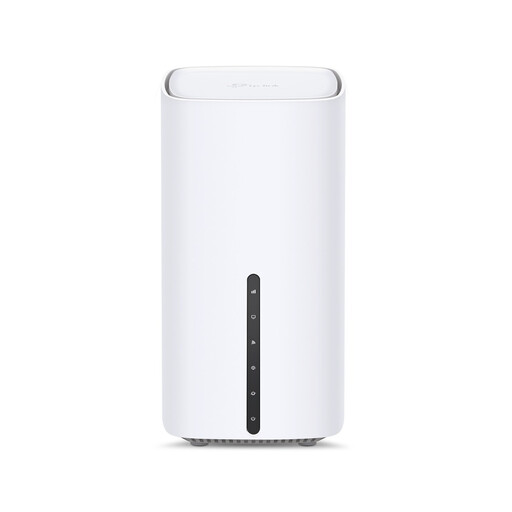
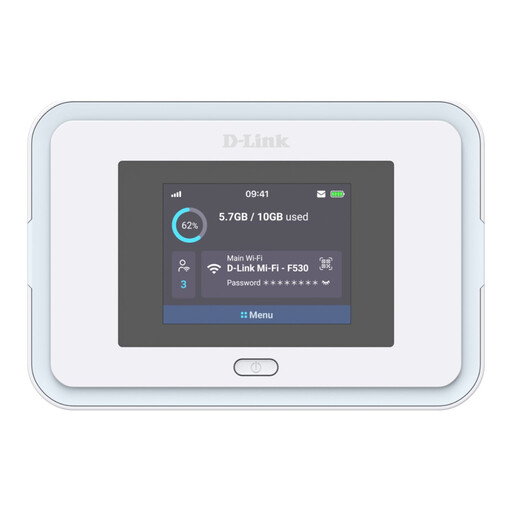
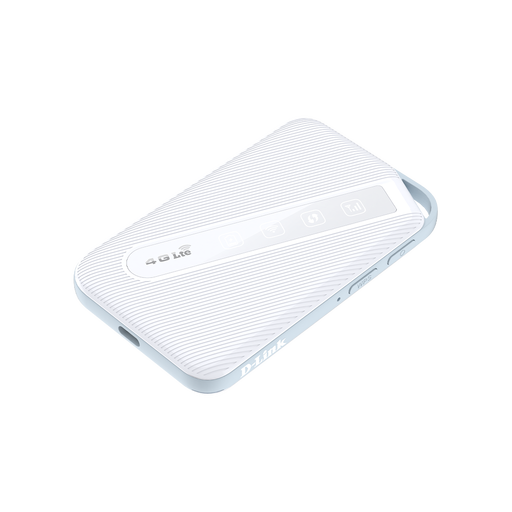
These Joybuy choices include a router for a mains-powered cottage setup and portable 5G and 4G hotspots. Choose among them only after checking the network you intend to use at the cottage.
 No image available
Consider this for a mains-powered cottage setup if the network you plan to use has been checked at the property.
The product name specifies 5G, AX3000 dual-band wireless and Gigabit connectivity. Confirm SIM and network compatibility before buying; these features do not establish reception in the call room.
 No image available
This portable hotspot suits a call setup you also need away from mains power; charge it before the meeting.
The product name specifies 5G NR, AX3000 and Wi-Fi 6. Check SIM and plan compatibility, including 5G access, and test the chosen network at the cottage.
 No image available
Consider this portable 4G hotspot when the chosen network’s 4G connection works at the cottage and you want a setup you can carry.
Charge it before the call, confirm SIM and plan compatibility, and check the stated Wi-Fi specification for this variant before buying.
No: check the cottage postcode and your intended network with Ofcom’s Map Your Mobile first. Its indoor and outdoor coverage results are guides, so test where you will make the call if possible.
A mobile router needs a compatible SIM and mobile-data plan to get online. Check the plan’s allowance and conditions, and whether it includes 5G if you intend to use a 5G router.
Reduce competing device activity and, if both devices support it, connect the computer to the router by Ethernet. Test before the meeting and switch to audio-only if video remains unstable.
Usually not if one tested network meets your needs. Dual-SIM equipment is more relevant to repeated stays where a second network offers a usable fallback; it may also require operator APN configuration.