Native iOS app testers
If your project uses Xcode for native iPhone or iPad builds and simulators, you need a Mac that can run a macOS version supported by the required Xcode release. Apple Developer lists compatibility by Xcode version.


Choose the operating system around the apps you need to test: native iPhone or iPad development through Xcode requires a compatible Mac, while Android-focused work can use a suitably configured Windows or Mac laptop. For a small desk, compare compact models by memory, storage, emulator compatibility and the connections needed for test devices and an external screen—not screen size alone.
If your project uses Xcode for native iPhone or iPad builds and simulators, you need a Mac that can run a macOS version supported by the required Xcode release. Apple Developer lists compatibility by Xcode version.
Regular use of Android Studio and Android Virtual Devices makes memory, storage and hardware acceleration important checks. Android Developers gives 16GB RAM as a starting point for its recommended emulator experience, while larger projects can need more resources.
If a phone, cables and perhaps an external screen must share your desk, compare compact 13- and 14-inch configurations. Check each model’s ports and display support against the connections you intend to use at the same time.
Settle the native iOS requirement before comparing configurations. A Mac keeps Xcode available; a Windows laptop can suit Android-focused work, but does not replace a compatible Mac for native Xcode tasks.
Choose when: Your test plan requires native iPhone or iPad work through Xcode.
Trade-off: A Mac meets the operating-system requirement, but its memory, storage and connections still need to fit your Android tools and desk setup.
Choose when: Android testing or Windows-based organisational tools define your workflow.
Trade-off: Native Xcode work would still require access to a compatible Mac.
| Concern | What to check | Who this matters to |
|---|---|---|
| Native iOS compatibility | Match your project’s Xcode release to the supported macOS versions listed by Apple Developer. | If I must build or test a native iPhone app in Xcode, the required Mac setup decides my laptop choice. Around 27% of consumers put native iOS compatibility first. |
| Android emulator capacity | Compare RAM and available storage with Android Developers’ 16GB RAM and 16GB disk-space emulator guidance; check acceleration support. | Running virtual devices regularly means I need room for the emulator alongside my development tools. Around 27% of consumers prioritise Android emulator capacity. |
| Small-desk setup | Check screen size, ports, charging connections and external-display support on the exact configuration. | My laptop has to leave space for a physical test phone and its cables, even when I connect a screen. Roughly 20% of consumers put desk space and connections first. |
| Concurrent tools | Confirm the selected RAM and SSD capacity, and whether its memory can be upgraded. | Keeping an IDE, browser, logs and local services open together makes the whole configuration more important to me than one headline specification. Around 26% of consumers prioritise concurrent development tools. |
Xcode releases have specific macOS requirements, so a Windows laptop cannot take the place of a compatible Mac for that workflow.
Check whether your test plan includes native builds, Xcode simulators or App Store submission before deciding on an operating system.
Android Developers specifies 16GB RAM for its recommended Android Emulator experience and notes that larger projects can need more resources.
Start comparisons at 16GB RAM for local emulator use, then consider how many virtual devices and other tools you expect to run together.
A small laptop may still need simultaneous connections for charging, a test phone and an external screen. Apple UK lists two Thunderbolt 4 USB-C ports for its referenced 13-inch MacBook Air configuration.
Map the connections you will use together, then check the exact model’s ports and display specifications.
Your setup may also need a compatible cable, adapter or dock.
Memory and storage can vary within a product line; Lenovo describes the memory in its referenced ThinkPad X1 Carbon Gen 13 configuration as on-package.
Check the selected RAM, SSD, operating system, keyboard layout and warranty on the final configuration before ordering.
The MacBook Air is a compact Mac option for a workflow that requires Xcode. Apple UK lists a 13.6-inch MacBook Air configuration with 16GB unified memory and SSD storage.
The ThinkPad X1 Carbon Gen 13 Aura Edition is a 14-inch Windows line to consider for Android-focused testing. Lenovo UK lists a configuration with 16GB LPDDR5X memory and a 512GB SSD.
Dell’s Pro 14 line provides a Windows configuration to compare for Android-focused or organisation-managed work. Dell UK lists 16GB DDR5 memory and a 512GB SSD on the referenced configuration, with a 32GB memory option.
These 13-inch MacBook Air configurations are options for a small desk when your testing workflow calls for a Mac. Compare their stated memory and storage, then check the macOS version needed for your Xcode release and the connections required by your test setup.
 No image available
Consider this compact Mac configuration if your workflow needs Xcode and you also expect to keep several development tools open.
The listed variant has 24GB unified memory and a 1TB SSD. Check its external-display connections and Android Emulator acceleration against your intended setup.
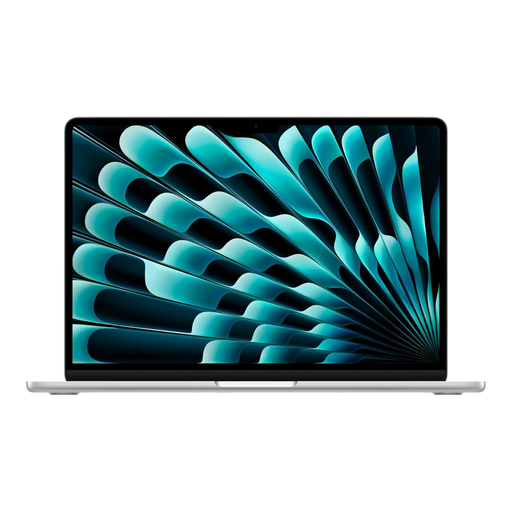 No image available
This compact Mac configuration is relevant if you need Xcode and want to compare against Android Developers’ 16GB RAM emulator guidance.
The listed variant has 16GB unified memory and a 512GB SSD. Plan its connections for any screen and wired test devices, and check emulator acceleration for your intended workflow.
 No image available
Consider this 13-inch Mac if you need the Xcode route and want the listed 1TB SSD capacity alongside 16GB memory.
Confirm the exact processor configuration before ordering, as the product title and description give different CPU core counts. Also check ports, external-display support and Android Emulator acceleration for your setup.
A Windows laptop does not replace the Mac and Xcode environment for native iPhone or iPad builds and Xcode simulators. Apple Developer lists the macOS versions supported by each Xcode release, so check the release your project requires before choosing a Mac.
Android Developers specifies 16GB RAM for its recommended Android Emulator experience, but that is a starting point rather than a guarantee for every project. Larger projects and additional virtual devices can require more resources and storage.
Keep space for a physical phone if your project’s test plan requires checks on the device itself. If you also use an emulator, account for its memory and storage needs and leave room for the phone’s cable in your desk-connection plan.
Keep a copy of the selected configuration and order confirmation, then check the seller’s terms alongside your statutory rights. GOV.UK says customers ordering online generally have 14 days from receiving an item to tell the seller they want to cancel; remedies for faulty or misdescribed goods are separate from a change-of-mind cancellation.