A 27-inch 4K IPS monitor with an adjustable stand is a practical starting point for arranging frames at a shared desk. If the team reviews colour against a defined delivery standard, check the exact colour mode and calibration workflow; if workers swap laptops, check each laptop’s video output and charging needs before relying on a USB-C connection.
Who the monitor needs to serve
Colour-critical animation reviewers
If you compare frame colours or assets against a defined delivery standard, look for the relevant colour-space mode and a documented calibration claim. A screen that merely looks vivid is not enough to establish consistency across the team’s workflow.
Shared-desk animation teams
If different people connect laptops at one desk, the screen needs to be easy to reposition. Check video connections, charging requirements and peripheral access for the laptops that will actually use it.
General frame-arrangement users
If most work involves timelines, frame grids and reference material rather than colour-managed review, focus on the workspace, connections and stand adjustments you will use regularly.
What matters when choosing
Decide whether colour review, laptop handover, screen positioning or workspace is the primary need. Then check the remaining requirements against the same desk and laptop setup.
| Concern | What to check | Who this matters to |
|---|
| Consistent colour review |
Identify the required delivery colour space, then check the exact model’s selectable mode and calibration arrangements. |
If I review frames against a delivery standard, I need the team to work to the intended colour space rather than judge a vivid-looking image; around 31% of consumers put consistent colour review first. |
| Laptop and peripheral handover |
Check video support and charging needs for each laptop, plus the ports needed for desk peripherals. |
When colleagues take turns at one desk, I want to connect my laptop without disrupting access to the equipment I use; around 25% of consumers prioritise this handover. |
| Adjustment for different users |
Check the stand’s height and angle adjustments, or whether a suitable monitor arm is needed. |
At a desk used by several people, I need to reposition the screen when I sit down rather than inherit someone else’s setup; roughly 25% of consumers make adjustment their primary concern. |
| Room for frames and timelines |
Check whether the display size and 4K workspace suit the desk, alongside the connections required for the workstation. |
If my main task is arranging frames beside timelines and references, I want room to work without choosing specialist features I will not use; around 19% of consumers put workspace first. |
Mistakes to avoid
-
Treating wide gamut as proof of correct colour output
Published gamut coverage and factory-calibration claims describe particular models. They do not establish that every application, workstation and export path uses the intended colour space.
Define the review or delivery standard before buying, then check the model’s mode and how the team will check calibration over time.
A repeatable workflow may also call for a calibration device, a service or staff time to set it up.
-
Assuming USB-C makes every desk a one-cable desk
A monitor’s USB-C connection and stated power delivery do not establish that every laptop can send the required video signal or use its charging arrangement.
Check the recurring laptop models, cables, peripherals and charging requirements before equipping multiple desks.
Some setups may still need a separate dock, cable or power adaptor.
-
Leaving screen position to the previous user
A shared screen may be positioned well for one worker but poorly for the next. Lighting and the rest of the workstation matter too.
Check the adjustment range or plan for a compatible monitor arm, and assess how the complete desk is set up for its users.
-
Choosing on resolution alone
A 4K display can provide room for frame-arrangement work, but resolution does not establish suitable colour controls, connections or physical adjustment.
Check the exact model’s stand, screen finish, required colour modes and ports against the team’s working conditions.
Brands to consider
These model examples illustrate different features to check; a brand name alone does not establish a monitor’s suitability for this desk.
BenQ
The BenQ PD2706UA is a 27-inch 4K option for teams looking for stated colour modes and substantial stand adjustment.
- BenQ lists 100% sRGB, 100% Rec.709 and 95% P3 coverage, a factory calibration report and 90W USB-C power delivery for the PD2706UA.
- Its published calibration figures do not establish how colour will appear across the team’s applications and workstations.
ASUS ProArt
The ASUS ProArt PA279CRV combines stated wide-gamut coverage with USB-C connectivity in a 27-inch 4K model.
- ASUS lists 99% DCI-P3, 99% Adobe RGB, factory pre-calibration to Delta E <2 and USB-C power delivery up to 96W for the PA279CRV.
- Check that its colour options match the intended deliverable and that the team’s laptops support the required connection.
LG UltraFine
The LG 27UP85ZK-W is a 27-inch 4K IPS option for desks considering USB-C connections and stand adjustment.
- LG lists typical 95% DCI-P3 coverage, USB-C charging up to 90W, and height, pivot and tilt adjustment for this model.
- LG says its calibration software is not included; check what the team needs for its colour-review process.
Dell UltraSharp
The Dell U2725QE is a 27-inch 4K IPS Black hub-monitor option for a desk with several connections to manage.
- Dell lists an integrated USB hub, height and pivot adjustment, and a power-delivery configuration of up to 140W for the U2725QE.
- Check the exact configuration against the laptop fleet and any colour-review requirements before treating the hub as a complete desk solution.
Joybuy monitors for this setup
These monitors offer different starting points for a shared frame-arrangement desk: adjustable 27-inch 4K displays, models with stated USB-C features and larger screens to assess against the available space. Check each model against the team’s colour workflow and laptops rather than treating the list as interchangeable choices.
 No image available
iiyama ProLite XUB2792UHSU-B6 27-inch 4K monitor
Consider this model for a shared desk where a 27-inch 4K workspace is the starting need.
The product name identifies a 16:9 4K UHD monitor. Before planning a USB-C laptop setup or colour-standard review, check its exact connections and colour modes.
View on Joybuy
 No image available
BenQ MA270UP Nano Glossy 27-inch 4K USB-C monitor
Consider this Mac-oriented model where a shared desk needs a height-adjustable display and USB-C connectivity.
The product name specifies a 27-inch 4K IPS screen with a Nano Glossy finish. Check reflections at the desk, each laptop’s connection and charging needs, and the required colour-review workflow.
View on Joybuy
 No image available
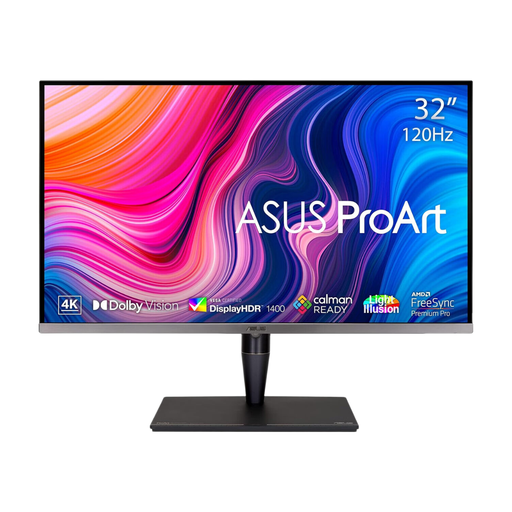
ASUS ProArt Display PA32UCG-K 32-inch 4K monitor
Consider this larger display if the team can accommodate a 32-inch screen and needs to investigate its colour-workflow features.
The product name identifies a 4K IPS Mini LED model with hardware-calibration and HDR features. Confirm the exact laptop connection and power-delivery specification before designing a shared-desk setup around it.
View on Joybuy
 No image available
Dahua 32-inch 4K 165Hz curved OLED monitor
Assess this model if a larger curved screen is acceptable at the shared workstation.
The product name states Type-C 65W, a USB hub and 99% DCI-P3 coverage. Check video compatibility with the team’s laptops and whether its shape and colour controls suit the intended frame review.
View on Joybuy
 No image available
LG UHD Monitor 27UP650K 27-inch 4K IPS
Consider this model for a 27-inch frame-arrangement workspace if its video connections fit the shared workstation.
The product name lists HDMI, DisplayPort and 95% DCI-P3 coverage. Check whether the team needs a separate laptop dock or a defined colour mode for review.
View on Joybuy
Common questions
When do UK display-screen-equipment rules apply at a shared desk?
The Health and Safety Executive says the UK display-screen-equipment regulations apply to workers who use screen equipment daily for continuous periods of an hour or more. For a shared desk, consider how each regular user positions the screen and sets up the workstation, rather than leaving one person’s arrangement in place for everyone.
Is a height-adjustable monitor enough for a shared desk?
No: height adjustment helps different people position the screen, but the chair, desk layout and lighting also affect the setup. Check the whole workstation for each regular user.
Should animation teams choose sRGB, Rec.709 or P3?
Choose the colour space required by the deliverable or review process, not the widest stated gamut by default. Confirm the exact monitor’s relevant mode and how the team’s applications and operating systems will use the intended colour profile.
Will USB-C give every worker a one-cable connection?
Only if each laptop supports the required video output and works with the monitor’s charging arrangement. Check the cable and any need for peripherals, network access or a separate dock before standardising the desk.


