What matters when choosing?
Choose the screen format around the work that must stay visible, then check whether its physical position and connections suit everyone using the desk.
39.7-inch 5K2K ultrawide
Choose it when: Two reviewers need a drawing and supporting windows open together on one wide screen.
Allow for: The width, viewing position and laptop output requirements of a 5120 × 2160 display; a curved screen may not suit every seating arrangement.
Flat 31.5- or 32-inch 4K
Choose it when: A conventional shared-review screen fits the desk and model-specific CAD or colour features matter to the work.
Allow for: Less horizontal workspace than a 5120 × 2160 ultrawide, which may mean changing windows or zooming during a comparison.
27-inch 5K
Choose it when: One close-seated user puts fine detail ahead of a physically large screen for joint review.
Allow for: A smaller shared viewing area, even though a model such as Samsung's ViewFinity S9 S90PC has a stated 5K resolution and 218 PPI.
| Concern |
What to check |
Who this matters to |
| Shared drawing canvas |
Compare native resolution and physical width, then measure the desk and the intended screen position. |
I need plans, mark-ups and references in view while a colleague reviews beside me. Around 33% of consumers would put shared canvas first. |
| Fine drawing detail |
Compare resolution alongside screen size and viewing distance; confirm the computer can output the chosen resolution. |
When I inspect small annotations and dimensions, clear detail matters more to me than keeping many windows open. Roughly 27% of consumers would prioritise detail inspection. |
| Colour-controlled review |
Check the exact model's stated colour spaces and calibration options against the team's applications. |
If I approve renderings or finishes on this screen, I need colour specifications that suit that workflow. About 20% of consumers would make colour review their primary concern. |
| Changing users and laptops |
Check video-output standards, charging needs and stand adjustment for the computers and people using the desk. |
I need to change laptops or adjust the workstation without disrupting drawing review. For around 20% of consumers, that flexibility would come first. |
4K monitors for these setups
These 4K choices include larger screens for shared drawing review and a 27-inch option for a more detail-focused position. Check each model's fit and connections against the actual desk; this selection does not represent the 5K2K ultrawide or 27-inch 5K routes discussed above.
 No image available
ASUS ProArt PA32UCG-K 32-inch 4K HDR monitor
Consider this 32-inch format if the desk is used for both drawing comparison and colour-oriented visualisation. Its product name specifies an IPS mini-LED panel, 120 Hz and hardware calibration. Check the exact brightness specification and connections for PA32UCG-K before relying on them; it is a different model from the PA32UCXR discussed above.
View on Joybuy
 No image available
BenQ MA320UP Nano Glossy 32-inch 4K Mac monitor
Its 4K IPS format and height-adjustable stand make it worth considering for a larger drawing-review position. The product name specifies a nano-glossy surface and USB-C connection; check reflections at the desk and confirm that its Mac-oriented functions suit the computers being shared.
View on Joybuy
 No image available
BenQ EW3290U white 4K monitor
For a larger screen used to inspect drawings, its product name specifies 3840 × 2160 resolution. Confirm the exact diagonal and the supplied stand's adjustment range before deciding where it can sit at a shared desk.
View on Joybuy
 No image available
iiyama ProLite XUB2792UHSU-B6 27-inch 4K monitor
This 27-inch 4K model is an option when one person's detail inspection takes priority over a large canvas for two reviewers. Its product name specifies a matte-black finish; check whether the physical screen area is sufficient for both people to see the drawings they need to discuss.
View on Joybuy
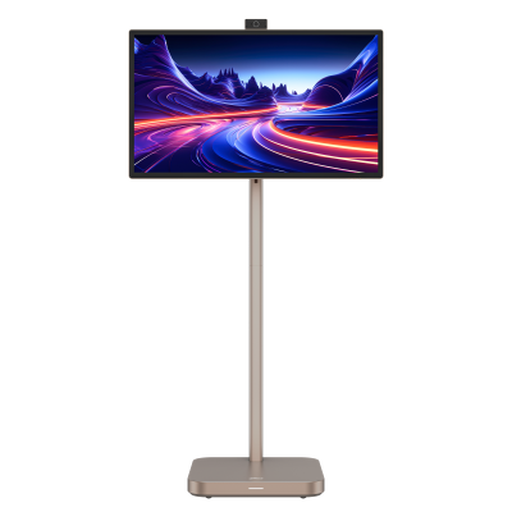 No image available
Dahua 31.5-inch 4K Explorer portable smart monitor
Its stated 31.5-inch 4K format is relevant if the shared desk needs a larger drawing area, while the product name also identifies Android 11 and 8GB+128GB. Confirm the exact panel technology and whether its Type-C port supports the intended computer's video or charging needs before planning the connection.
View on Joybuy
Questions about shared-desk monitors
How should I position a monitor when two people review drawings?
Set the primary working position first, then check that the second reviewer can see the relevant drawing without either person twisting or leaning. The Health and Safety Executive advises placing the screen directly in front of its user, with the top around eye level and the screen about an arm's length away; assess the rest of the workstation as well.
Is a 40-inch 5K2K screen always preferable to a 32-inch 4K screen?
No: a 5120 × 2160 ultrawide suits keeping drawings and reference windows visible together, while a flat 4K design monitor may suit a desk where positioning and model-specific CAD or colour features take priority. Check the physical dimensions and the team's window layout rather than choosing by resolution alone.
Can one USB-C or Thunderbolt cable run the display, charging and peripherals?
It can only do so when the specific laptop, monitor and cable support all the required functions. Dell lists USB-C video connectivity and up to 90 W power delivery for the U4025QW, while Philips lists Thunderbolt 4, Ethernet and up to 90 W power delivery for the 40B1U6903CH; check the laptop's output and charging requirements against the exact model.
Does a shared work desk need a display-screen assessment?
For regular display-screen work, assess the whole workstation rather than judging the monitor in isolation. The UK Health and Safety Executive says employers must carry out display-screen workstation assessments and reduce risks; its guidance covers equipment, furniture, working conditions and individual requirements, including hot-desking arrangements.


