Window-side schedule coordinators
Delivery times, route changes and status columns need to remain readable as daylight changes. Reflections and screen placement deserve attention before display features intended for entertainment.


Start with screen finish, brightness and a desk position that keeps window reflections away from the schedule; a monitor specification alone cannot solve direct glare. A 27-inch 4K USB-C model suits dense schedules and a compatible laptop, while an adaptive-brightness QHD model is worth considering when changing daylight and stand adjustment matter more than 4K detail.
Delivery times, route changes and status columns need to remain readable as daylight changes. Reflections and screen placement deserve attention before display features intended for entertainment.
A USB-C connection may simplify a laptop desk setup, provided the laptop supports video over USB-C and the monitor can meet its charging needs.
People who spend long periods updating schedules need to consider where the screen can sit, not just its panel specifications. Stand adjustment can help accommodate the desk and window position.
Resolve visible reflections at the intended desk position first, then decide how much schedule detail and laptop connectivity you need.
| Concern | Buying checks | Who this matters to |
|---|---|---|
| Glare and changing daylight | Check the exact model's screen finish and stated brightness, then assess reflections at the planned desk position. Consider automatic brightness adjustment if daylight varies. | When reflections cover delivery times, I need to read changes without repeatedly shifting my view; around 42% of consumers put glare control and readability first. |
| Schedule detail and laptop connection | Compare 27-inch Full HD, QHD and 4K workspace at your preferred scaling. For USB-C, confirm laptop video support and the monitor's power delivery. | If I work across dense columns and laptop applications, I want enough screen detail without adding unnecessary desk connections. Around 33% of consumers prioritise that workspace-and-connection need. |
| Workstation positioning | Check stand movement and desk depth; if you plan to use an arm, confirm the exact monitor's mounting compatibility. | During long update sessions, I need to place the screen comfortably while keeping it out of direct reflections. Placement flexibility is the primary concern for around 25% of consumers. |
VESA Certified DisplayHDR's 400 tier concerns HDR performance criteria, not the direction of light or reflections at your desk.
Assess screen finish, brightness and the intended position separately; change the screen angle or window covering if reflections remain.
The laptop must support video through its USB-C port, and the monitor's charging output must suit the laptop. BenQ UK lists 65 W power delivery for the GW2790QT; LG UK states up to 90 W for the 27UP85ZK-W.
Compare the laptop's video and charging requirements with the exact monitor's connection specifications before ordering.
If those requirements do not match, you may need a separate charger, dock or suitable cable.
A window reflected in the screen can still interrupt schedule work. The Health and Safety Executive advises managing reflections and glare as part of display-screen workstation setup.
Check desk depth and window position, then look for the stand adjustments or compatible mounting arrangement needed to place the screen.
These specific models illustrate different feature combinations; features should not be assumed across each brand's range.
Dell UK presents the U2725QE as a 27-inch 4K workstation monitor with an ambient-light sensor and anti-reflective surface treatment.
BenQ UK lists the GW2790QT as a 27-inch QHD monitor with a matte screen, automatic brightness adjustment and an adjustable stand.
LG UK lists the 27UP85ZK-W as a 27-inch 4K IPS monitor with USB-C, up to 90 W charging and height, pivot and tilt adjustment.
These 27-inch Full HD monitors are choices for checking a window-side schedule desk setup. If you need more room for dense schedules, compare their resolution with QHD and 4K before deciding.
 Image unavailable
For delivery-schedule work, check whether its Full HD workspace accommodates your usual columns at a readable size.
The product title states a 100 Hz refresh rate and 5 ms response time. If automatic brightness or a one-cable laptop connection matters, confirm those capabilities for this exact model before buying.
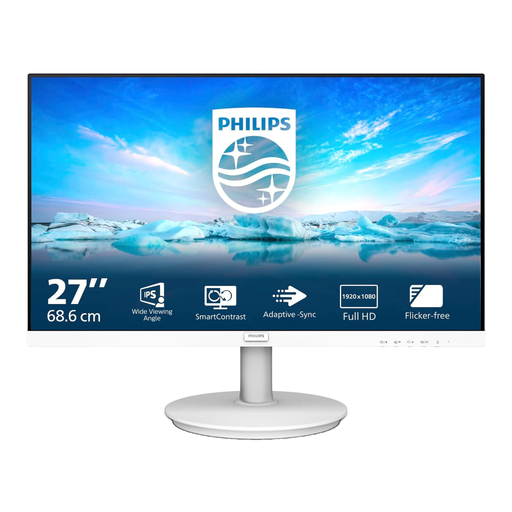 Image unavailable
For a straightforward schedule display, assess whether the 27-inch Full HD workspace fits the time fields and status columns you keep open.
Plan its position against the window before purchase. If you need automatic brightness changes or USB-C laptop video and charging, check the exact model's capabilities.
Not by itself: reflected light also depends on where the screen and window sit. The Health and Safety Executive advises arranging screens and lighting to avoid glare, so assess the intended position as well as screen finish and brightness.
No. VESA Certified DisplayHDR defines it as an HDR performance tier, not a test of your window-side desk. Check screen finish and reflections in that position separately.
Your laptop must support video over USB-C, and the monitor must provide the display mode and charging power you need. Check both devices' specifications and any cable requirements rather than relying on the presence of a USB-C port alone.
For regular display-screen work, the Health and Safety Executive says employers must assess workstations and reduce risks. Screen placement and lighting therefore remain relevant even when the chosen monitor has an adjustable stand or anti-reflective treatment.