What to prioritise
For a desk beside a bright window, settle the screen position before weighing up workspace and laptop connections. Then choose the specification that addresses your main difficulty rather than treating screen size or USB-C alone as the answer.
| Concern |
What to check |
Who this matters to |
| Glare and positioning |
Check the screen finish and whether the stand adjusts enough for your desk. Plan where the screen and any blinds or curtains will sit. |
If window reflections cross my worksheets, I need a screen position I can change without losing a comfortable view. Around 40% of consumers put glare control and positioning first. |
| Readable workspace |
Compare screen size and resolution together, then consider desk space and display scaling. A QHD label alone does not determine how your documents will appear. |
When I arrange plans, PDFs and slides side by side, I want enough room to read them without constantly switching windows. For around 40% of consumers, that workspace is the primary concern. |
| Laptop connection |
Match USB-C power delivery to the laptop’s charging requirement and check whether the necessary cable is included. |
If I move my laptop on and off the desk, I want a straightforward connection without assuming the monitor can replace its charger. Laptop connection comes first for around 20% of consumers. |
Brands to consider
These model examples show specifications worth comparing for this desk setup; they do not describe every monitor made by each brand.
Dell
Dell’s business-monitor range includes compact options for a document-focused desk.
- Dell lists QHD resolution, an anti-glare finish and height and pivot adjustment for the P2425D.
- The separate P2425HE lists Full HD resolution and up to 90W USB-C power delivery; check the exact model rather than assuming the QHD model has the same connection.
BenQ
BenQ offers QHD monitors with laptop-connectivity and stand-adjustment options relevant to lesson-resource desks.
- BenQ lists a 27-inch QHD display, 65W USB-C power delivery and an adjustable stand for the GW2790QT.
- Check the exact model for any ambient-light-responsive feature; it should not be assumed across the range.
LG
LG has QHD IPS options with reading-oriented display modes and USB-C connectivity.
- LG lists a 27-inch QHD IPS display and Reader Mode for the 27U631A-B.
- The 27U631A-B lists up to 15W USB-C power delivery and tilt adjustment; LG lists its USB-C cable as sold separately.
Joybuy monitor choices
These monitors offer different ways to approach a lesson-planning desk: some put an anti-glare finish in the foreground, while others warrant a closer look for screen space, mounting or laptop connection. Check each model against your window position, desk space and laptop before deciding.
 No image available
BenQ GW2791 27-inch Full HD IPS monitor
Consider this model if an anti-glare finish matters at your window-side desk. Its listed stand adjustment is tilt only, so check whether your planned screen position needs more flexibility.
The product title specifies a 27-inch Full HD IPS display at 100Hz. Decide whether Full HD gives you enough room for the lesson resources you keep open together.
View on Joybuy
 No image available
Dahua 32-inch 4K curved OLED monitor with 65W USB-C
Consider the larger curved format if it fits your desk and you want room to arrange several resources. Confirm the screen finish before relying on it beside a bright window.
The product title specifies a 32-inch 3840 × 2160 OLED display, 165Hz refresh rate and 65W USB-C. Check the charging rating against your laptop.
View on Joybuy
 No image available
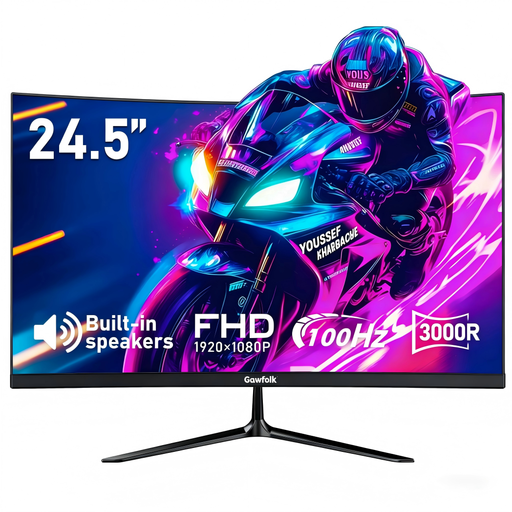
Gawfolk 24.5-inch Full HD curved anti-glare monitor
The smaller screen size may be worth considering when desk space is tight and reflections are a concern. Check whether its tilt adjustment works with the position you have available.
The product title specifies a 24.5-inch Full HD curved screen, 100Hz refresh rate and 75 × 75 mm VESA mounting. Assess whether Full HD suits your multi-window work.
View on Joybuy
 No image available
ASUS ZenScreen MB249C IPS USB-C monitor
Its mounting options may help where the window and desk layout call for flexible placement. Confirm the screen finish before choosing it specifically to manage reflections.
If laptop charging is part of your plan, check whether its stated 60W USB-C power delivery meets your laptop’s requirement. Also assess the available workspace against the documents you use together.
View on Joybuy
 No image available
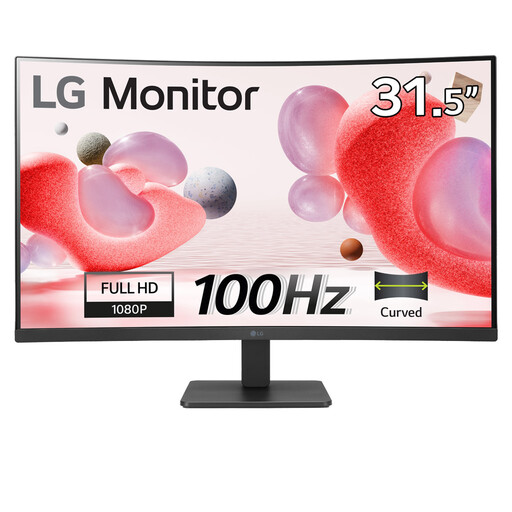
LG Electronics 32MR50C-B 32-inch Full HD curved monitor
Consider this large anti-glare model if the screen fits your desk, but check its positioning options for your window-side setup. Its size does not by itself determine how many documents will be comfortably readable.
The product title specifies a 32-inch Full HD curved VA display at 100Hz. Check whether that resolution meets your lesson-resource needs.
View on Joybuy
Common questions
Will an anti-glare monitor fix reflections from a bright window?
Not by itself. The Health and Safety Executive advises arranging the desk and screen to avoid glare or bright reflections, often by avoiding a position directly facing a window or bright light. Consider window coverings and screen position alongside the monitor’s finish.
Do UK workstation rules specify a monitor size or resolution for teachers?
The Health and Safety Executive’s display screen equipment guidance does not prescribe a particular monitor size, resolution or brand. Where workers use display screen equipment daily as part of normal work for continuous periods of an hour or more, employers must assess the workstation; that assessment considers more than the monitor.
Can one USB-C cable display lesson resources and charge my laptop?
It can when the monitor’s connection and power delivery suit the laptop and you have the required cable. Dell lists up to 90W for the P2425HE, BenQ lists 65W for the GW2790QT and LG lists up to 15W for the 27U631A-B; LG also lists that model’s USB-C cable as sold separately.
How should I clean a monitor with a glare-reducing surface?
Follow the cleaning instructions for the exact model. BenQ’s UK guidance for its covered monitors recommends switching off and unplugging the display, using a suitable soft cloth, and avoiding direct spraying and excessive pressure; it also warns against ethanol, rubbing alcohol and bleach.


