Window-side glossary writers
If you compare and enter dense bilingual text through changing daylight, reflections may be the first obstacle. The Health and Safety Executive advises arranging screens and lighting to avoid glare.


For bilingual glossary work beside a bright window, start with screen placement and a matte or anti-glare surface, then choose a monitor you can position to avoid reflections. A 27-inch QHD screen is worth considering for side-by-side text, while 4K offers more detail if the layout and text scaling suit you; check laptop video support and charging requirements before choosing USB-C for a one-cable desk.
If you compare and enter dense bilingual text through changing daylight, reflections may be the first obstacle. The Health and Safety Executive advises arranging screens and lighting to avoid glare.
An external display can give source material, glossary fields and writing tools more room. If you want one cable at the desk, check both the monitor connection and your laptop’s video and charging requirements.
When desk position is difficult to change, screen height, angle and mounting options become important ways to find a workable position away from window reflections.
Assess reflections at the actual desk before deciding how much resolution, stand movement or laptop connectivity you need.
| Concern | What to check | Who this matters to |
|---|---|---|
| Reflections and daylight | Check the screen finish and brightness controls, then assess whether the display can face away from direct reflections. | When the window or bright surroundings appear in my screen, I need to control reflections before adding display features; around 36% of consumers put glare control first. |
| Room for text | Compare native QHD and 4K resolution at 27 inches, using the text scaling you would actually choose. | Keeping source text, translations and glossary fields visible together matters more to me than a simpler layout; text workspace comes first for around 29% of consumers. |
| Screen positioning | Check the supplied stand’s height and angle adjustments, or confirm mounting compatibility if you plan to use an arm. | If my desk cannot move away from the window, I need to reposition the display for a usable viewing angle; roughly 21% of consumers prioritise adjustability. |
| Laptop connection | Confirm USB-C video support, the monitor’s power delivery and the laptop’s charging requirement. | I want to connect my laptop without managing separate display and charging cables; for about 14% of consumers, that one-cable workflow is the primary need. |
A brightness figure does not tell you whether a window will be reflected in the screen. The Health and Safety Executive treats screen and lighting arrangement as part of glare control.
Look at the proposed screen position first. Then consider the surface finish, available adjustments and whether a window covering would help.
The BenQ GW2790QT is a 27-inch QHD model, while the LG 27U730A-B is a 27-inch 4K model; native resolution changes the space available for glossary panes, although your preferred scaling also matters.
Try the layout and text size you expect to use before deciding whether the extra resolution is useful to you.
A monitor’s power delivery and a laptop’s video-output and charging capabilities must work together. BenQ specifies 65W power delivery for the GW2790QT, while LG specifies up to 90W for the 27U730A-B.
Check your laptop’s USB-C video and power requirements, and confirm whether the cable you need is included.
You may still need a separate laptop charger or a suitable cable.
A stand with limited adjustment can make it harder to move the screen away from reflections while keeping a comfortable viewing angle.
Confirm the supplied height, tilt, swivel and pivot adjustments. If you plan to use an arm, check the monitor’s mounting pattern and the arm’s desk and load compatibility.
The GW2790QT is a model-specific reference for a 27-inch QHD writing setup with USB-C and extensive stand adjustment.
The UltraSharp U2725QE is a 27-inch 4K reference for a desk where daylight changes during the day.
The 27U730A-B is a 27-inch 4K example for a laptop-centred desk where an anti-glare surface and USB-C charging matter.
The VA27DQFR is a Full HD reference for buyers considering a 27-inch screen and a separate compatible mount.
These monitors offer different approaches to glossary work: QHD and 4K options for text layouts, and Full HD options where a simpler setup meets your needs. Check each screen’s finish and positioning at your window-side desk.
 No image available
Consider this model if QHD text space and repositioning the screen are priorities. Its listed anti-glare surface is relevant beside a window, but placement still matters; confirm USB-C video and charging capability for the exact regional variant before planning a one-cable setup.
 No image available
The WQHD display is an option for keeping glossary material alongside source text. Assess the listed anti-reflection surface in your room: stated SDR brightness is 200 nits, and the listed 15W USB-C power delivery should be checked against your laptop’s charging needs.
 No image available
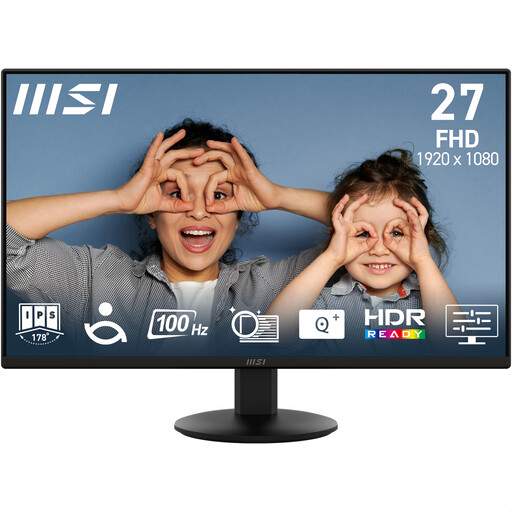
This is worth considering if a Full HD glossary layout and tilt adjustment meet your needs. The listed anti-glare coating may help with surface reflections, but Full HD leaves less room for simultaneous text panes than QHD or 4K, and tilt alone may limit positioning.
 No image available
Consider this Full HD model if you can manage the screen position with the supplied tilt adjustment or a separate compatible mount. Its listed matte, anti-glare surface is relevant near a window; check that the available text space suits your glossary layout.
 No image available
The 4K resolution is relevant if you keep several text panes open. Check the screen finish against reflections at your desk, try your preferred text scaling and confirm whether the listed tilt adjustment gives you enough movement.
No. A matte or anti-reflective surface may help with reflections, but the Health and Safety Executive also advises arranging screens and lighting to avoid glare. Check the monitor position and consider a suitable window covering where needed.
Not necessarily. A 27-inch 4K display offers more resolution than a 27-inch QHD model, but the useful choice depends on how many panes you keep open and the text scaling you find comfortable. Compare your actual working layout before choosing.
No. Confirm that your laptop supports video output through its USB-C port and that the monitor’s power delivery meets its charging needs. BenQ specifies 65W for the GW2790QT and LG specifies up to 90W for the 27U730A-B; those figures do not establish compatibility with every laptop.