Study-first card-game players
If coursework, browsing and card games share the same screen, a compact display and suitable connections deserve attention before competitive-gaming specifications.


For card games and everyday study, start by considering a compact Full HD IPS monitor around 100Hz, then check whether its stand, footprint and inputs suit your desk and computer. A QHD or 180Hz model makes more sense if you also value greater image detail or regularly play fast-moving games; confirm that your computer and connection support the display mode you want.
If coursework, browsing and card games share the same screen, a compact display and suitable connections deserve attention before competitive-gaming specifications.
A monitor must leave room for other work and sit at a usable height and distance. Check its dimensions with the stand fitted, not just the advertised screen size.
If fast-moving games are a regular second use, a higher refresh rate may be worth considering alongside desk fit and study needs.
Decide where the monitor will sit and what you will connect to it before choosing between an everyday display and higher-refresh gaming specifications.
| Concern | What to check | Who this matters to |
|---|---|---|
| Desk fit and positioning | Measure the available width and depth against the monitor and stand; check whether its adjustments allow a suitable screen height. | If books and a laptop share a small desk, I need the screen to fit without forcing an awkward position. Around 50% of consumers put desk fit and positioning first. |
| Study and casual play | Compare panel type and resolution, then check for the reading or display controls you would use. | When I move between coursework, browsing and card games, I want one screen that works for all three. Around 38% of consumers give that mixed use priority. |
| Fast games as a second use | Check the desired resolution and refresh rate against your computer’s video output and the connection you intend to use. | If I regularly play fast action games as well as cards, higher-refresh capability matters to my choice. Around 12% of consumers put that need first. |
AOC lists 180Hz and 1ms GtG for its 24G4X and Q24G4RE gaming monitors, but those specifications address fast-moving play rather than a requirement of card games.
Settle screen size, stand position and connections first. Consider 180Hz if fast action games are a recurring use.
Reading and flicker-related modes are product features, not substitutes for arranging the desk and display. The Health and Safety Executive advises placing the top of the screen at eye level and the screen about an arm’s length away.
Check that the stand and desk let you position the monitor comfortably, and account for glare and room lighting.
LG UK marks the 24GS60F-B as discontinued. Dell’s S2425HS can still serve as a specification reference, but its listing should not be taken as confirmation that it is available to order.
Check the exact model, current product page, included items and seller terms before ordering.
A monitor’s resolution and refresh-rate specifications do not establish what a connected laptop or desktop can output.
Compare the computer’s video output, the monitor’s input and the intended cable before choosing a QHD or high-refresh setup.
A different cable or adapter may be needed if the planned connection cannot carry the intended mode.
The GW2490 is a reference point for a compact Full HD monitor used for card games, reading and everyday work.
The 24G4X and Q24G4RE are relevant when fast action games are a substantial use alongside card games.
LG’s 24MS500-B illustrates a 23.8-inch IPS Full HD route for mixed everyday use.
The S2425HS provides a reference for buyers who prioritise stand adjustment and integrated speakers.
These monitors offer different ways to combine card games with study and everyday use. Compare their stated variants with your desk space and computer connections; a gaming label is less useful here than the features you will actually use.
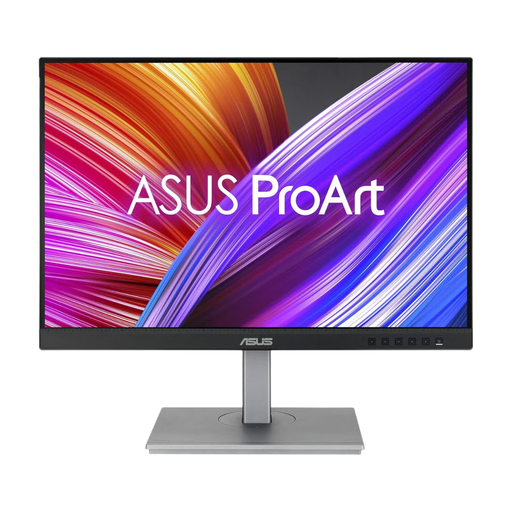 No image available
Consider this IPS WUXGA model if study and card games will share one screen. Check its stand footprint and the connection needed for your laptop before ordering.
 No image available
The QHD IPS specification makes this a model to consider if display detail matters alongside card games and study. Confirm its refresh rate, stand dimensions and included cable if those affect your setup.
 No image available
The 24-inch format is worth considering for a desk used for both coursework and card games. Confirm the exact refresh rate with the seller before relying on a particular gaming mode, and check the stand against your available space.
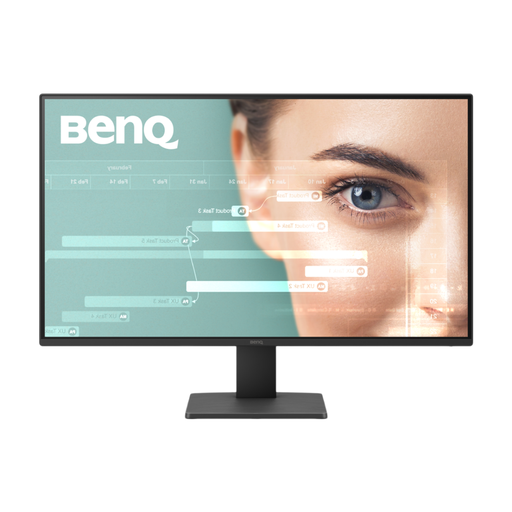 No image available
This is a larger Full HD IPS option for study and casual play when your desk can accommodate a 27-inch screen. Check the stand footprint and available positioning adjustments rather than assuming it will fit like a 24-inch model.
 No image available
Consider this curved monitor for card games and casual gaming if its 24.5-inch size suits the desk. Its name specifies 3000R curvature, built-in speakers, HDMI and a 1ms MPRT figure; check the stand footprint and positioning options for your room.
No: card games alone do not call for a 180Hz specification. BenQ and LG list 100Hz monitors for everyday uses, while AOC’s 180Hz models address faster gaming; consider the higher refresh rate if fast action games are a regular second use.
Arrange the monitor so its height and distance work with your seated position. The Health and Safety Executive advises placing the top of the screen at eye level and the screen about an arm’s length away; check the stand adjustment and desk depth before buying.
Contact the seller with the order details and a description of the fault. GOV.UK explains that the Consumer Rights Act 2015 provides routes to repair or replacement for faulty goods; a manufacturer’s voluntary warranty is not a substitute for those statutory remedies.