Photo-and-inventory multitaskers
If your catalogue needs to stay visible beside photographs, receipts or browser references, a 27-inch QHD screen is worth considering where the desk can accommodate it.


Choose a 27-inch QHD monitor if you regularly need an inventory beside photos and reference material and have room to position the screen comfortably. A compact 24-inch WUXGA or Full HD office monitor makes more sense when desk space and stand adjustment take priority. Whichever format you choose, check the inputs your computer needs; do not assume a USB-C connection can replace your laptop charger.
If your catalogue needs to stay visible beside photographs, receipts or browser references, a 27-inch QHD screen is worth considering where the desk can accommodate it.
If you mainly work through lists and documents at a smaller desk, a 24-inch WUXGA or Full HD office monitor is a practical starting point.
If you connect a laptop to catalogue belongings, check its video connection and charging requirement before choosing a monitor for a simpler cable setup.
Start with the space your catalogue and reference windows need, then check whether you can position the screen and connect your computer as intended.
| Concern | What to check | Who this matters to |
|---|---|---|
| Workspace | Compare screen size and resolution: the LG 27U631A-B is 2560 × 1440, while the HP 524pn is 1920 × 1200. | If I keep an inventory open beside photos and receipts, I want room to see both without constant window switching. Around 42% of consumers put catalogue workspace first. |
| Screen positioning and glare | Check stand adjustments, usable desk depth and reflections from lights or windows. The Health and Safety Executive advises placing the top of the screen at eye level and the display about an arm's length away. | When my desk height is fixed or I work through a long list, I need to place the screen comfortably and avoid distracting reflections; around 33% of consumers make positioning and glare their main concern. |
| Laptop connection | Confirm video compatibility, USB-C power delivery against your laptop's charging requirement, and whether the cable is included. | I would rather connect my laptop without an awkward cable arrangement, but I still need to know how it will charge. For around 25% of consumers, connectivity is the primary need. |
USB-C does not specify how much power a monitor supplies. LG lists up to 15W power delivery for the 27U631A-B and says its USB-C cable is sold separately.
Compare the monitor's stated wattage with your laptop's charging requirement, and check which cable you will need.
You may still need to use a separate laptop charger or obtain a compatible cable.
A larger display still needs to fit your desk and viewing position. LG describes the 27U631A-B stand as tilt-adjustable; HP lists height, tilt, swivel and pivot adjustments for the 524pn.
Measure the available desk space and check the stand's adjustments before deciding whether you need a riser or compatible monitor arm.
A riser or arm may be necessary if the supplied stand cannot place the screen where you need it.
A diagonal measurement does not tell you how many pixels are available for catalogue windows. The cited LG QHD monitor is 2560 × 1440, the HP WUXGA model is 1920 × 1200, and the Dell Full HD model is 1920 × 1080.
Compare both dimensions when deciding how much of your list, photographs and reference material you want visible at once.
LG's 27U631A-B is an example of the 27-inch QHD IPS route for viewing catalogue material alongside other windows.
HP's Series 5 Pro 524pn is a compact, document-oriented option when stand positioning matters.
Dell's P2425H illustrates the compact Full HD office-monitor route.
These monitors cover compact document work and larger, higher-resolution catalogue layouts. Compare their stated features with your desk space, screen-positioning needs and computer connections.
 No image available
Consider this WQHD IPS model when your catalogue needs to sit beside photos or reference windows. Check its stand adjustments for your desk and its USB-C power delivery against your laptop's requirements before planning a single-cable setup.
 No image available
Consider the listed 3840 × 2160 display if you want room for detailed catalogue and reference windows, but check that its curved 32-inch format fits the study desk. The title lists USB-C at 65W; compare that rating with your laptop's charging requirement and check the screen surface if reflections matter.
 No image available
This IPS QHD model is worth considering if you want catalogue detail in a compact screen format. For laptop use, check USB-C video compatibility, the charging power you need and which cable comes with this product.
 No image available
Consider this 3840 × 2160 model for a catalogue with several detailed views, provided a 27-inch screen fits your desk. Its title lists HDMI and DisplayPort; check the stand's swivel adjustment and screen surface if either matters to your setup.
 No image available
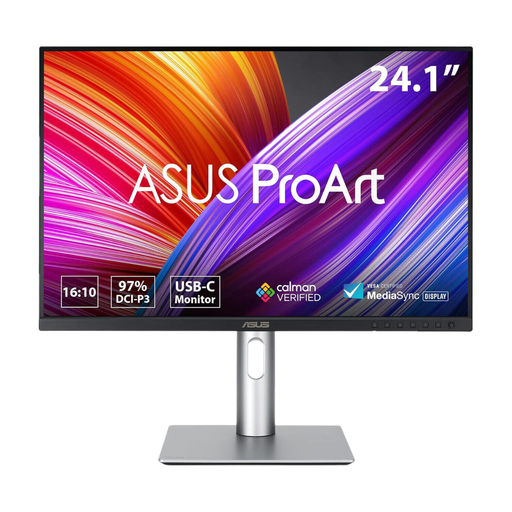
This IPS WUXGA model suits a compact, document-focused catalogue setup when a larger QHD or 4K workspace is not the priority. If you plan to connect a laptop through USB-C, confirm its video compatibility and charging requirement before relying on one cable.
Place the screen directly in front of you, with its top around eye level and the display about an arm's length away, as the Health and Safety Executive advises. Check whether the supplied stand, a suitable riser or a compatible arm lets you achieve that position at your desk.
It can do both only when the laptop supports the intended video connection and the monitor supplies suitable charging power. LG lists up to 15W USB-C power delivery for the 27U631A-B and says the cable is sold separately, so compare those details with your laptop before relying on one cable.
No. LG lists these features for the 27U631A-B, but they do not remove the need to position the display and manage reflections; the Health and Safety Executive advises suitable screen placement and posture.
The Health and Safety Executive's display-screen-equipment guidance addresses work rather than establishing leisure-only household cataloguing as a regulated work activity. If you also use the study for regular home working, check the guidance that applies to that work setup separately.