Small-desk checkout tester
If a laptop, keyboard and test device share your desk, measure the monitor’s full on-stand depth rather than judging fit by screen size alone. Stand adjustment also determines how easily you can position the display.


For checkout testing on a small desk, check the monitor’s complete stand footprint and adjustment options before choosing a resolution. Full HD can suit browser-based checks, while QHD gives more native desktop pixels at a similar screen size; a USB-C hub is useful only if your laptop supports the required video and charging connection. Chrome for Developers describes mobile device emulation as an approximation, so important device-specific checkout flows still need appropriate device checks.
If a laptop, keyboard and test device share your desk, measure the monitor’s full on-stand depth rather than judging fit by screen size alone. Stand adjustment also determines how easily you can position the display.
If you regularly inspect checkout copy, validation states and error messages alongside browser tools, a 23.8-inch QHD display offers more native pixels than a Full HD display of the same size. Dell UK lists the P2425D at 2560 × 1440.
If you frequently connect and disconnect a work laptop, a USB-C hub monitor may reduce desk cabling. Check that the laptop supports video through the intended port and that the monitor’s power delivery meets its charging requirements.
Measure the usable desk space first, then decide how much desktop workspace you need. Check laptop connections and screen positioning against the way you run checkout tests.
| Concern | What to check when buying | Who this matters to |
|---|---|---|
| Desk fit and adjustment | Compare complete on-stand depth with the space left for your keyboard and cables. Check the stand’s height adjustment or mounting pattern if you need to reposition the screen. | With a laptop and test device already on the desk, I need the monitor base to fit before extra desktop pixels matter. Roughly 31% of consumers put desk fit and adjustment first. |
| Testing workspace | Compare native Full HD and QHD resolution for the browser and inspection tools you use. Set mobile viewport dimensions deliberately in your testing tools. | When reviewing a checkout page beside DevTools and notes, I want enough room to see the details I am checking. For roughly 31% of consumers, testing workspace is the primary concern. |
| Laptop connection | Check the laptop’s video output against the monitor’s inputs. For one-cable use, confirm USB-C video support and suitable power delivery. | If I unplug my work laptop often, I want to avoid reconnecting several desk cables each time. Laptop connectivity comes first for roughly 19% of consumers. |
| Longer review sessions | Check whether the stand lets you set a workable screen position, and consider the monitor as part of the whole desk setup. | During repeated checks of forms and error states, I need a screen position that works with my chair and desk. Around 19% of consumers prioritise positioning for sustained review. |
A desktop monitor does not reproduce a phone’s touch behaviour or mobile-browser implementation. Chrome for Developers calls Device Mode a first-order approximation.
Use emulation to inspect viewports and breakpoints, then check important device-specific checkout flows on relevant devices or by remote debugging.
A 23.8-inch screen can still take up considerable desk depth. BenQ UK specifies the GW2490T at 241 mm deep with its stand.
Measure the space available after placing your keyboard, laptop and test devices, then compare each monitor’s complete on-stand dimensions.
A monitor’s power-delivery rating does not establish that your laptop can send video through its USB-C port or charge adequately from that monitor.
Compare the laptop manufacturer’s port and charging specifications with the exact monitor variant, and check the cable needed for the connection.
For workers who use display screen equipment daily as part of normal work, continuously for an hour or more, the UK Health and Safety Executive says employers must carry out a workstation assessment.
If that condition applies to your work, consider the monitor alongside the chair, desk layout, lighting and work routine.
Dell UK lists distinct 23.8-inch options: the Full HD P2425H, the QHD P2425D and the Full HD USB-C hub P2425HE. Check the exact model suffix rather than assuming their features are interchangeable.
The GW2490T is a 23.8-inch Full HD option to compare when stand positioning and a known on-stand depth matter.
The VA24DQFS is a 23.8-inch Full HD model worth comparing for a desk setup that needs an adjustable screen position.
These roughly 24-inch monitors offer different resolutions, panel types and stand arrangements for checkout-page work. Compare each one’s complete desk footprint and connection requirements with your own setup.
 No image available
Consider this WUXGA display if you want to review checkout pages on a compact desktop screen. Measure the complete stand depth against your available space, and confirm the laptop connection before relying on USB-C video or charging.
 No image available
This QHD model suits a setup where keeping checkout content and inspection tools visible together is the priority. Check the full stand depth, and confirm that your laptop connection supports the monitor’s native resolution and any USB-C features you intend to use.
 No image available
This monitor gives you a stated 195.3 mm on-stand depth to compare with your usable desk space. Its tilt adjustment suits a position that needs only that movement; check whether you also need height, swivel or pivot adjustment.
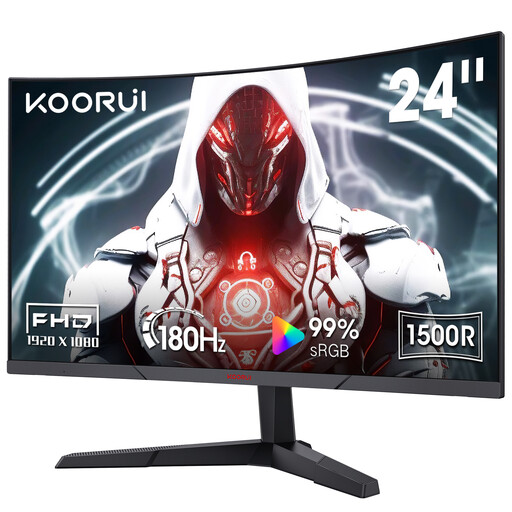 No image available
This Full HD VA monitor is an option for checkout review if its curved screen and tilt-only adjustment suit your desk position. Check the stated 229.15 mm depth against the space needed for your keyboard and cables; its 180 Hz refresh-rate designation is not a substitute for the viewport and device checks your testing requires.
 No image available
Consider this 24-inch model for a compact checkout-testing desk if its exact configuration meets your needs. Confirm the on-stand depth and ports for the P2425 before ordering, particularly if your setup depends on USB-C video or charging; do not assume it shares the specifications of a differently suffixed Dell model.
Yes, if a compact browser-based workspace meets your needs. Full HD has fewer native pixels than QHD for displaying a checkout page, DevTools and notes together; set the intended viewport in your testing tools rather than using the monitor’s size as a mobile-device check.
No, not when device-specific behaviour matters. Chrome for Developers describes Device Mode as a first-order approximation: use it to inspect viewports and breakpoints, then check relevant flows on a real device or through remote debugging where needed.
The UK Health and Safety Executive says employers must carry out a workstation assessment when workers use display screen equipment daily as part of normal work, continuously for an hour or more. The assessment covers the workstation and work routine, not just the monitor.
Take an unwanted monitor to an appropriate electrical-waste collection point rather than placing it in ordinary household waste. GOV.UK says waste electrical products can be taken to a local household waste recycling centre and separated from other waste.