For recording raffle proceeds beside a bright window, start with screen positioning, an anti-glare surface and a stand that lets you adjust the viewing angle; a different monitor alone may not remove a direct window reflection. A 27-inch 4K screen offers more pixels for dense records than the QHD and Full HD examples here, while a QHD USB-C model may better suit a laptop-led setup. If daylight changes throughout the day, an adaptive-brightness model is another option, provided its resolution suits your spreadsheets.
Who this is for
Record keepers working beside a window
If daylight falls across the desk while you enter or check raffle totals, reflections and screen placement belong in the purchase decision. The Health and Safety Executive advises adjusting screens and lighting to avoid glare and reflections.
Spreadsheet users checking supporting records
If you compare totals with receipts or other documents, consider how much of your usual layout remains readable at a comfortable text size. Dell lists a 27-inch 4K option, the S2725QS, as one resolution route.
Organisers working from a laptop
If a laptop moves between desks, the connection and stand adjustments may matter alongside the screen. Dell lists USB-C on the S2725DC, and LG describes USB-C display, data and charging functions on the 27UP850K-W; check compatibility with your laptop before relying on either setup.
What matters when choosing
Work out whether reflections, detailed records or laptop setup is your main difficulty, then compare the exact monitor and your desk layout against that need. The Health and Safety Executive advises considering the whole workstation, not just the display.
| Concern |
What to check |
Who this matters to |
| Reflections and changing daylight |
Check the exact screen-surface treatment and stand adjustments. See whether you can change the screen angle or window shading. |
If I enter figures beside the window, a reflected patch of daylight can interrupt each check of the totals. Around 46% of consumers would put glare management first. |
| Readable figures and document detail |
Compare resolution at your preferred text scaling, using a typical spreadsheet and supporting document. |
When I compare several columns with receipts, I need the figures to stay readable without losing sight of the records beside them. Roughly 36% of consumers would make detail and readability their primary concern. |
| Laptop connection and positioning |
Confirm USB-C video and charging compatibility, the cable you need and the stand adjustments that fit your desk. |
If I set up from a laptop at a shared desk, I want a connection and viewing position I can manage each time. About 18% of consumers would prioritise laptop setup and positioning. |
Mistakes to avoid
-
Expecting an anti-glare label to fix the desk layout
Even with an anti-glare screen, a window can remain reflected in the display if its position and the room lighting stay the same. The Health and Safety Executive advises adjusting screens and lighting to manage reflections.
Check the surface and stand when choosing a monitor, then assess where the screen can sit relative to the window.
-
Assuming any USB-C socket gives you a one-cable setup
A USB-C connection on the monitor does not establish that your laptop can send video through its port or use the available charging arrangement.
Check the laptop’s video output and charging requirements against the monitor’s stated functions, and confirm the cable and any dock you would need.
-
Choosing by screen size without checking resolution
The cited 27-inch Dell and BenQ models span Full HD, QHD and 4K, so their pixel workspace is not the same even though their stated screen size is.
Compare a typical raffle spreadsheet and document layout at a text size you find comfortable before deciding how much resolution you need.
Brands and model examples
Dell
Dell’s S2725QS and S2725DC illustrate two 27-inch IPS routes: 4K for more display pixels, or QHD with USB-C for a laptop connection.
- Dell lists anti-glare treatment and height, pivot, swivel and tilt adjustment on both cited models.
- The S2725DC has fewer pixels than the S2725QS; decide whether its USB-C connection or the 4K resolution matters more for your records.
LG
LG’s 27UP850K-W is a 27-inch 4K IPS example for buyers considering a USB-C laptop connection as well as an adjustable screen.
- LG states that this model supports display, data transfer and connected-device charging of up to 90 W through USB-C, and lists height, pivot and tilt adjustment.
- Confirm your laptop and cable compatibility. If a hardware-calibration workflow matters, check the software and equipment it requires.
BenQ
BenQ’s GW2790T is a Full HD office-monitor example for someone interested in adjusting the display as daylight changes.
- BenQ describes a built-in sensor that adjusts brightness and colour temperature for the surroundings, and lists height, pivot, swivel and tilt adjustment on the GW2790T.
- The GW2790T has fewer display pixels than the cited QHD and 4K models; check whether your usual spreadsheet remains comfortable to read.
Joybuy monitor options
These monitors offer different screen sizes, resolutions and desk-setup options for recording raffle proceeds. Compare each exact model’s surface and positioning with the light at your desk; an anti-glare description does not replace arranging the screen to avoid a direct reflection.
 No image available
ASUS ProArt PA278CV IPS WQHD monitor
Consider this WQHD IPS option if reading records from a laptop is your priority. Check how its screen surface and positioning work beside your window, and confirm your laptop’s USB-C video and charging compatibility if you plan to use that connection.
View on Joybuy
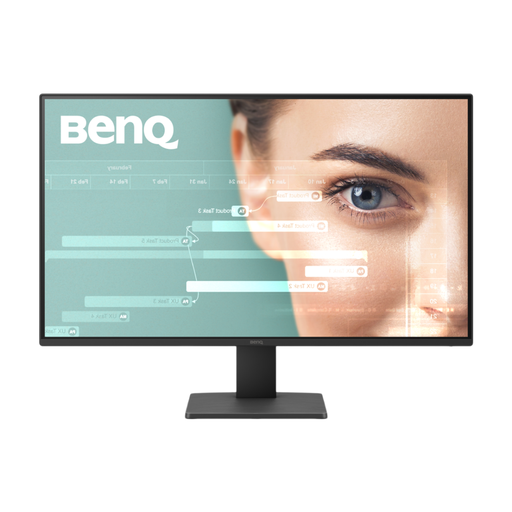 No image available
BenQ GW2791 27-inch IPS Full HD monitor
This 100Hz Full HD model is an option if your usual records fit comfortably at that resolution. Its stated stand adjustment is tilt, so check whether you can achieve a suitable screen height and angle at your desk; it is a different model from the GW2790T discussed above.
View on Joybuy
 No image available
iiyama ProLite XUB2792UHSU-B6 27-inch 4K UHD monitor
Consider the 4K UHD resolution if you regularly compare dense records, then check the text size you would use. If reflections are the deciding issue, confirm the exact screen-surface treatment before choosing it and assess where the display can sit relative to the window.
View on Joybuy
 No image available
Gawfolk 24.5-inch Full HD curved anti-glare monitor
The stated anti-glare surface makes this an option to assess for a bright-window desk, though you will still need to manage direct reflections through placement. The model name specifies a 3000R curve and HDMI connection; check whether its tilt adjustment and Full HD resolution suit your records and viewing position.
View on Joybuy
 No image available
ASUS Eye Care VY27UQ 4K UHD 60Hz monitor
The 4K UHD resolution may suit detailed spreadsheet layouts if the text remains comfortable at your chosen scaling. Check the exact screen-surface treatment if reflections are a priority, and whether tilt adjustment gives you the positioning you need beside the window.
View on Joybuy
Frequently asked questions
Will an anti-glare monitor fix reflections from a bright window?
Not necessarily: screen position and lighting still affect whether the window is reflected in the display. The Health and Safety Executive advises adjusting screens and lighting to avoid reflections and glare, so assess the desk arrangement alongside the monitor surface.
What should I check before using a monitor with one USB-C cable?
Confirm that your laptop can send video through its USB-C port and that the monitor’s charging provision meets the laptop’s requirements. LG states that the 27UP850K-W supports display, data transfer and up to 90 W power delivery through USB-C; also check the cable needed for your setup.
Does workstation guidance matter when I record proceeds at home?
Yes, the setup advice can help you assess a home desk: the Health and Safety Executive advises considering equipment, furniture and working conditions together. Whether particular workplace duties apply depends on the person’s work arrangement and use of the screen.
What should I do if a newly bought monitor is faulty?
Keep the purchase record, document the fault and contact the seller. GOV.UK explains that consumer rights protect purchases made remotely or in person; the appropriate remedy depends on the purchase and the fault circumstances.


