Club treasurers working across records
If you compare membership lists, renewals, payment records and emails, readable text and room for your working windows deserve more attention than gaming refresh-rate features.


Choose by the records you need visible together and the way your laptop connects. A 27-inch 4K monitor is worth considering for dense spreadsheets and side-by-side records; a 27-inch QHD hub monitor may suit a compatible laptop better when peripheral connections matter more. Neither resolution nor an eye-comfort label replaces sensible screen positioning, glare control and breaks.
If you compare membership lists, renewals, payment records and emails, readable text and room for your working windows deserve more attention than gaming refresh-rate features.
If your laptop supports video through USB-C or Thunderbolt, a suitable monitor may bring display, charging and peripherals together at one desk. Check the laptop connection before planning around a single cable.
If you move between member administration and online meetings, screen adjustment and the calling equipment already on your desk may influence whether an integrated webcam and audio are useful.
Decide whether detailed records, laptop docking or regular calls drive the choice; then check that the screen can be positioned comfortably at your desk.
Consider it when: You regularly work across detailed records and want a compatible laptop to carry video, data and charging through one connection.
Trade-off: A higher-resolution display does not remove the need to check laptop video output and comfortable text scaling.
Consider it when: Wired networking and USB peripherals are more important to your desk setup than maximum pixel density.
Trade-off: QHD has fewer pixels than 4K, and one-cable operation still depends on the laptop connection.
Consider it when: Committee calls are frequent and a built-in webcam, microphone and speakers would replace separate desk devices.
Trade-off: Check resolution before prioritising call hardware: the LG 27BA850-B is Full HD rather than QHD or 4K.
| Concern | What to check | Who this matters to |
|---|---|---|
| Room for detailed records | Compare screen size and native resolution, then check whether your preferred text scaling leaves enough usable space. | When I compare renewals with payments and emails, I need to see the relevant records without constantly changing windows. Around 36% of consumers put record workspace first. |
| Laptop connection | Confirm USB-C DisplayPort Alt Mode or Thunderbolt support, the monitor’s ports and charging rating, and the cable needed. | I want to connect my work laptop and desk peripherals with fewer cables, but the connection has to carry video as well as power. For around 29% of consumers, that setup is the primary concern. |
| Screen positioning | Check stand adjustment or mounting compatibility, and account for desk depth, lighting and reflections. | During long administration sessions, I need to position the screen without awkward posture or distracting glare. Comfortable setup comes first for around 21% of consumers. |
| Online meetings | Decide whether a built-in webcam, microphone and speakers would replace equipment you otherwise need. | If committee calls regularly interrupt my records work, I would rather keep the necessary call equipment at one desk. Around 14% of consumers primarily want that convenience. |
A data-only or power-only laptop port will not provide the video connection needed for a one-cable display setup.
Check the laptop documentation for DisplayPort Alt Mode or Thunderbolt, then confirm the monitor input, charging rating and required cable. Dell United Kingdom Support specifically identifies laptop video-output support as a condition for USB-C monitor video.
Without a compatible connection, you may need a separate display cable, adapter, dock or charger.
A screen that sits at the wrong height can be difficult to place appropriately for sustained desk work. The Health and Safety Executive advises considering screen position and the whole workstation.
Check the stand’s adjustment or confirmed mounting compatibility against your desk and chair setup.
A separate riser, arm or stand may be needed if the included stand cannot place the screen appropriately.
Built-in calling equipment can simplify a meeting desk, but the LG 27BA850-B’s Full HD resolution offers fewer pixels than the QHD and 4K alternatives discussed here.
If calls are occasional and detailed records drive your work, compare resolution and connections before deciding how much integrated call hardware you need.
A display feature does not replace attention to posture, reflections and work routine. Health and Safety Executive guidance covers the workstation as well as the screen.
Position the display for your desk, manage glare and take breaks or change activity as appropriate to your work.
Dell’s UltraSharp U2724DE is a reference point for a 27-inch QHD monitor with laptop-hub connections.
LG has distinct options here for detailed records and for regular online meetings.
Samsung’s ViewFinity range is another reference point when considering a 4K display for detailed records.
These monitors offer different screen sizes and display connections for home-office records work. Compare the connection and positioning details against your own laptop and desk rather than treating gaming features as a requirement for subscription administration.
 No image available
Consider this for detailed records if its glossy screen suits your room’s lighting. The product name specifies a 27-inch 4K IPS display, USB-C and a height-adjustable stand. Check laptop video compatibility and the cable supplied before relying on a single connection.
 No image available
Consider this when a 27-inch 4K screen fits your records workflow and you plan to use HDMI or DisplayPort. The product name also lists built-in speakers. Check your laptop’s output and the stand adjustment you need; do not assume it provides USB-C docking.
 No image available
Consider the larger curved format only if it fits your desk and preferred viewing position. The product name lists 4K resolution, a USB hub and Type-C 65 W; confirm whether its Type-C connection carries video from your laptop before planning a docking setup.
 No image available
Its named 27-inch 4K mode may suit detailed records, even if gaming is not your reason for buying. The product name also specifies a UHD 144 Hz/FHD 288 Hz dual mode. Check the display connection your laptop needs rather than assuming a USB-C docking arrangement.
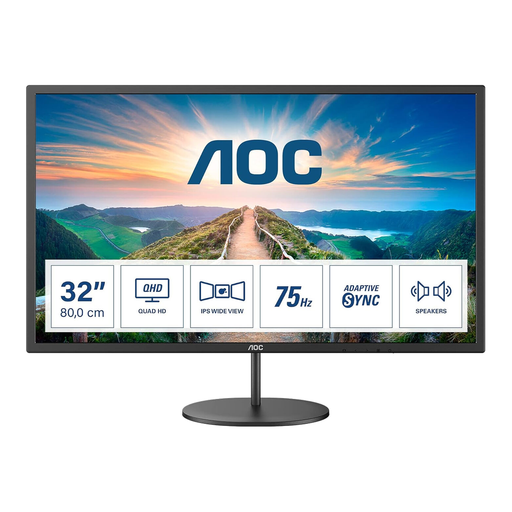 No image available
Consider its larger screen for a desk where viewing distance and fit work for you. The product name lists an IPS display and built-in speakers. Confirm the exact native resolution and stand adjustment before deciding whether it meets your records-work and positioning needs.
Consider 4K when you regularly compare dense spreadsheets and other records side by side; consider QHD when a suitable hub connection and desk peripherals are the stronger priority. Check text scaling and your working layout as well as the stated resolution.
No. Dell United Kingdom Support says the laptop port needs DisplayPort Alt Mode or Thunderbolt for USB-C monitor video. Check the laptop documentation and the monitor’s connection requirements before relying on one-cable operation.
Set up the monitor as part of the whole workstation. Health and Safety Executive guidance describes placing the top of the screen around eye level and the display roughly an arm’s length away; also consider your keyboard position, lighting and glare.
Yes, it can apply to workers who work from home on a permanent or long-term basis, according to the Health and Safety Executive. Its workstation-assessment guidance addresses workers who use display screen equipment daily as a normal part of work for continuous periods of an hour or more; private club administration is not, by itself, an employment arrangement.