What matters when choosing?
Start with the task that makes the current renewal desk difficult to use, then check the computer connection and how the screen will be positioned. The priorities below distinguish consumers by the need they would put first, even when several features appeal to them.
| Concern | What to check | Who this matters to |
|---|
| Room for renewal records |
Compare native resolution, screen size and available desk space; confirm the computer can output QHD before choosing it. |
When I compare a renewal list with emails and a web portal, I want enough room to keep the relevant windows visible. Around 25% of consumers put workspace first. |
| Laptop connections |
Check USB-C video support, the monitor's stated charging output and the ports needed for peripherals or Ethernet. |
If I reconnect a laptop at a shared desk, I want fewer separate connections to make before starting. Roughly 31% of consumers make a simpler laptop setup their main priority. |
| Screen positioning |
Check the stand adjustments or compatible mounting options needed by the people using the desk. |
For long renewal sessions, I need to position the screen comfortably, particularly if other officers share the workstation. Around 25% of consumers prioritise adjustment for regular use. |
| A straightforward replacement |
Match the existing computer's ports and the number of windows normally used before adding docking features or a larger display. |
If I mainly handle email and one renewal spreadsheet, I want a screen that fits the job without paying for connections I will not use. About 19% of consumers put a simple replacement first. |
Joybuy monitor choices
These monitors cover compact Full HD desks and higher-resolution setups for club renewal work. Choose by the computer's display output, the connections you actually need and the space available for the screen.
 No image available
ASUS ProArt PA24ACRV IPS QHD Monitor
Consider this for renewal work where a QHD workspace matters. Check the exact model's native mode against your computer and confirm the USB-C and hub functions required for your laptop setup.
View on Joybuy
 No image available
ASUS ProArt PA278CV IPS WQHD Monitor
A WQHD option to consider when several renewal windows need to be visible together. If connecting a laptop by USB-C, check its display compatibility and the monitor's charging output before relying on one cable.
View on Joybuy
 No image available
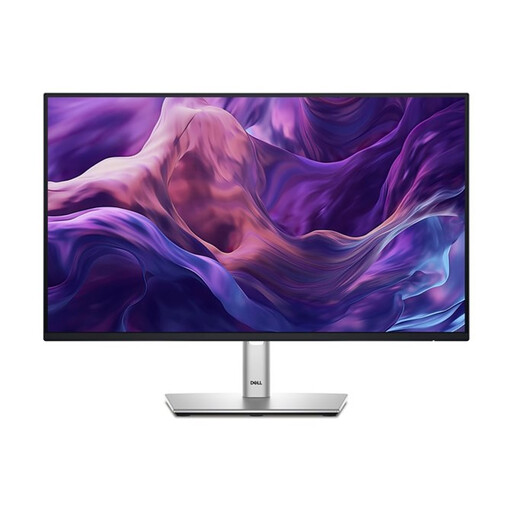
Dell P2425H 24-inch Full HD Monitor
A compact option for routine renewal administration when a large multi-window workspace is not the priority. The product name specifies a 1920 × 1080 IPS display, 100Hz refresh rate, USB-C, DisplayPort, HDMI and VGA; check USB-C video and charging requirements separately.
View on Joybuy
 No image available
LG 27UP650K 27-inch 4K IPS Monitor, White
Consider this higher-resolution display for a fixed renewal desk if the computer can drive its native mode. The product name lists a 27-inch 4K IPS panel, 60Hz refresh rate, HDMI and DisplayPort connections; check that those connections suit the intended computer.
View on Joybuy
 No image available
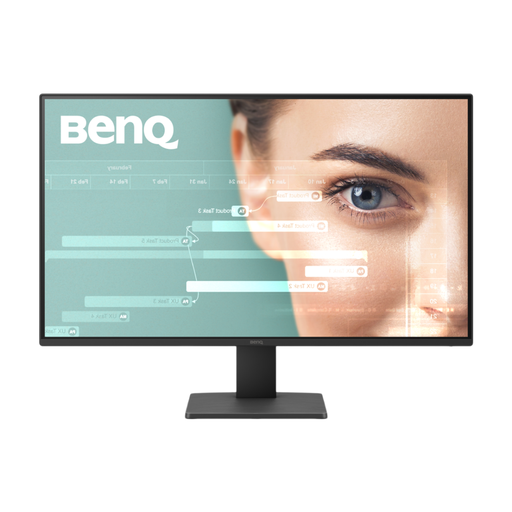
BenQ GW2791 27-inch IPS Full HD Monitor
A 27-inch Full HD option for straightforward desk-based renewal tasks. Its product name specifies an IPS panel and 100Hz refresh rate; check whether its positioning options suit the workstation, particularly if more than one person will use it.
View on Joybuy
Frequently asked questions
Will a USB-C monitor charge every club laptop through one cable?
No: charging output and laptop compatibility depend on the exact models. LG states up to 15W for the 27U631A-B, Dell lists a 90W option for the U2424HE, and Lenovo says its T27QD-40 can deliver up to 100W under specified compatibility conditions, with actual output potentially lower. Check both the laptop's charging requirement and USB-C video support.
Why might a QHD monitor display a lower resolution?
The computer and its video connection must support the monitor's native mode. For its E27u G5, HP specifies a native resolution of 2560 × 1440 and says the connected computer and video connection must support that mode. Check the computer, port and cable or adapter together.
Do UK display screen equipment rules apply to club renewal work?
They apply to workers who use display screen equipment daily for continuous periods of an hour or more, according to the Health and Safety Executive. Where the rules apply, the employer must assess the workstation and reduce risks; a monitor's comfort features do not replace that assessment.
Can the club arrange take-back of an old monitor?
Ask the seller how to arrange take-back when ordering a replacement. GOV.UK says retailers must offer take-back of waste electrical equipment of the same type as the item purchased, and a home collection may involve a transport charge. Confirm the seller's return or collection arrangements before disposing of the old monitor.


