For a fixed community-survey desk with few sockets, a USB-C docking monitor can carry video and charge a compatible laptop through one connection, removing the need for a separate laptop charger at that desk. The monitor still needs power, and the laptop must support the required USB-C functions. Choose a portable screen when the station moves frequently; a conventional monitor remains an option when separate laptop charging and the venue’s power arrangements are manageable.
Who needs which setup?
Single-outlet survey-desk organisers
At a fixed sign-in or questionnaire-entry desk, you want to reduce separate laptop connections. A USB-C docking monitor can carry video and charging over one laptop connection if the laptop supports both functions.
Mobile pop-up survey teams
If the second screen moves between tables, rooms or venues, its carrying size and compatibility with the laptop matter more than a large desktop panel. A portable USB-C screen is the route to examine.
Long-session data-entry teams
For extended questionnaire entry or results checking, consider whether the stand and temporary table let each user position the screen comfortably. The Health and Safety Executive advises placing a workstation screen at about eye level and roughly an arm’s length away.
What matters when choosing?
Choose the connection arrangement around whether the desk stays put, then check laptop compatibility and the venue’s power plan before deciding on screen size.
USB-C docking monitor
Choose when: A fixed desk needs laptop video and charging through one connection, and the laptop supports both.
Bear in mind: The monitor needs mains power, and its stated charging output must suit the laptop.
Portable USB-C screen
Choose when: The survey station moves between tables or venues and a second screen must travel with it.
Bear in mind: A smaller screen offers less shared viewing area; a USB-C display connection does not establish that the screen charges the laptop.
Conventional monitor
Choose when: The laptop cannot use the proposed USB-C display-and-charging setup, or separate charging is practical at the desk.
Bear in mind: Plan for the additional charger connection and route its cable safely.
| Concern |
What to check |
Who this matters to |
| Desk connections |
Check laptop USB-C video and charging support, then compare its charging requirement with the monitor’s stated Power Delivery output. |
At a fixed survey desk, I want fewer separate charger and display connections without losing laptop power during entry. Roughly 46% of consumers would put reducing those connections first. |
| Portability |
Check carrying size and weight, plus the laptop port and power arrangement required by the portable screen. |
When our survey station changes rooms, I need a second display I can move with the kit. For around 27% of consumers, portability would be the primary concern. |
| Workstation position |
Check stand adjustment and whether the table has room for the screen, laptop and input devices. |
If volunteers will enter questionnaires for long sessions, I need to position the screen rather than choose by size alone. Workstation usability would come first for roughly 27% of consumers. |
Mistakes to avoid
-
Assuming every USB-C port does the same job
A USB-C connector alone does not establish that a laptop can send video or accept charging through it. Lenovo specifies DP 1.2 Alt Mode and PD 2.0 support for the ThinkVision M14.
Check the laptop’s port specifications and charging requirement against the exact monitor’s requirements before ordering.
-
Treating an extension lead as extra socket capacity
Connecting more equipment can overload a socket or lead. Cables crossing a public route also need attention when setting up a temporary station.
List the devices you will connect, stay within the extension lead’s marked rating, avoid connecting extension leads to one another and agree cable routes with the venue. Electrical Safety First warns against socket overloading, while the Health and Safety Executive advises event organisers to plan electrical equipment appropriately.
-
Assuming a portable screen also charges the laptop
A portable monitor may receive video and power over USB-C without supplying enough power back to the laptop. Its operation also depends on the host port and the intended power arrangement.
Test the exact laptop, monitor, cable and charging arrangement before the survey session, and plan a compatible charging option if the laptop needs one.
-
Choosing screen size before planning the table
A larger or adjustable display is of limited use if there is too little table depth for a workable screen, keyboard and laptop position.
Measure the temporary desk and arrange the screen and input devices before extended data-entry work begins.
Relevant brands to consider
Dell
Dell’s P2425HE illustrates a fixed-desk USB-C hub monitor. Dell UK lists a 23.8-inch Full HD display and USB-C power delivery of up to 90W.
- Its RJ45 Ethernet connection and adjustable stand may be useful at a coordinator desk.
- Check that the survey laptop supports USB-C video and charging and that the stated power output suits it.
LG
LG’s 24BA650-B is a 23.8-inch Full HD IPS office monitor. LG UK states that its USB-C connection supports display, data transfer and charging up to 65W.
- USB ports and an adjustable stand give a fixed desk options for peripherals and positioning.
- The 65W figure is an upper limit for this model, not a guarantee that it will charge a particular laptop adequately.
Lenovo ThinkVision
The ThinkVision M14 illustrates a portable second-screen route. Lenovo describes it as a 14-inch display weighing 598 g.
- Its compact format is relevant when a survey display moves between stations.
- Lenovo specifies a notebook USB-C port supporting DP 1.2 Alt Mode and PD 2.0; check the intended host and power arrangement.
Philips
The Philips 24B2G5301 illustrates a business-monitor approach to USB-C docking at a fixed desk.
- Philips describes a single USB-C laptop connection for display and charging, alongside peripheral connections.
- Confirm the exact model’s charging output and the laptop’s USB-C requirements before relying on one cable.
BenQ
BenQ’s GW2790QT illustrates a larger fixed-desk option: a 27-inch QHD monitor for planning work that needs more screen area.
- BenQ lists USB-C data transfer and 65W charging for this model.
- Allow room for the 27-inch display and check whether its charging output suits the laptop.
Joybuy monitor options
These options cover USB-C monitors for fixed survey desks and portable second screens for stations that move. For any model, confirm the laptop’s video and power requirements before relying on a one-cable arrangement.
 No image available
BenQ MA320UP 32-inch 4K USB-C monitor
Consider this for a fixed survey workstation with room for a large display and an adjustable stand.
The product name specifies a 32-inch 4K UHD screen, USB-C and height adjustment. Check video compatibility and charging suitability for the survey laptop, particularly if it is not a Mac.
View on Joybuy
 No image available
ASUS ZenScreen MB249C IPS USB-C monitor
Consider this where positioning a USB-C screen at a temporary desk matters.
Check that the laptop can provide the required USB-C video connection and that the monitor’s charging output suits it. If the screen will move between venues, confirm its carrying weight before choosing it.
View on Joybuy
 No image available
Lenovo L32p-30 31.5-inch 4K USB-C monitor
Consider this for a fixed station where the table can accommodate a 31.5-inch screen.
The product name specifies 4K UHD, IPS and USB-C. Confirm the monitor’s USB-C charging output and the laptop’s video and charging requirements before planning to leave the laptop charger out of the setup.
View on Joybuy
 No image available
ASUS ZenScreen MB166C 15.6-inch portable USB-C monitor
Consider this second screen when a survey station needs to move between locations.
The product name specifies a 15.6-inch Full HD IPS display and USB-C. Confirm the laptop’s video support and test how the monitor will receive power; do not assume the connection also charges the laptop.
View on Joybuy
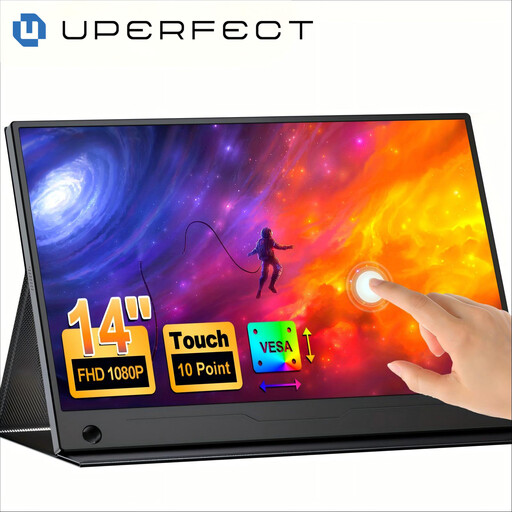 No image available
UPERFECT 14-inch 60Hz portable touchscreen monitor
Consider this compact second screen for a mobile survey station that needs touch input.
The product name specifies a 14-inch touchscreen, VESA compatibility and a 180° adjustable stand. Check the intended laptop’s video compatibility and test the monitor’s power arrangement before taking it to the venue.
View on Joybuy
Frequently asked questions
Will a USB-C monitor remove the need for a laptop charger?
Only if the laptop accepts USB-C charging and the monitor supplies suitable power while carrying the required video signal. Compare the laptop’s charging requirement with the exact monitor’s Power Delivery output; the presence of USB-C ports alone is not enough.
Can we add extension leads if the venue has too few sockets?
An extension lead does not increase the capacity of the socket supplying it. Electrical Safety First advises checking the lead’s rating and avoiding one extension lead plugged into another; plan the connected equipment and cable routes with the venue before setting up the survey desk.
Does every community-survey monitor need an annual PAT test?
Not automatically. The Health and Safety Executive says annual portable appliance testing is not a blanket requirement for all equipment in low-risk settings; appropriate maintenance and checks depend on the equipment and environment. For an event, organisers should ensure electrical equipment is properly selected, installed and maintained so far as reasonably practicable.
How should we position a screen for repeated questionnaire entry?
Arrange the whole workstation so the screen, keyboard and seating can be used comfortably, rather than choosing by monitor size alone. For a standard workstation, the Health and Safety Executive advises placing the top of the screen at about eye level and the screen roughly an arm’s length away.


