Sit-stand schedule coordinators
If you move between sitting and standing while checking delivery dashboards, spreadsheets and messages, you need to assess screen position at both desk heights—not just whether the stand adjusts.


For delivery-schedule work at a sit-stand desk, start with a monitor you can position comfortably at both working heights; a 27-inch QHD model with an adjustable stand is a practical route for ordinary office windows. If laptop docking or finer 4K detail matters more, check those features separately, and consider a suitably rated monitor arm when the supplied stand cannot cover your seated and standing positions.
If you move between sitting and standing while checking delivery dashboards, spreadsheets and messages, you need to assess screen position at both desk heights—not just whether the stand adjusts.
If your scheduling tools run on a work laptop, check how the monitor connects alongside the charger, network connection and USB accessories you actually use.
If you regularly inspect dense tables, route maps or several windows, a 27-inch 4K screen may be worth considering, provided its text and controls remain comfortable at your chosen display scaling.
Check screen position at your seated and standing desk heights before deciding whether QHD or 4K detail and laptop connections suit your work.
| Concern | What to check | Who this matters to |
|---|---|---|
| Screen position | Compare the stand’s height travel with both working positions. If needed, check the monitor’s VESA pattern and weight against an arm’s mounting and load ratings. | When I raise the desk, I still need the screen positioned for comfortable viewing rather than left too low; around 40% of consumers put screen-position flexibility first. |
| Laptop connections | Confirm USB-C video support on the laptop and match its charging requirement to the monitor’s power-delivery rating. | If I connect a work laptop each day, I want the display and necessary accessories to be straightforward to reconnect; roughly 30% of consumers prioritise that laptop workflow. |
| Readable workspace | Compare 27-inch QHD and 4K at your usual viewing distance, including the display scaling you would use for 4K. | With dense delivery tables and several windows open, I need enough visible detail without making text uncomfortable to read; about 30% of consumers put readable workspace first. |
Height adjustment has a limit: Dell lists 150 mm maximum adjustment for the UltraSharp U2724D. Whether that covers both working positions depends on your desk and viewing height.
Check the stand’s travel against your seated and standing setup. If it falls short, confirm the monitor’s VESA pattern and weight, the arm’s ratings and how the arm attaches to your desk.
Using an arm also means fitting it and allowing room for its movement as the desk rises.
A USB-C connection does not by itself establish that your laptop can send video through it or receive enough charging power from the monitor.
Check the laptop’s USB-C video capability and charging requirement against the exact monitor’s connection and power-delivery specifications.
If the connections do not meet your needs, you may still need a separate laptop charger, dock or adapter.
A sharper display does not remove the need to position the screen and manage glare. The Health and Safety Executive advises placing the top of the screen around eye height.
Check the screen position in both postures, look for reflections at the desk’s working locations, and include breaks or changes of activity during screen work.
Dell’s UltraSharp U2724D and U2724DE are 27-inch QHD options to examine when stand adjustment matters; the U2724DE is also a Thunderbolt hub model.
The ThinkVision T27h-30 is a QHD docking-monitor option for a laptop-based dispatch desk.
The UltraFine 27UP850K-W is a 27-inch 4K USB-C option for work that calls for finer detail.
The PD2725U is a 27-inch 4K option to consider when schedule work also involves more demanding connected-device or visual workflows.
These 27-inch QHD and 4K monitors offer different routes for schedule work. Choose by the resolution and connections you need, then check whether the exact model can be positioned at both desk heights; the LG 27UP650K shown here is distinct from the LG 27UP850K-W discussed above.
 No image available
Consider this model if you want a high-resolution display for detailed schedules at a laptop desk. Its name specifies a 27-inch 4K IPS screen, USB-C and a height-adjustable stand.
Check the stand’s travel at both desk heights, the laptop’s USB-C video and charging compatibility, and whether 4K text is comfortable at your preferred scaling.
 No image available
This is a 4K option for consumers who also want the model’s smart-monitor features. Its name specifies an IPS panel and USB-C 65 W power delivery.
Check its stand-height range against your desk and confirm that your laptop supports the intended USB-C video connection and can use the stated charging power.
 No image available
Consider this QHD model for ordinary scheduling windows rather than choosing 4K solely for resolution. Its name identifies the PA278CFRV variant as an IPS QHD 100 Hz monitor.
Check stand travel for both desk positions and confirm the exact configuration’s connections before relying on USB-C laptop docking.
 No image available
This QHD model can be considered as a schedule display, though its named 240 Hz gaming specification is not a requirement for delivery work.
Check its stand-height travel against both working positions and confirm the connections you need for a work laptop.
 No image available
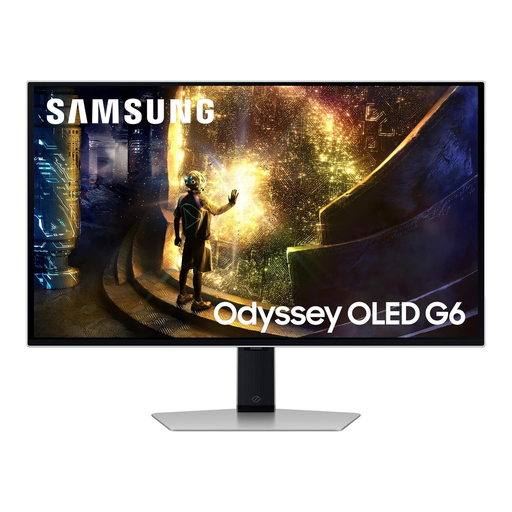
Consider this model if fine detail is your priority and you plan to use its named HDMI or DisplayPort connections. Its product name specifies a 27-inch 4K IPS screen; it is not the 27UP850K-W USB-C model.
Check the stand’s height range and your preferred text scaling, and confirm how your laptop will connect before choosing it for a moving desk.
A stand is enough if it lets you position the screen suitably at both your seated and standing desk heights. If it cannot, check VESA compatibility, monitor weight, desk attachment and arm travel; the Invision MX200, for example, specifies 260 mm height travel and a 2 kg to 9 kg monitor range.
A 27-inch QHD screen is a practical starting point for ordinary scheduling windows; consider 4K if finer detail matters and you can make text comfortable with display scaling. Check both options at your normal viewing distance rather than choosing by resolution alone.
It can if the specific monitor supports the functions you need, the laptop sends video over its USB-C connection, and the monitor’s power delivery meets the laptop’s charging requirement. For model-specific points of comparison, LG lists charging up to 90 W for the 27UP850K-W, while BenQ lists 65 W for the PD2725U.
Yes. The Health and Safety Executive says employers must arrange an eye test if a display screen equipment user asks for one. Screen positioning and workstation arrangements remain separate considerations when choosing a monitor.