What matters when choosing?
Resolve the window reflection and screen position first, then choose the resolution and connections that suit the records and computer you use.
| Concern |
What to check |
Who this matters to |
| Reflections and readable text |
Look for a stated matte or anti-glare finish, check typical brightness for the exact model, and make room to adjust its angle. |
If window reflections obscure records, I need to change the screen position rather than rely on brightness alone. Around 36% of consumers put reflection control first. |
| Scan detail and workspace |
Compare QHD and 4K at the same screen size; check computer output and comfortable display scaling for 4K. |
When I enlarge handwriting or work with records beside notes, I want enough detail and space to keep both usable. For around 29% of consumers, that is the primary concern. |
| Positioning and laptop connection |
Check the stand’s adjustments, USB-C video support and the monitor’s power delivery against your laptop’s requirements. |
I spend long sessions at a laptop desk and want to position the display comfortably without assuming one cable will charge my computer. Roughly 21% of consumers prioritise this setup need. |
| Simple everyday setup |
Choose the screen size and resolution you will use; do not treat eye-comfort modes as a substitute for managing glare. |
If my work is mostly reading ordinary record pages, I would rather keep the setup straightforward than choose features I will not use. Around 14% of consumers make that their first priority. |
Relevant brands to consider
These model lines illustrate different specification choices for a window-side desk; the brand name alone does not establish whether a particular monitor meets your needs.
BenQ
BenQ’s GW2790QT is a 27-inch QHD option with a matte finish, stated 350-nit typical brightness and USB-C power delivery of 65 W.
- Its listed finish, stand adjustments and laptop connection address several parts of a window-side desk setup.
- It is a QHD rather than a 4K route; compare display detail and scaling if you regularly inspect fine scans.
Dell
Dell’s UltraSharp U2724D is a 27-inch QHD model with anti-glare treatment and height, tilt, swivel and pivot adjustments.
- Dell lists IPS Black technology and a 2000:1 contrast specification for this model.
- Do not assume the standard U2724D provides USB-C laptop charging; check the ports on the exact variant.
ASUS ProArt
The ASUS ProArt PA278QV is a 27-inch QHD model with an anti-glare surface and stated 350 cd/m² typical brightness.
- Its specified finish and resolution make it relevant to reading documents beside a window.
- Its listed ports do not include USB-C, so do not plan a single-cable laptop-charging setup around this model.
LG UltraFine
LG’s 27UP850K-W illustrates the 27-inch 4K route, with an adjustable stand and USB-C charging of up to 90 W for a compatible device.
- The 4K specification is worth comparing if detailed scans or several document panes drive your choice.
- Confirm the screen finish for your window-side position and check current availability before ordering.
Joybuy product choices
These monitors offer different screen sizes, resolutions and desk arrangements for family-history research. For any position beside a bright window, check the exact screen finish and placement before choosing on resolution alone.
 No image available
ASUS ProArt PA278CV IPS WQHD
For reading records and working beside a window, consider how its QHD workspace fits your desk and whether you can position the screen away from reflections.
If connecting a laptop by USB-C, confirm the exact power-delivery output against its charging requirement.
View on Joybuy
 No image available
ASUS ProArt Display PA32UCG-K 32-inch 4K HDR IPS Mini LED
For detailed scans on a larger display, check that a 32-inch 4K monitor fits your desk and preferred viewing position.
Confirm the exact model’s brightness specification before relying on it for a bright room.
View on Joybuy
 No image available
ASUS ProArt PA24ACRV IPS QHD
For QHD document work where desk placement matters, compare the screen size and stand adjustments with the space you have available.
Check its finish and typical brightness for window-side use, and confirm USB-C video and charging compatibility if connecting a laptop.
View on Joybuy
 No image available
ASUS ZenScreen MB249C IPS USB-C
For a desk that needs flexible monitor placement, check which mounting accessories come with the exact variant.
Confirm the screen finish and typical brightness before choosing it for a bright window, and compare its resolution with the QHD and 4K options if scan detail matters.
View on Joybuy
 No image available
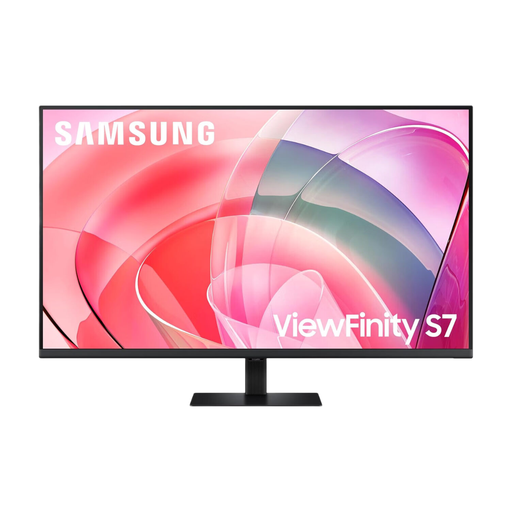
Samsung 37-inch ViewFinity S70D UHD LS37D702EAUXXU
For keeping several research documents visible, assess whether a 37-inch UHD display suits your desk space and viewing distance.
Check its screen finish and typical brightness for window-side use; if laptop charging matters, confirm the exact model’s USB-C power output.
View on Joybuy
Common questions
Will a brighter monitor fix glare from the window?
No, brightness alone will not remove a direct reflection. The Health and Safety Executive recommends repositioning the screen or using blinds to avoid glare; a matte or anti-glare finish is another consideration when choosing the monitor.
Is QHD or 4K more useful for family-history records?
At 27 inches, QHD is a practical choice for reading records and working with notes, while 4K is worth considering if you often inspect fine details in scans or arrange several panes. Before choosing 4K, confirm your computer’s output support and try display scaling that keeps text comfortable.
Does a home family-history hobbyist need a formal workstation assessment?
The Health and Safety Executive’s cited assessment requirement concerns employers and workers using display screen equipment daily as part of normal work for continuous periods of an hour or more, not private hobby research at home. Its advice on screen position, furniture and room conditions can still help you arrange a comfortable desk.
What should I do with an old monitor in the UK?
Use a suitable electrical-equipment recycling or retailer take-back route, checking what the provider accepts. UK government guidance describes waste electrical and electronic equipment rules as intended to reduce disposal through incineration or landfill.


