Single-socket laptop editors
If you edit at a compact or temporary desk, a compatible monitor could carry the laptop’s display signal and charge it through one USB-C cable. Check both functions before leaving the laptop charger behind.


Choose a USB-C monitor that can carry video and supply enough charging power for your laptop if the aim is to free a plug socket at your editing desk. A 27-inch 4K screen offers more pixels for timelines and project windows than QHD, while a QHD hub monitor may suit a desk where reconnecting peripherals matters more. Check the laptop’s video output, charging requirements and cable before relying on a single connection; choose audio-monitoring equipment separately.
If you edit at a compact or temporary desk, a compatible monitor could carry the laptop’s display signal and charge it through one USB-C cable. Check both functions before leaving the laptop charger behind.
If your audio timeline sits alongside files, metadata and plug-in windows, visible workspace matters. LG describes its 27U730A-B’s 3840 × 2160 display as room for working with multiple editing tracks.
If you reconnect a keyboard, mouse or storage at each desk, a monitor hub may reduce cable swapping. Downstream ports, KVM switching and display expansion are model-specific features, not consequences of having a USB-C socket.
Start with the laptop connection: extra screen space and hub ports will not free a plug socket if the laptop still needs its separate charger.
| Concern | What to check | Who this matters to |
|---|---|---|
| One-cable power and video | Confirm laptop USB-C video output, accepted charging power, monitor Power Delivery output and a suitable cable. | If I have one spare socket, I need the display connection to charge my laptop as well as carry video; around 46% of consumers put that combined connection first. |
| Editing workspace | Compare 27-inch 4K at 3840 × 2160 with QHD at 2560 × 1440, and consider your preferred display scaling. | When my timeline competes with files and plug-in windows for space, I prioritise a usable desktop; roughly 27% of consumers make workspace their primary concern. |
| Peripheral connections | Count the downstream ports you need and check model-specific hub or KVM functions. | I want my desk peripherals to reconnect without repeated cable swapping; for about 27% of consumers, that workflow is the main priority. |
A USB-C-shaped port alone does not establish that the laptop can send video or accept the monitor’s charging output.
Check the exact laptop port, the monitor’s video and Power Delivery specifications, and the cable required for both functions.
Otherwise, you may still need the laptop charger, a separate video cable or a dock at the desk.
LG and BenQ document 90W Power Delivery on the cited models, but that rating does not establish what an individual laptop needs.
Compare the laptop manufacturer’s USB-C charging requirements with the monitor’s output, particularly if the supplied laptop adapter has a higher rating.
Screen specifications and the presence of speakers do not establish whether a monitor suits critical listening while editing field recordings.
Decide how the display fits your desk, then assess headphones, an audio interface or speakers against your listening requirements separately.
Dell’s UltraSharp U2725QE is a 27-inch 4K hub-monitor option for a desk that needs more connectivity or charging power.
BenQ’s PD2706QN is a 27-inch QHD option for editors who want desk-connection features alongside USB-C charging.
LG’s 27U730A-B is a 27-inch 4K option for a compatible laptop desk using one USB-C connection.
These monitors offer different screen sizes and resolutions for a laptop-based editing desk. Check video and charging compatibility for the particular monitor and laptop before planning around a single cable or plug socket.
 No image available
Consider its 27-inch 4K screen if you want room for an editing timeline and project windows. The name identifies an IPS panel and a height-adjustable stand; check your laptop’s USB-C video and charging requirements before relying on one connection.
 No image available
Consider this WQHD model if that workspace suits your editing layout and USB-C connectivity matters at the desk. Confirm its offered charging wattage against your laptop’s requirements before expecting it to replace the laptop charger.
 No image available
Its 27-inch 4K display may suit a timeline alongside project files. The product name states 65W USB-C charging; check both whether your laptop accepts that power and whether the monitor’s USB-C connection carries video before planning a one-cable desk.
 No image available
Consider this ZenScreen model for a temporary editing position where moving the display matters. Check whether its screen workspace is sufficient for your timeline and whether its USB-C charging meets your laptop’s needs.
 No image available
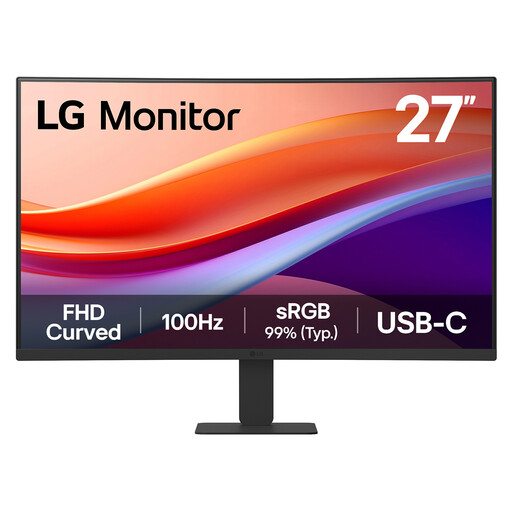
This 27-inch Full HD display is an option if your editing layout does not require the pixel count of QHD or 4K. Its name identifies a VA panel, USB-C and HDMI; confirm the USB-C video and charging functions you need before depending on a single cable.
Only if the laptop can send video through the relevant USB-C connection and accepts the monitor’s offered charging power. Check the laptop port, monitor specifications and cable together; the presence of USB-C connectors on both devices is not enough.
It may be enough if the laptop accepts that USB-C charging level, but a monitor’s 90W rating does not establish the laptop’s needs. Compare it with the manufacturer’s charging specification and check whether the laptop limits performance when receiving less power than its supplied adapter.
Choose by the workspace and desk connections you need: 3840 × 2160 provides more pixels for simultaneous windows than 2560 × 1440, while a QHD model may have hub functions that suit your peripherals. Check how readable your editing software is at your preferred display scaling.
Do not judge critical-listening suitability from the presence of speakers or display features. Assess your headphones, audio interface or separate speakers against your recording and editing requirements independently of the screen choice.