For card games, choose a screen on which you can read card text comfortably and position the display to suit your desk before making high refresh rate a priority. A higher-refresh gaming monitor makes more sense if you also play faster-paced games; whichever route you take, check that its inputs and supported display modes match your device.
Who is this for?
Long-session card-game players
If you spend extended sessions reading card effects, tooltips and deck lists, consider reading settings alongside glare control and a screen position that suits your desk. LG lists Reader Mode on certain monitors, while the Health and Safety Executive gives guidance on screen placement.
Players who keep other windows open
If you use a deck tracker, guide, chat or browser beside the game, compare screen size and native resolution with the space available on your desk. LG’s 32U631A-B is an example of a 31.5-inch QHD display, but its size and connections need to suit your setup.
Players who also enjoy faster games
If the same screen serves card games and action games, a higher refresh rate may be worth considering for moving imagery. Dell, BenQ and LG list higher-refresh models; the rate you can use still depends on the monitor, device and connection.
What matters when choosing?
Start with how easily you can read and arrange your game interface, then check desk placement and connections. Give high refresh rate greater weight if faster games are also an important use.
| Concern |
What to check |
Who this matters to |
| Comfort during long sessions |
Check reading and flicker-reduction settings, reflections, and whether the stand or a compatible mount lets you position the screen suitably. |
When I spend a long session reading card effects, I want the display and desk setup to remain comfortable; roughly 46% of consumers put extended viewing comfort first. |
| Readable detail and window space |
Compare native resolution and screen size with your desk space, and check how your game and companion windows appear at your preferred scaling. |
If I keep a deck list and guide beside the game, I need to read each without constantly switching windows; around 36% of consumers prioritise readable detail and workspace. |
| Motion in other games |
Check the refresh rate available at your intended resolution through your device’s supported port and cable. |
Card games are only part of my gaming, so I also care about motion in faster titles; approximately 18% of consumers make mixed-game motion their main priority. |
Buying pitfalls
-
Choosing by refresh rate alone
A high refresh-rate figure concerns moving imagery; it does not tell you whether card text is easy to read or whether the screen fits beside your other windows.
Check the game interface at the intended screen size and resolution first. Prioritise higher refresh if faster games are also a significant use.
-
Assuming USB-C handles video and laptop charging
USB-C functions vary. LG lists USB-C display connectivity and up to 15W power delivery for its 32U631A-B, which may not meet a laptop’s charging needs.
Check your laptop’s video-output support and charging requirement against the exact monitor, and confirm which cables are included.
LG says the 32U631A-B’s USB-C cable is not included, so a separate cable or laptop charger may be needed.
-
Relying on display settings instead of desk setup
Reading modes and flicker-reduction features do not resolve reflections or a screen placed at an awkward height.
Check stand adjustment or compatible mounting before ordering. The Health and Safety Executive advises placing the top of a screen around eye level and the display about an arm’s length away where practical.
Brands to consider for these needs
LG
LG’s UK range includes reading-oriented IPS displays, a larger QHD model and UltraGear gaming monitors. Check the exact model rather than assuming features carry across the range.
- LG lists Reader Mode on the 23.8-inch Full HD 24MS500-B and USB-C display connectivity on the 31.5-inch QHD 32U631A-B.
- The 32U631A-B provides up to 15W over USB-C, and LG says its USB-C cable is not included.
Dell
Dell’s SE2425HG illustrates a Full HD IPS option for buyers who also want gaming-focused refresh-rate and port specifications.
- Dell lists a 23.8-inch panel, 200Hz refresh rate, two HDMI ports and one DisplayPort for the SE2425HG.
- Confirm that your device and chosen connection support the display mode you intend to use.
BenQ
BenQ’s MOBIUZ line is relevant when card games share a screen with faster gaming; assess each model’s resolution and connections separately.
- BenQ lists a 220Hz refresh rate and AMD FreeSync for the EX251.
- Those gaming specifications do not establish that the EX251 will make card text easier to read.
Joybuy product choices
These monitors cover reading-oriented card-game setups and a higher-refresh option for mixed gaming. Compare their listed resolution and size with your desk and game interface; check connection and positioning needs before choosing.
 No image available
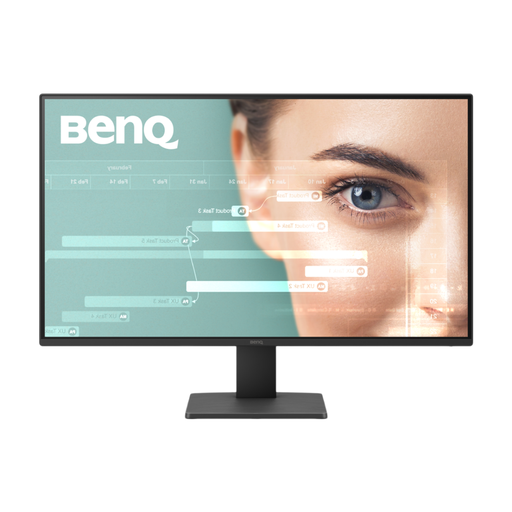
BenQ GW2791 27-inch Full HD IPS 100Hz monitor
Consider this model if a Full HD screen suits the size of your card-game interface. Its product name specifies a 27-inch IPS display, 100Hz refresh rate and 5ms response time; check the stand and connections against your setup.
View on Joybuy
 No image available
ASUS EYE CARE VY27UQ 4K UHD 60Hz monitor
Consider this 4K UHD model if resolution is a priority for your card-game display. Its listed refresh rate is 60Hz, so check whether that also suits any faster games you play and whether its stand fits your desk setup.
View on Joybuy
 No image available
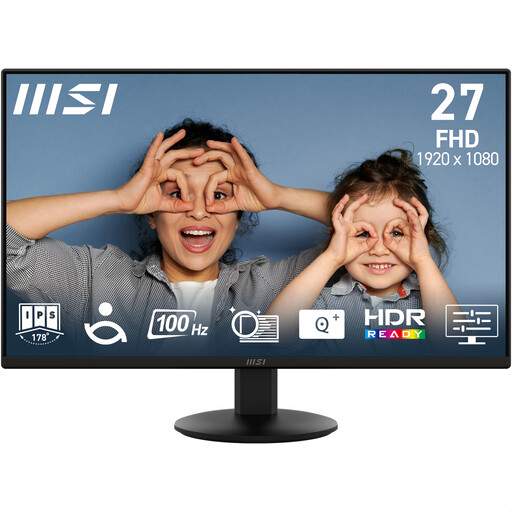
MSI PRO MP272L 27-inch Full HD IPS 100Hz monitor
This is a Full HD option to compare for card games and general desktop use. Its product name lists HDMI, DisplayPort and Adaptive Sync; check that your device has a suitable output and that the screen can be positioned comfortably.
View on Joybuy
 No image available
MSI MAG 274QF 27-inch WQHD Rapid IPS gaming monitor
Consider this model if faster games are an important use alongside card games. Its product name lists a 180 refresh-rate figure, 0.5ms response time and Adaptive Sync; confirm the refresh mode available through your device and connection before choosing it.
View on Joybuy
 No image available
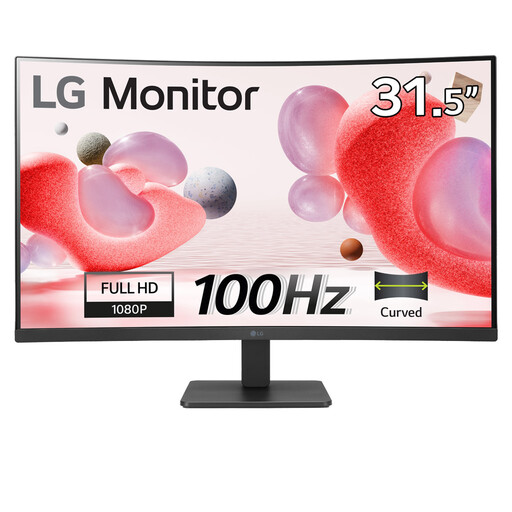
LG Electronics 32MR50C-B 32-inch curved Full HD VA monitor
Consider the larger curved screen only if it suits your desk space and viewing distance. Its product name lists Full HD resolution, a 100Hz refresh rate, AMD FreeSync, anti-glare treatment and HDMI; check how readable your game and companion windows will be at this size and resolution.
View on Joybuy
Common questions
Do I need 144Hz or more mainly for card games?
No particular refresh rate is established as necessary for card games. Put readable card text, screen fit and compatible connections first; consider 144Hz or more when you also play faster games and your device can use the intended display mode.
How should I position a monitor for longer sessions?
Arrange the screen to avoid reflections and allow a comfortable viewing position. The Health and Safety Executive advises keeping the top of the screen around eye level and the display about an arm’s length away where practical; check whether the supplied stand or a compatible mount permits that arrangement.
Will one USB-C cable display video and charge my laptop?
Only if your laptop supports video output over USB-C and the monitor provides the required video connection and enough power for your laptop. LG lists up to 15W power delivery for the 32U631A-B and says its USB-C cable is not included, so check both the charging requirement and cable before ordering.


