Shared-desk spreadsheet users
People comparing transactions, receipts and accounting records across several windows may value the extra pixels of a 27-inch QHD screen, provided it fits the desk.


Choose a monitor that each person can position comfortably, then decide how much screen space the expense work needs. A compact Full HD screen can suit routine entry on a smaller desk, while a 27-inch QHD screen offers more pixels for wide spreadsheets and concurrent windows but needs more room. If people swap laptops, check video, charging and peripheral connections for every laptop rather than assuming a USB-C socket provides a complete docking setup.
People comparing transactions, receipts and accounting records across several windows may value the extra pixels of a 27-inch QHD screen, provided it fits the desk.
People taking turns at the workstation need a connection routine that works with each laptop. USB-C video, charging capacity and connections for peripherals or wired networking are worth checking together.
People mainly entering expenses, using email and working in a browser may prefer a smaller adjustable screen when desk space matters more than room for wide, side-by-side views.
For a shared charity expense desk, decide whether screen space, a repeatable laptop connection or an adjustable compact setup is the primary need. Check the available desk space and the laptops in use before settling on a monitor.
| Concern | What to check | Who this matters to |
|---|---|---|
| Spreadsheet space | Compare the usual sheet layout with Full HD and QHD resolution; check desk space and whether the computer supports the screen’s native resolution. | When I compare wide expense sheets with receipts and other windows, I want figures to remain visible without constant switching; around 36% of consumers put spreadsheet space first. |
| Laptop handover | Check USB-C video support on each laptop, the monitor’s charging rating and cable, and whether the desk needs USB peripherals or Ethernet. | If different people bring laptops to the desk, I need a connection routine they can repeat without rebuilding the setup; around 36% of consumers prioritise laptop handover. |
| Position and desk fit | Check stand adjustment and desk depth, or plan a compatible mount. The Health and Safety Executive advises placing the screen directly in front of the user, with its top around eye level and the screen about an arm’s length away. | When several people share a compact desk, I need to reset the screen position without crowding the work area. Around 28% of consumers make adjustability and desk fit their primary concern. |
USB-C functions differ between monitors and laptops. Dell specifies power delivery of up to 90 W for its P2425HE and P2725DE, but that rating alone does not establish that either will meet every laptop’s video and charging needs.
List the laptops used at the desk, then check their USB-C video capability, charging requirements, the monitor’s ports and the supplied cable.
A separate charger, dock, Ethernet adapter or suitable cable may still be needed.
A larger QHD display may provide more room for expense sheets but can still be awkward to use if it cannot sit at a suitable distance and height. The Health and Safety Executive advises placing the screen directly in front of the user, about an arm’s length away, with its top around eye level.
Measure the usable desk area and check the stand’s height adjustment or a compatible mounting plan before ordering.
Changing the desk layout or adding a suitable monitor arm may be necessary.
An adjustable display does not resolve chair, keyboard and mouse positioning for everyone who uses a shared desk.
Review the complete workstation and agree how users will reset the screen and other equipment when they change places.
An outgoing monitor needs an appropriate reuse or electrical-equipment recycling route, not simply a place to store it after the new one arrives.
Keep its asset record and ask the seller or waste provider which collection or recycling arrangement applies to the charity’s equipment.
Collection arrangements may be needed if a seller’s take-back service does not cover the equipment.
Dell’s Pro Plus range includes the 23.8-inch Full HD P2425HE and 27-inch QHD P2725DE USB-C hub monitors.
HP’s E-series includes the E27u G5, a 27-inch QHD USB-C monitor with height, tilt, swivel and pivot adjustment.
The ThinkVision T24i-30 is a 23.8-inch Full HD option for a desk using conventional video connections.
These monitors offer different screen formats for expense work at a shared desk. Compare their fit and connection requirements against the laptops and available workspace; a USB-C name alone is not a docking guarantee.
 No image available
Consider this WQHD screen if keeping wider expense sheets in view is the priority and the desk has room for it.
The product name specifies an IPS panel. If laptop docking matters, confirm USB-C video, charging capacity and the cable needed for each laptop before ordering.
 No image available
This QHD option is worth comparing when detailed sheets and a relatively compact desk setup are both important.
The product name specifies an IPS panel. For laptop handover, confirm video compatibility, suitable charging and which cables and peripheral connections come with the exact variant.
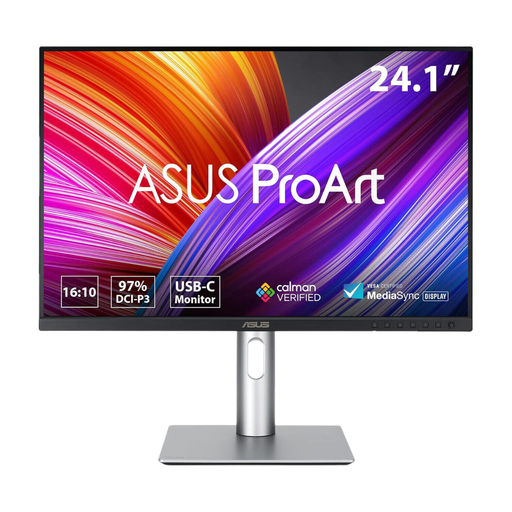 No image available
This WUXGA option may suit a desk where expense forms and spreadsheets need screen space without making a larger display the starting point.
The product name specifies an IPS panel. Check the exact variant’s supplied cables and USB-hub functions, and confirm that each laptop supports the intended video and charging connection.
 No image available
Consider this model when adaptable placement matters for routine work at a shared desk.
The product name specifies an IPS panel and USB-C. Confirm the mounting arrangement, laptop video and charging compatibility, and any peripheral connections the desk needs; check the weight if the screen will be moved regularly.
 No image available
This QHD model is another option to compare when wide spreadsheets are a priority and the desk can accommodate the screen.
The product name specifies an IPS panel and 100Hz refresh rate. Confirm the exact variant’s USB-C video, data and charging functions before relying on it for laptop handover.
Yes, when workers use display screen equipment daily for continuous periods of an hour or more. The Health and Safety Executive says employers should assess the workstation and address risks; changing desks does not remove the need to check each setup.
Place the screen directly in front of the user, with its top around eye level and the display about an arm’s length away, in line with Health and Safety Executive guidance. An adjustable stand can help people reset its position, but the chair, keyboard and mouse matter too.
No. Check both the monitor’s specified USB-C functions and each laptop’s video and charging capabilities. Dell specifies up to 90 W power delivery on the P2425HE and P2725DE, but the laptop must support the intended connection and have a suitable charging requirement.
Arrange an appropriate reuse or electrical-equipment recycling route. Ask the seller or waste provider what applies to the charity-owned monitor rather than assuming a household take-back arrangement will cover it.