For editing holiday videos, choose a monitor with a colour mode suited to where you will share or watch the footage, enough screen space for your editing layout, and connections that work with your computer. A 27-inch 4K screen may fit a smaller desk; a 31.5- or 32-inch 4K screen gives you a larger physical preview but needs more room. Treat manufacturers’ colour-accuracy figures as stated specifications, not a guarantee of lasting calibration.
Who these monitors suit
Colour-conscious holiday video editors
If you edit footage for online sharing or family viewing, look for a selectable colour mode suited to that destination rather than relying on a vivid preset. ASUS and BenQ publish colour-space and accuracy specifications for their creative-monitor lines; the mode you use still matters.
Laptop-first home editors
If you want fewer cables on your desk, check both ends of the connection. ASUS specifies USB-C video input and up to 96 W power delivery for the ProArt PA279CRV, but your laptop must support video output through its USB-C port and accept the available charging power.
Workspace-first editors
If a larger preview matters more than a compact setup, check whether a 31.5-inch display fits your desk and viewing position. BenQ specifies the PD3225U as a 31.5-inch 4K monitor; a larger panel does not, by itself, tell you which colour mode to use.
What to prioritise
Choose the need that would decide your purchase first, then check the other two before settling on a monitor.
27-inch 4K colour-focused monitor
Consider it when: you want a 4K editing screen without making room for a 31.5- or 32-inch panel. ASUS specifies the PA279CRV as a 27-inch 4K model with factory pre-calibration and stated DCI-P3 and Adobe RGB coverage.
Trade-off: the physical preview is smaller than on a larger 4K panel; check that the available colour modes suit your exports.
31.5- or 32-inch 4K creative monitor
Consider it when: you have room for a larger physical preview and editing layout. BenQ specifies the 31.5-inch PD3225U with 4K resolution and stated Rec.709, sRGB and P3 coverage.
Trade-off: check the screen and stand dimensions against your desk before choosing the larger size.
27-inch QHD productivity monitor
Consider it when: video editing shares your desk with general computer work and a 4K panel is not essential. Dell specifies the adjustable UltraSharp U2724D as a 27-inch QHD IPS Black monitor.
Trade-off: its 2560 × 1440 resolution is not a substitute for a 3840 × 2160 panel if 4K workspace is your requirement.
| Concern | What to check | Who this matters to |
|---|
| Colour decisions |
Check coverage and selectable modes for your intended colour space, plus the stated calibration or accuracy conditions. |
If I am deciding how footage should look when shared or watched, I need a suitable display mode rather than simply the largest gamut figure. Roughly 50% of consumers put colour confidence first. |
| Workspace and screen size |
Check native resolution, physical dimensions and stand fit; decide whether 27 inches or 31.5–32 inches suits your desk. |
When I arrange footage, a timeline and a preview, I want enough physical room without crowding my desk. Around 30% of consumers make workspace their primary concern. |
| Laptop connection |
Check video output on the computer, matching monitor inputs and the power-delivery rating if you want charging through the display. |
If I edit on a laptop, I want a connection that handles my display setup without an unsuitable charging arrangement. About 20% of consumers prioritise connection simplicity. |
Buying pitfalls
-
Choosing by the largest colour-gamut percentage
A coverage figure is useful only alongside the colour space and display mode you intend to use. ASUS states DCI-P3 and Adobe RGB coverage for the PA279CRV, while BenQ states Rec.709, sRGB and P3 coverage for the PD3225U; those percentages describe different spaces.
Start with your editing and delivery workflow, then check the relevant mode and calibration specification.
-
Assuming any USB-C port gives you one-cable video and charging
A USB-C connector alone does not establish that your laptop can send video to a monitor or use the monitor’s charging output. ASUS specifies USB-C DisplayPort support and up to 96 W power delivery for the PA279CRV.
Check the laptop’s video-output and charging specifications, the monitor’s input and power rating, and the cable needed.
-
Picking a screen size without measuring the desk
A 27-inch 4K monitor and a 31.5-inch 4K monitor have different physical footprints even though both can have 3840 × 2160 resolution.
Measure the intended position and check the chosen model’s dimensions, stand adjustment and mounting specification.
-
Leaving disposal of the old monitor until later
GOV.UK describes the UK waste electrical and electronic equipment framework as a way to reduce electrical waste sent to landfill and support its recovery.
If you are replacing a display, check an appropriate local collection, recycling or retailer take-back arrangement.
Relevant monitor lines
ASUS ProArt
A creative-display line to consider if you want a 27-inch 4K screen with stated colour specifications and USB-C connectivity.
- ASUS specifies the PA279CRV with 99% DCI-P3 and 99% Adobe RGB coverage, factory pre-calibration to Delta E < 2, and USB-C power delivery up to 96 W.
- Choose a colour mode for your delivery workflow and confirm that your computer supports the USB-C video connection you plan to use.
BenQ DesignVue / Creative Pro
A creative-monitor line relevant when a larger 4K display and stated Rec.709, sRGB and P3 coverage are priorities.
- BenQ specifies the 31.5-inch PD3225U with 4K resolution, 99% Rec.709, 99% sRGB and 98% P3 coverage, plus Thunderbolt connectivity with 85 W power delivery.
- The coverage and Delta E ≤ 2 figures are BenQ specifications, not a promise of unchanged accuracy; check desk fit, colour modes and computer compatibility.
Dell UltraSharp
A productivity-and-creative-monitor line to consider when adjustable positioning matters alongside everyday computer work.
- Dell specifies the 27-inch U2724D with a QHD IPS Black panel and height, pivot, swivel and tilt adjustment.
- The U2724D is QHD, not 4K; check the exact model if 3840 × 2160 resolution is central to your editing setup.
Joybuy monitor choices
These monitors cover different ways to set up a 4K holiday-video editing desk, including larger screens and 27-inch options. Compare the colour mode, connection and space requirements of each exact model before choosing.
 No image available
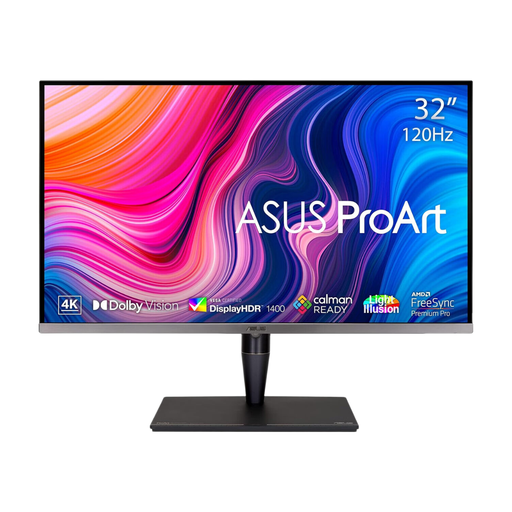
ASUS ProArt Display PA32UCG-K 32-inch 4K Mini LED monitor
Consider this larger screen if your editing desk has room for a 32-inch display. Its product title specifies a 4K IPS Mini LED panel, 120 Hz, HDR formats and Thunderbolt 3; confirm the peak-brightness specification for the exact model before relying on it.
View on Joybuy
 No image available
ASUS ProArt PA27DCE-K 4K OLED monitor
Consider this OLED model for a 4K, colour-focused editing setup. Check its selectable modes against your delivery workflow; for prolonged editing with static interface elements, follow the listing’s precautions on OLED burn-in.
View on Joybuy
 No image available
Dahua 32-inch 4K 165 Hz curved OLED monitor
Consider its larger curved screen if it fits your desk and viewing preference. The title states 3840 × 2160 resolution, 99% DCI-P3 coverage and Type-C 65 W; confirm the required video input before planning a Type-C laptop connection.
View on Joybuy
 No image available
LG UHD Monitor 27UP650K 27-inch 4K IPS
Consider this 27-inch model if its HDMI or DisplayPort inputs suit your computer. Its title specifies 4K resolution and 95% DCI-P3 coverage; check the colour-mode and calibration details you need before using it for colour-critical decisions.
View on Joybuy
 No image available
iiyama ProLite XUB2792UHSU-B6 27-inch 4K monitor
Consider this 27-inch 4K display when that screen size suits your editing desk. Check its colour-mode and calibration specifications for your workflow, and confirm USB-C video and charging functions with both the monitor and computer before planning a one-cable setup.
View on Joybuy
Questions about editing monitors
Do I need DCI-P3 for holiday videos?
Not automatically: choose a selectable colour mode that suits where your footage will be shared or watched. BenQ specifies Rec.709 and sRGB as well as P3 coverage for the PD3225U, while ASUS states DCI-P3 and Adobe RGB coverage for the PA279CRV; the largest percentage alone does not decide which mode fits your project.
Can one USB-C cable carry video and charge my laptop?
Yes, if the monitor provides both functions and your laptop supports video output through that port and can use the available charging power. ASUS specifies USB-C DisplayPort support and up to 96 W power delivery for the PA279CRV; check your laptop’s port and power requirements before relying on a one-cable setup.
Does factory calibration mean I can ignore colour settings?
No. A factory-calibration claim describes a stated starting specification, while your chosen display mode still needs to suit the footage and its intended destination. If consistent colour decisions remain important over time, include recalibration in your workflow.
What should I do with an old monitor in the UK?
Check a suitable electrical-equipment collection, recycling or retailer take-back option when replacing it. GOV.UK describes the UK WEEE framework as supporting recovery, reuse and recycling of electrical equipment; your local authority or retailer can explain the arrangements available to you.


