For organising photos beside a bright window, start with an anti-glare or low-reflection screen and a stand that lets you change its position; brightness alone will not remove reflections. Add hardware calibration and a shading hood if the archive informs colour-critical retouching or print decisions. If the main job is sorting files from a laptop, give more weight to readable detail and compatible display, hub and charging connections.
Who this choice affects
Window-side photo organisers
If you spend most of your time sorting, naming and locating photos near strong daylight, readable thumbnails and a screen position that avoids reflections matter before specialist colour tools. The Health and Safety Executive advises adjusting screens and lighting to avoid glare.
Print-conscious photo editors
If archived images also feed retouching or print decisions, look at the exact monitor’s colour modes and calibration tools. BenQ UK lists hardware calibration and a shading hood for the SW272U; those features need to fit your output workflow to be useful.
USB-C laptop archive workers
If your laptop is the centre of the archive, check whether a monitor can handle the display connection, peripherals and the charging level your laptop requires. A USB-C socket alone does not establish that the whole setup will work through one cable.
What matters when choosing
Decide whether window reflections, colour-managed output or the laptop workspace will drive the purchase. Then check the exact model against that need; a feature intended for one workflow need not settle the others.
| Concern |
What to check |
Who this matters to |
| Window reflections |
Check the screen-surface treatment and whether the stand or a suitable mount lets you turn the display away from reflected light. Consider typical brightness separately. |
If the window obscures thumbnails or dark parts of an image, I need to reposition the screen before paying for specialist colour tools. For roughly 46% of consumers, reflection control is the primary need. |
| Colour-managed output |
Match colour modes and the calibration method to the intended editing or print workflow; check whether a shading hood is included if you need one. |
When archived photos will guide retouching or print decisions, I need documented colour controls rather than resolution alone. Colour-managed output comes first for around 36% of consumers. |
| File detail and laptop connection |
Check native resolution and application scaling, then confirm the laptop’s display mode, required ports and charging needs against the monitor’s connections. |
If I organise folders and metadata from a laptop, I want readable on-screen detail without assuming that one USB-C cable handles every task. Approximately 18% of consumers put this workspace need first. |
Buying pitfalls
-
Using brightness as a substitute for reflection control
A brightness figure and a screen’s surface treatment describe different things. Even with an anti-glare display, a window reflected in the screen can interfere with viewing; the Health and Safety Executive advises adjusting screens and lighting to avoid glare.
Check the exact model’s surface and adjustment options, and plan a desk position that reduces direct reflections.
-
Buying wide-gamut features without an output plan
Colour modes, factory calibration and hardware calibration address different parts of an editing workflow. They do not become necessary simply because the files are photographs.
Decide whether you will mainly catalogue and share images or make colour-critical editing and print decisions, then check the tools offered by the exact model.
-
Assuming USB-C guarantees one-cable charging
The monitor’s power-delivery level and display connection must both suit the laptop. A USB-C connector by itself does not establish charging or display compatibility.
Compare the monitor’s connection and power-delivery specifications with the laptop manufacturer’s external-display and charging requirements.
Relevant brands to consider
BenQ
The PhotoVue SW272U represents a photographer-oriented route for archive work that also informs colour-critical output.
- BenQ UK specifies a 27-inch 4K display with Nano Matte coating, hardware calibration, uniformity technology and a supplied shading hood for the SW272U.
- Those workflow tools may add little to basic sorting and cataloguing; the stated specifications do not establish how the display will look in your room.
ASUS ProArt
The range includes creative displays with different resolutions, surface treatments and colour-workflow features.
- ASUS United Kingdom specifies a 5K resolution and anti-glare, low-reflection surface for the PA27JCV; ASUS UK describes wide colour-space coverage and factory calibration for the separate PA279CRV.
- Check the exact model rather than transferring a coating, resolution or calibration feature from one ProArt display to another.
Dell UltraSharp
The U2725QE is a laptop-centred 27-inch 4K option for organising an archive alongside other desk tasks.
- Dell UK specifies an anti-glare, anti-reflective surface, adjustable stand, ambient-light sensor and up to 140W power delivery for the U2725QE.
- If a hood or a particular hardware-calibration process is central to your work, confirm that capability on the exact model rather than assuming it from the UltraSharp name.
Joybuy products for archive work
These monitors offer different starting points for a window-side archive, from creative and colour-focused models to displays suited to general file review. Check each model’s surface, positioning and connection requirements against your desk and workflow.
 No image available
ASUS ProArt PA27DCE-K OLED 4K UHD
Consider this OLED model if your archive work also involves photo editing. Its title specifies 4K UHD; for a window-side position, check how its surface and adjustment options work at your desk.
For cataloguing screens left unchanged for long periods, take account of the product description’s OLED image-retention warning. Confirm typical brightness and USB-C charging compatibility before relying on either for your setup.
View on Joybuy
 No image available
ASUS ProArt PA278CV IPS WQHD
This IPS WQHD model is an option for organising and reviewing photos where screen placement is part of managing window reflections.
Confirm the exact PA278CV resolution before choosing it for thumbnail and metadata detail. If laptop charging matters, check its power-delivery rating against the laptop’s requirements.
View on Joybuy
 No image available
ASUS ProArt Display PA32UCG-K 32-inch 4K HDR Mini LED
The 32-inch 4K format may suit an archive workspace with room for a larger display, particularly if photo-editing features are also part of the decision.
Check the space available at your desk. Confirm the exact model’s brightness figures and connection options before using them to judge bright-room viewing or laptop compatibility.
View on Joybuy
 No image available
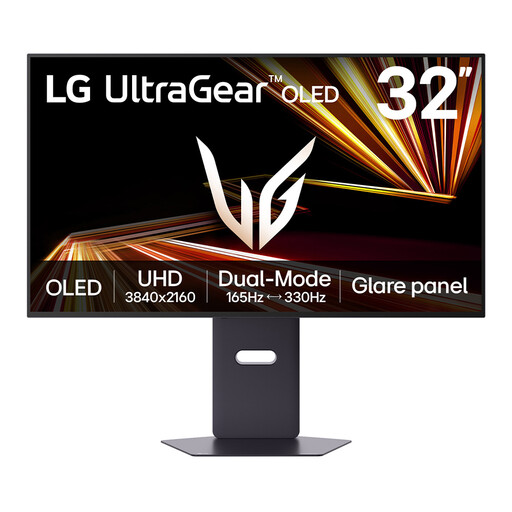
LG UltraGear 32GX850A-B 32-inch OLED 4K UHD Dual Mode
This gaming-oriented OLED display is worth considering for archive viewing if you also want its stated 32-inch 4K format, rather than assuming it has photographer-specific calibration tools.
The product description warns about OLED image retention when static images remain on screen for long periods, which matters for persistent archive panels. Check typical brightness for the intended room instead of relying on a peak figure.
View on Joybuy
 No image available
iiyama ProLite XUB2792UHSU-B6 27-inch 4K UHD
The 27-inch 4K UHD format gives this model a clear role in a desktop archive setup where filenames, thumbnails and metadata share the screen.
For a position beside a bright window, confirm the screen-surface treatment rather than reading “Matte Black” in the product name as a display-coating specification. Check any required USB-C charging capability against your laptop.
View on Joybuy
Common questions
Will a brighter monitor solve reflections from a nearby window?
Not on its own: screen treatment and position matter separately from brightness. Check for an anti-glare or low-reflection surface and a stand you can adjust; the Health and Safety Executive also advises arranging screens and lighting to avoid reflections and glare.
Do I need hardware calibration just to organise photographs?
No, not if the archive is mainly for sorting, naming and finding files. Hardware calibration becomes more relevant when you make colour-critical retouching or print decisions; in that case, check the exact monitor’s colour modes, calibration method and any consistency tools your workflow requires.
Can one USB-C cable display my archive and charge my laptop?
It can if the monitor and laptop support compatible display functions and the monitor supplies enough power for that laptop. Check both devices’ connection specifications and the stated power-delivery level before planning a one-cable desk setup.
What should I check when ordering a monitor for use in Great Britain?
Check that the intended mains lead or plug and product documentation suit the place where you will use it, and ask the seller if either is unclear. GOV.UK’s guidance on the Electrical Equipment (Safety) Regulations 2016 concerns equipment supplied in or into Great Britain; Northern Ireland has different provisions under the Windsor Framework, so check the applicable guidance separately if the monitor is for use there.


