Small-desk level editors
You build puzzle layouts at a constrained workstation and need space for the screen, stand and keyboard without letting the monitor dominate the desk.


Start with a 23.8–24.1-inch monitor if desk space is tight, then choose the screen layout around your level editor. QHD gives dense panels and small grid details more pixels at a compact size; 16:10 adds vertical room; Full HD suits a simpler single-screen layout. Measure the stand as well as the screen, check your computer’s video output, and leave room to position the display comfortably.
You build puzzle layouts at a constrained workstation and need space for the screen, stand and keyboard without letting the monitor dominate the desk.
You work with small tiles, grid alignment, properties panels or scripts, and want to keep more editor tools visible on a compact screen.
You mainly use one editor window, playtest levels and do everyday desktop work, so a straightforward Full HD layout may meet your workspace needs.
For puzzle-level work on a small desk, establish the available width and depth first, decide how much editor content must stay visible, then check the connection to your computer.
| Concern | What to check | Who this matters to |
|---|---|---|
| Desk fit and positioning | Measure usable desk width and depth, including the stand and keyboard. Check stand adjustment or the mounting requirements for an arm. | If my desk is shallow, I need the screen to fit without crowding my working area and to sit at a usable height. Around 40% of consumers put desk fit and positioning first. |
| Editor workspace | Compare screen size, native resolution and aspect ratio together: QHD for denser panels or 1920 × 1200 for extra vertical room. | When my tile palette and properties panel compete with the game view, I want more of the editor visible at once; around 30% of consumers make workspace their primary concern. |
| Connection and simplicity | Match the monitor’s video input to your computer’s output, and check the intended resolution and refresh rate through that connection. | For a single-editor-window setup, I would rather confirm a straightforward connection than choose ports I will not use. Connection and simplicity come first for around 30% of consumers. |
Monitors of a similar screen size can have different stand depths and adjustment options. BenQ UK lists the GW2490 at 182 mm deep with its stand and specifies tilt adjustment; Dell UK lists height, tilt, swivel and pivot adjustment for the P2425H.
Measure the clear desk area before ordering. If you plan to use an arm, check its mounting pattern, load rating and clamp clearance against both the monitor and desk.
A separate arm or stand may be needed if the supplied stand occupies too much space or cannot position the screen as required.
USB-C functions vary by port and model. A socket labelled USB-C does not, by itself, establish that it accepts video from a laptop or supplies the charging power you need.
Check the computer’s video-output capability and the monitor’s stated port roles and power delivery before relying on a single-cable setup.
Depending on those connections, you may need an adapter, dock or separate charger.
Manufacturer-described reading and comfort modes do not replace a workable desk arrangement. The Health and Safety Executive advises placing the screen directly ahead, with its top around eye level and the display about an arm’s length away.
Set the screen position and viewing distance first; treat display modes as optional settings.
Dell UK lists compact IPS models spanning Full HD, 16:10 WUXGA and QHD. Compare the particular model rather than assuming the range shares one stand or set of ports.
BenQ UK specifies the GW2490 as a 23.8-inch Full HD IPS option for a compact everyday workspace.
LG UK lists the 24MS550-B as a 23.8-inch Full HD IPS monitor with a height- and tilt-adjustable stand.
These compact monitors offer QHD, WUXGA and simpler desktop options for puzzle-level work. Compare each model’s screen layout with your editor, then check its physical fit and connections.
 No image available
Consider this QHD IPS model if small grid details and dense editor panels drive your choice. Check the stand’s footprint and your computer’s output before deciding how it will fit and connect.
 No image available
Consider this WUXGA IPS model when vertical room for an inspector or layer list matters. Confirm the stand depth and the functions of your intended computer connection.
 No image available
For an editor that benefits from vertical space, Dell UK specifies the P2425 with a 1920 × 1200 IPS screen and an adjustable stand. Check desk clearance, and confirm the exact port configuration and refresh rate for the unit you choose.
 No image available
This 1920 × 1080 IPS model suits a straightforward editor and playtesting layout when you do not need as many simultaneous panels. Dell UK specifies a height-adjustable stand; check its footprint and the role of any USB-C connection you plan to use.
 No image available
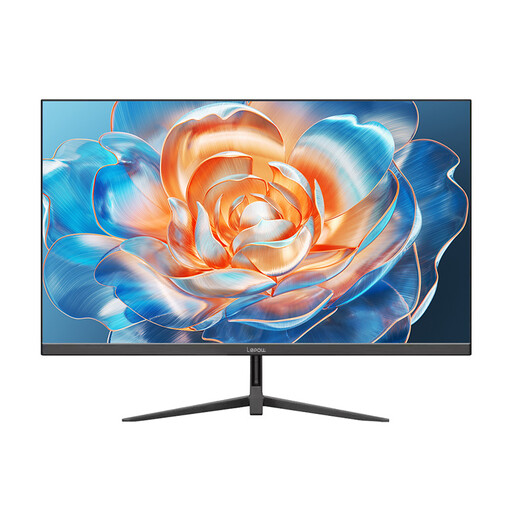
Consider this compact model for a basic single-screen workflow. If IPS or a particular screen height is important, confirm the panel and stand specifications, along with the desk space it needs.
A 23.8–24.1-inch screen is a practical starting class for this setup, but the diagonal alone will not tell you whether it fits. Measure desk width and depth, allow space for the keyboard, and account for the supplied stand or a compatible arm.
Full HD can suit work centred on one editor window, playtesting and everyday tasks. If small grid details or several docked panels limit your view, consider QHD at a similar screen size; if vertical room is the main constraint, consider a 1920 × 1200 16:10 display.
The Health and Safety Executive advises placing the screen directly in front of you, with its top around eye level and the display about an arm’s length away. Check that your desk depth and the stand’s adjustment let you achieve a workable position.