For revision-card work at a shared desk, start with a monitor whose position each user can adjust, then check that its inputs suit the devices people bring. Consider QHD when keeping cards and source material visible together is the priority, or a USB-C hub when compatible laptops need a simpler connection; neither feature replaces checking the stand, lighting and workstation setup.
Who needs which setup?
People sharing a desk
If different people use the same workstation, check how quickly the screen can be repositioned and whether the supplied stand provides the adjustments they need. The Health and Safety Executive includes regular desk changes in its display-screen-equipment guidance.
People working across cards and source material
If a card editor, notes and a reference document need to stay visible together on a compact desk, compare Full HD and QHD at a similar screen size. Dell specifies its 23.8-inch P2425DE at 2560 × 1440; preferred text scaling still matters.
People bringing laptops to the desk
If users connect different laptops, check each device's video output before choosing the monitor's inputs. For a USB-C desk connection, also check video support, charging requirements and the cable needed.
What matters when choosing?
Decide how the screen will be positioned and connected before choosing between Full HD and QHD for your card-and-notes layout.
| Concern |
What to check |
Who this matters to |
| Resetting the screen position |
Check that the chosen package includes a stand with the height, tilt, swivel and pivot adjustments you need. |
If someone else has used the desk, I need to reposition the screen without working around a fixed stand. Around 36% of consumers would put adjustable positioning first. |
| Room for cards and sources |
Compare Full HD with QHD at a similar screen size, using a text size you would actually use. |
When I keep a card editor open beside notes or a PDF, fitting the material into one view matters most. Around 29% of consumers would prioritise that on-screen room. |
| Laptop connections |
Match the monitor input to each laptop's video output; for USB-C, check video support and suitable power delivery. |
If I bring a laptop to the shared desk, I want to connect it without rearranging several cables. Around 21% of consumers would make connection simplicity their primary concern. |
| Considerate shared use |
Check screen placement for reflections and decide whether sound should go through headphones. |
In a quiet office, I need a readable screen without disturbing colleagues or working around glare. Around 14% of consumers would place shared-office practicality first. |
Buying pitfalls
-
Assuming an adjustable stand is included
Dell lists a P2425H package without a stand, even though stand adjustment is associated with the model family.
Read the exact package title and included-accessories list before relying on its height adjustment.
A panel-only package may require a compatible stand or monitor arm.
-
Assuming any USB-C port provides a one-cable setup
A USB-C connector alone does not establish that a laptop can send video through it or receive suitable charging power.
Check the laptop's video-output support, its charging requirements and the monitor's power-delivery specification.
Depending on the laptop and connection, a separate charger or suitable adapter may still be needed.
-
Relying on display comfort modes instead of desk setup
Low-blue-light and flicker-reduction settings are product features, not substitutes for positioning the screen and managing reflections. The Health and Safety Executive also addresses workstation setup and breaks in its display-screen-equipment guidance.
Adjust the screen and lighting for the current user, and change activity or take breaks where appropriate.
-
Choosing speakers without considering colleagues
Built-in sound may be useful for some tasks but can disrupt a quiet shared office.
Check the office's sound rules and plan to use headphones when calls or media would disturb others.
Brands to consider
Dell
Dell's P2425 range includes Full HD and QHD options, including USB-C hub variants for desk-based work.
- Dell specifies the 23.8-inch P2425DE at 2560 × 1440 and the P2425HE with USB-C power delivery up to 90W.
- Packages differ: Dell also lists a P2425H without a stand, so check the exact suffix and included components.
BenQ
The GW2490T is a 23.8-inch Full HD option aimed at home-office and text-based work.
- BenQ specifies height, tilt, swivel and pivot adjustment for the GW2490T.
- Its flicker-free and low-blue-light settings are features, not proof of a particular comfort or health outcome.
LG
LG offers office-monitor options ranging from conventional displays to models with integrated laptop and call connections.
- LG lists USB-C power delivery up to 90W, RJ45, a webcam, microphone and speakers for the 24BA850.
- Check whether those integrated features suit the intended laptop and a quiet shared-office setting.
Joybuy monitor choices
These monitors offer different starting points for a shared revision-card desk: QHD or WUXGA layouts, conventional Full HD work and laptop-oriented connections. Check each package's stand and ports against the desk and devices that will use it.
 No image available
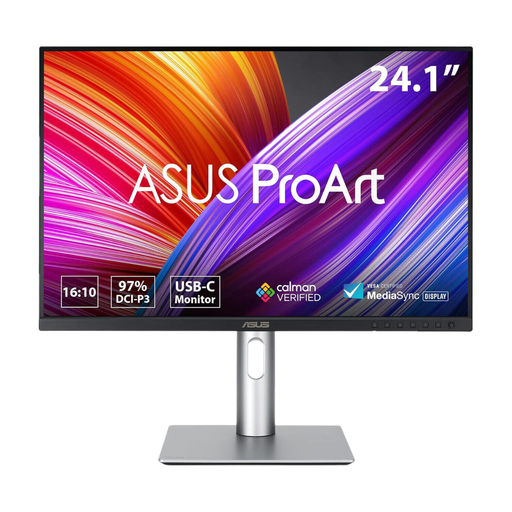
ASUS ProArt PA24ACRV IPS QHD monitor
Consider this QHD option if keeping a card editor and reference material visible together is your priority.
Check that its stand suits each desk user and confirm USB-C video, charging suitability and which cable comes with the package before planning a laptop setup.
View on Joybuy
 No image available
ASUS ProArt PA248CRV IPS WUXGA monitor
Consider this WUXGA option for card writing and document work if its screen layout meets your needs without moving to QHD.
For laptop use, confirm USB-C video and charging compatibility. Check the exact package for its stand, hub connections and supplied cable.
View on Joybuy
 No image available
ASUS ZenScreen MB249C IPS USB-C monitor
Consider this option where the display may need a different mounting arrangement or a connection to a compatible laptop.
Check which mounting options fit the desk and whether they provide the adjustments each user needs. Confirm the weight if the monitor will be moved, and check USB-C video and charging compatibility.
View on Joybuy
 No image available
Dell P2425 24-inch WUXGA monitor
Consider the P2425 for revision cards alongside documents if a 1920 × 1200 workspace suits your preferred text size; Joybuy identifies this model as a 24-inch WUXGA monitor.
Check the exact stand adjustments and input ports before using it at a shared desk. Do not assume this P2425 has the features of the differently named P2425H, P2425HE or P2425DE.
View on Joybuy
 No image available
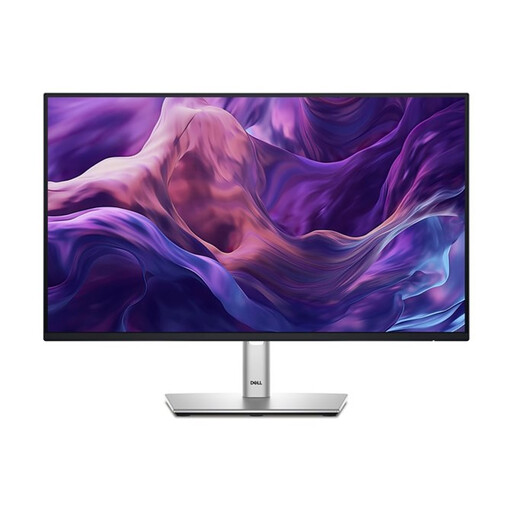
Dell P2425H 24-inch Full HD IPS monitor
Consider this Full HD option for routine card editing and document work where extra QHD pixels are not the main priority.
Check that this package includes the stand and adjustments needed for desk handovers. Confirm its input ports and their functions rather than assuming USB-C charging.
View on Joybuy
Common questions
Do UK display-screen-equipment rules apply when I make revision cards in a shared office?
They may apply when the activity is qualifying work: the Health and Safety Executive says the rules cover workers who use display-screen equipment daily for continuous periods of an hour or more. Do not assume that occasional personal revision creates the same employer duties.
What else matters if several people share the workstation?
An adjustable monitor is only part of the setup. For qualifying display-screen-equipment users, the Health and Safety Executive's guidance also addresses workstation assessment, lighting and reflections; check the desk arrangement for each person rather than relying on the monitor stand alone.
Will a USB-C monitor run and charge any laptop?
No: the laptop must support video output through its USB-C connection, and the monitor's power delivery must suit that laptop. Dell specifies up to 90W for the P2425HE and LG specifies up to 90W for the 24BA850, but those ratings do not establish compatibility with every device.
Are built-in speakers useful at a shared desk?
They can be useful when sound is permitted, but they may disturb colleagues in a quiet office. Check local rules and use headphones for calls or media when shared-space noise matters.


