For savings planning beside a bright window, start with screen placement, a matte or anti-glare finish and a stand you can adjust. A 27-inch QHD screen is worth considering if you regularly view spreadsheets and statements together; a USB-C hub is useful when a compatible laptop is your main computer, while Full HD can suit simpler, single-window planning. No brightness figure or screen finish guarantees that reflections will disappear in your room.
Who this setup suits
Bright-room spreadsheet planners
If daylight reaches your desk, you need room to position the screen while working through savings figures and documents. The Health and Safety Executive advises arranging screens and lighting to avoid reflections and glare.
Laptop-first budget organisers
If a laptop is your main computer, monitor connections and charging capability may matter alongside the display itself. Check what your laptop’s USB-C port supports before planning a one-cable desk setup.
Single-window home planners
If you mainly use one spreadsheet or browser window at a time, a straightforward Full HD monitor may meet your workspace needs without choosing hub features you will not use.
What matters when choosing
Decide how you will manage the window reflection first, then choose the workspace and connections your planning routine calls for.
| Concern |
What to check |
Who this matters to |
| Reflections and positioning |
Look for a matte or anti-glare finish and stand adjustments that let you change the screen’s position. |
If window reflections fall across my figures, I need to move or angle the display rather than rely on a brightness figure. Managing reflections would come first for around 42% of consumers. |
| Spreadsheet workspace |
Compare native resolution as well as screen size, particularly Full HD and QHD options at 27 inches. |
When I compare a savings sheet with statements, I want enough space to keep both in view. Roughly 33% of consumers would put workspace first. |
| Laptop connections |
Check USB-C video support and whether the monitor’s charging capability meets your laptop’s requirements. |
I want to connect my planning laptop without managing several separate leads, but its port must support the setup. For about 25% of consumers, connectivity would be the primary need. |
Mistakes to avoid
-
Treating brightness as a cure for window glare
A window can still appear as a reflection on the screen. The Health and Safety Executive includes screen and lighting arrangement in its advice on avoiding glare.
Check the screen finish and stand, then assess reflections with the monitor in its intended daytime position.
-
Assuming every 27-inch screen offers the same workspace
Screen size does not tell you how many pixels are available for a spreadsheet and document side by side. Dell lists 2560 × 1440 resolution for the P2725DE; compare that native resolution with the exact Full HD model you are considering.
Choose by the amount of content you regularly need visible, not by diagonal size alone.
-
Assuming a USB-C socket makes a one-cable setup possible
Video output and charging depend on the connected laptop and the monitor’s capabilities. Samsung specifies up to 90W USB-C charging for its S60UD, but that figure applies to that model.
Check your laptop’s USB-C video support and charging requirements against the exact monitor before choosing it for a one-cable desk.
Relevant brands to consider
Dell
Dell’s Pro 27 Plus P2725DE is a QHD USB-C monitor to examine if screen adjustment and laptop connections both matter at your desk.
- Dell lists an anti-glare screen, 2560 × 1440 resolution and height, pivot, tilt and swivel adjustment for the P2725DE.
- Those are P2725DE specifications, not features to assume across Dell’s monitor range; window placement still needs checking.
Samsung
Samsung’s ViewFinity models offer different approaches to an adjustable planning screen and a laptop-oriented hub.
- Samsung lists a height-adjustable, pivoting stand for the QHD S61F and up to 90W USB-C charging for the S60UD.
- The S61F and S60UD are separate models. Check the exact model rather than assuming their stand and connection features are combined.
BenQ
BenQ’s GW2790 home-monitor line is relevant if your savings planning mainly uses a single window and you are considering Full HD.
- The GW2790 is presented as a 27-inch matte IPS option for everyday desktop use.
- Check the complete model suffix and native resolution when comparing it with a QHD screen for side-by-side work.
Joybuy monitors for this setup
These monitors offer different screen sizes and resolutions for desk-based savings planning. Compare each exact model’s finish, stand and connections with your window position and computer before choosing.
 No image available
ASUS ProArt PA278CV IPS WQHD monitor
Consider this WQHD screen for regular spreadsheet and document planning. Check its stand adjustments and screen finish against your window position, and confirm laptop compatibility if USB-C charging is important to you.
View on Joybuy
 No image available
ASUS ProArt PA278CFRV IPS QHD 100Hz monitor
Its QHD resolution makes this model worth considering for planning across multiple documents; the product name also specifies IPS and 100Hz. If laptop charging matters, confirm the regional port configuration and power-delivery capability of the exact unit.
View on Joybuy
 No image available
ASUS ProArt Display PA32UCG-K 32-inch 4K HDR IPS Mini LED monitor
Consider the 32-inch 4K display if you need a larger area for detailed plans and have room to position it away from direct reflections. The product name specifies a 120Hz panel; confirm the exact brightness specification before making brightness a deciding factor.
View on Joybuy
 No image available
Samsung Odyssey G6 S27DG612 27-inch QHD OLED 240Hz monitor
The 27-inch QHD screen can be considered for spreadsheet planning, although its named 240Hz gaming feature is not central to that task. Assess the OLED screen in your intended daylight position and check its inputs against your computer.
View on Joybuy
 No image available
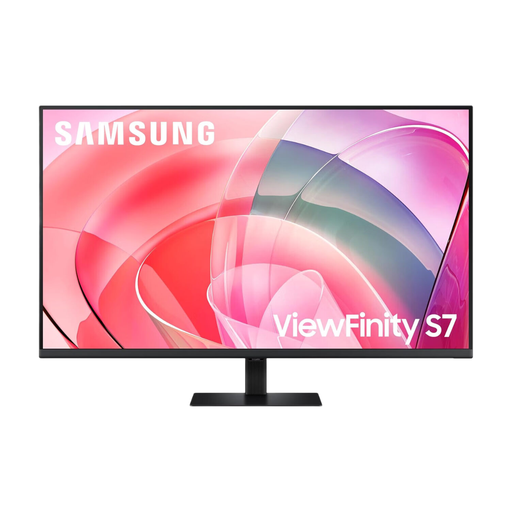
Samsung 37-inch ViewFinity S70D UHD monitor LS37D702EAUXXU
This 37-inch UHD model is an option to examine if you have a roomy desk and work across several planning documents. Check the exact native resolution, screen finish and USB-C charging capability before relying on those details for your setup.
View on Joybuy
Frequently asked questions
Will a higher brightness specification solve glare from a nearby window?
No brightness figure guarantees that window reflections will disappear. The Health and Safety Executive advises arranging screens and lighting to avoid glare, so check the display in its intended position as well as comparing its finish and stand adjustments.
Should I choose QHD or Full HD for a savings spreadsheet?
QHD is worth considering when you regularly need a spreadsheet and other documents visible together; Full HD can suit simpler, single-window planning. Compare the exact models’ native resolutions rather than assuming two screens of the same physical size provide the same workspace.
What do I need to check before using one USB-C cable with my laptop?
Check that the laptop’s USB-C port supports video output and that the monitor’s charging capability meets the laptop’s requirements. Samsung specifies up to 90W USB-C charging for the S60UD, but that capability should not be assumed for other models.


