What to check when choosing
Start with the window and desk position, then decide how much timetable detail must remain visible and whether more than one device needs a connection.
| Concern |
What to check |
Who this matters to |
| Window glare |
Look for an anti-glare surface and adjustable brightness and contrast; check whether the screen can be angled away from the window. |
If a window reflection crosses the departure times, I need to move the screen rather than rely on brightness alone. Roughly 33% of consumers would put glare control first. |
| Dense tables and maps |
Compare 27-inch QHD with 4K, then check your computer’s output resolution and the text scaling you would use. |
When I keep maps and several timetable windows open, I want enough detail without making the text uncomfortably small. Around 27% of consumers would prioritise that workspace need. |
| Device connections |
Check USB-C video support and charging wattage; decide whether you need KVM or simultaneous-source display. |
Switching between computers should not interrupt a timetable comparison or require repeated cable changes. For about 20% of consumers, easier multi-device use would be the primary concern. |
| Screen positioning |
Check stand adjustment, available desk depth and VESA compatibility if you intend to use a separate arm. |
If I return to the screen throughout the day, I need a position that lets me read without leaning around a reflection. Comfortable adjustment would come first for roughly 20% of consumers. |
Joybuy monitors for these needs
These monitors offer different starting points for detailed 4K timetables, USB-C device connections or a larger Full HD anti-glare screen. For a bright-window desk, assess surface treatment and the screen position separately from resolution.
 No image available
ASUS ProArt PA27DCE-K OLED 4K UHD
Consider this OLED 4K UHD model if detailed maps and timetable windows are your priority. Check its surface treatment, display controls and stand movement against your window position before choosing it.
View on Joybuy
 No image available
ASUS Eye Care VY27UQ 4K UHD 60Hz
The 4K UHD resolution is worth considering when several timetable sources need to share the screen. Check the surface treatment and whether the stand can angle the display away from your window; do not rely on the Eye Care name as a substitute for those checks.
View on Joybuy
 No image available
MSI MD272UPSW 27-inch 4K UHD smart monitor
This 4K UHD model merits a look if detailed timetables and device connections both matter. Its title lists an IPS panel, Google TV, Multi-Control and USB-C 65 W; confirm USB-C video support on your computer, whether 65 W meets its charging needs and how the screen will sit relative to the window.
View on Joybuy
 No image available
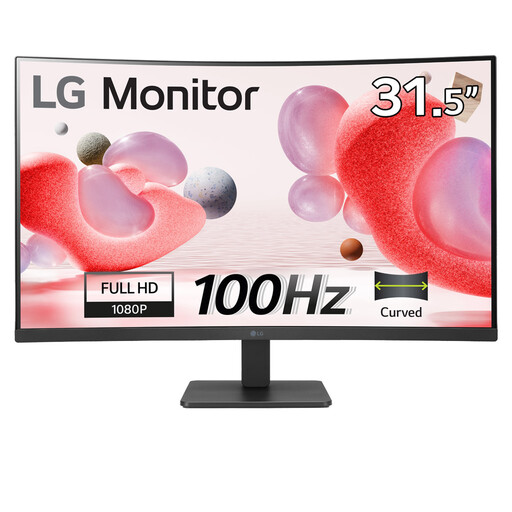
LG 32MR50C-B 32-inch Full HD curved monitor
Consider this larger screen for straightforward timetable checks where an anti-glare surface is important. Its title specifies a VA panel, Full HD resolution and 100 Hz refresh rate; compare Full HD with higher resolutions if dense maps must remain visible, and check whether the stand suits your desk.
View on Joybuy
 No image available
iiyama ProLite XUB2792UHSU-B6 27-inch 4K UHD
The 27-inch 4K UHD display is an option to compare for detailed route maps and tables. Check the screen surface, display controls and stand adjustment for your bright-window position, along with the connections your computer requires.
View on Joybuy
Common questions
Will a brighter monitor solve glare from a window?
No, brightness alone will not remove a window reflected in the screen or direct light entering your eyes. The Health and Safety Executive advises positioning the desk and screen to avoid glare and bright reflections; also check surface treatment and adjust brightness and contrast to the room.
What should I change first if timetable text is hard to see?
Start by changing the screen or desk orientation to reduce the reflection, then adjust brightness and contrast. If moving the display requires an awkward viewing position, check whether its stand or a compatible mount offers a workable alternative.
Do workplace display-screen rules apply to every home monitor buyer?
No: the Health and Safety Executive describes the UK display-screen equipment regulations as applying to workers who use such equipment daily for continuous periods of an hour or more, not automatically to everyone buying a home monitor. Its advice on reducing glare and arranging a workstation can still inform a home setup.
When is USB-C worth having on a timetable monitor?
USB-C is worth considering if you want a compatible laptop to send video and, where supported, receive charging through one connection. Confirm video support on the laptop and compare its charging requirement with the monitor’s rating; a USB-C connector alone does not establish either capability.
Is Full HD enough for comparing transport timetables?
Full HD can suit a basic timetable window, but compare QHD or 4K if detailed maps, tables and several windows need to remain visible together. Check the text scaling and viewing distance you would use, and remember that higher resolution will not remove window reflections.


