Daylight-affected text reviewers
If you check wording and layout near a window, reflections may matter more to your choice than gaming features. The Health and Safety Executive advises adjusting screens and lighting to avoid glare.


For translation review beside a bright window, start with a matte or anti-glare screen that you can reposition away from reflected daylight; brightness alone will not solve glare. A 27-inch QHD display is a practical desk-based option, while a larger 4K display may suit people who regularly keep several documents visible, provided it fits the desk and their preferred text scaling. Window shading and screen position still matter whichever monitor you choose.
If you check wording and layout near a window, reflections may matter more to your choice than gaming features. The Health and Safety Executive advises adjusting screens and lighting to avoid glare.
If source text, a translated draft and references need to stay visible together, compare screen size and resolution alongside the text scaling you actually use.
If you connect a laptop at a fixed desk, check whether the monitor can be positioned away from reflections and whether its video connection and charging meet your laptop’s requirements.
Start with the window’s effect on your intended screen position, then choose enough workspace for your documents and check how the monitor will connect to your laptop.
| Concern | What to check | Who this matters to |
|---|---|---|
| Window glare | Look for a stated matte, anti-glare or anti-reflective surface, and check whether you can move or angle the screen away from the window. | If daylight reflects across the draft, I need to control the light and screen position before relying on a brightness setting. Around 42% of consumers would put glare control first. |
| Document workspace | Compare native resolution and screen size together, then check your preferred text scaling with split windows. | When source and target text must stay open together, I need both documents to remain comfortably readable. That makes workspace the primary concern for around 33% of consumers. |
| Desk adjustment and laptop connection | Check the stand’s adjustment range and, if using USB-C video and charging, your laptop’s video support and required wattage. | If my laptop stays at this desk, I want to reposition the display without complicating the connection. Around 25% of consumers would prioritise that desk-and-laptop workflow. |
Sunlight can enter your eyes directly or reflect in the screen. A brightness rating does not address either screen position or a bright window in your field of view.
Check the desk at the time daylight is strongest. The Health and Safety Executive advises adjusting screens and lighting to avoid reflections and glare; consider whether turning the desk or shading the window is practical.
Screen size does not tell you how many pixels are available for source text, a draft and reference windows. BenQ lists its GW2790QT as 27-inch QHD, while Dell lists its U3225QE as 31.5-inch 4K.
Compare size and native resolution together, then check whether your usual text scaling leaves enough room for the documents you use side by side.
A USB-C socket alone does not establish that the laptop can send video through it or charge within the monitor’s power-delivery limit.
Check the laptop’s USB-C video support and charging requirement against the monitor’s connection and power-delivery specifications.
These examples show different features to check for window-side document work; each description applies to the named model, not every monitor from the brand.
BenQ’s GW2790QT is a 27-inch QHD example for a desk where screen positioning and laptop connectivity matter.
Dell’s U3225QE is a 31.5-inch 4K example for a desk with room for a larger display and several document windows.
LG’s 27GS93QE-B is a QHD OLED example for someone who also wants a gaming display.
These monitors offer different screen formats for reviewing documents at a window-side desk. Compare the space available for text, your desk layout and the connection you need; a screen finish cannot replace control of the window light.
 No image available
Consider this for document comparison if a larger screen fits your desk; check its position against window reflections.
IPS WQHD display. If you need laptop video or charging through USB-C, confirm the connection before buying.
 No image available
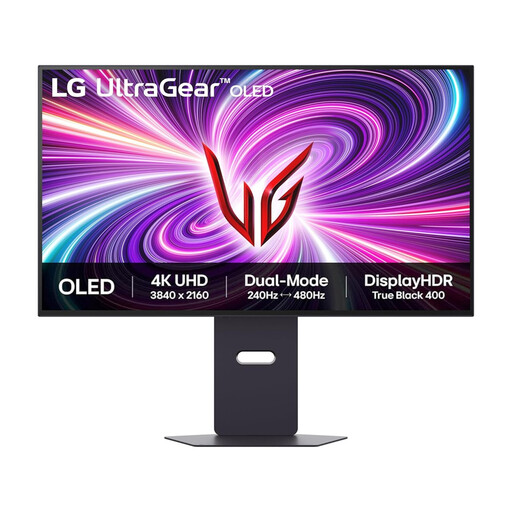
Consider this if the display must serve document work and gaming, and there is room for a large screen.
The stated dual mode is 4K at 240 Hz or Full HD at 480 Hz. Gaming refresh rates do not establish how well the screen will handle window reflections.
 No image available
Consider this 27-inch format if you also want gaming use, while keeping glare control central to the desk setup.
QHD OLED display with a stated 240 Hz refresh rate. Check the screen’s position in your room rather than assuming its gaming specification resolves daylight glare.
 No image available
Consider this wide format if you keep several documents visible, and check that your desk accommodates it.
WQHD OLED display with a stated 240 Hz refresh rate. Check the screen position and the brightness information relevant to your room before choosing it for daylight text work.
 No image available
Consider this for a desk that needs flexible screen placement and a laptop connection; check that its workspace suits your document layout.
IPS display with USB-C. Confirm your laptop’s video and charging compatibility, and assess the screen surface against the window angle you use.
No, not by itself. The Health and Safety Executive advises adjusting screens and lighting to avoid reflections and glare; consider the window’s direction, screen angle and available shading alongside the screen surface.
Choose by the documents you need visible and the space on your desk. BenQ’s 27-inch QHD GW2790QT is a more compact example, while Dell’s 31.5-inch 4K U3225QE offers a larger, higher-resolution display; check your preferred text scaling before deciding.
USB-C is useful if you want a compatible laptop to carry video and receive charging through the monitor. Check the laptop’s video support and charging requirement against the particular display: BenQ specifies up to 65 W power delivery for the GW2790QT, and Dell specifies up to 140 W for the U3225QE.
No. For workers covered by its display-screen-equipment guidance, the Health and Safety Executive addresses assessment of the whole workstation, including equipment, furniture and working conditions; a monitor purchase alone does not assess that setup.