Joybuy monitors for this task
These monitors offer different ways to view weather plots and records. Compare each model’s supplied stand and connections against your standing desk and computer; the 4K and gaming-oriented models should not be assumed to offer the same setup as the QHD adjustable-stand options.
 Image unavailable
ASUS ProArt PA278CV IPS WQHD monitor
Consider this model for viewing charts alongside records when you also need to adjust the screen between desk positions.
The listing describes a 27-inch QHD display with height, tilt, swivel and pivot adjustment. Check the stand’s height range against your setup, and confirm USB-C power delivery against your laptop’s charging requirement if you plan to use it.
View on Joybuy
 Image unavailable
ASUS ProArt PA278CFRV IPS QHD 100Hz monitor
This is another 27-inch QHD option for keeping plots and tables in view while adjusting the screen’s position.
The description lists height, tilt, swivel and pivot adjustment; check the height range for your standing position. USB-C details differ between the listing descriptions, so confirm the exact model’s ports and power delivery before planning a one-cable laptop connection.
View on Joybuy
 Image unavailable
BenQ MA270UP 27-inch 4K UHD Nano Glossy IPS USB-C monitor
Consider this 4K model if your plotting or visual-output workflow calls for its stated resolution and colour specifications.
The description lists 11.5 cm of height adjustment, pivot, swivel and tilt, alongside USB-C power delivery up to 90 W. Check the stand against your desk height and confirm that your laptop supports USB-C video and can use the stated charging output.
View on Joybuy
 Image unavailable
Samsung Odyssey G6 S27DG612 27-inch QHD OLED 240Hz monitor
Its QHD screen offers a specified resolution to assess for chart and record viewing; the gaming-focused refresh specification is a separate consideration.
The description lists height, tilt, swivel and pivot adjustment, plus HDMI and DisplayPort connections. Check the stand’s height range and the connections required by your computer before choosing it for a standing desk.
View on Joybuy
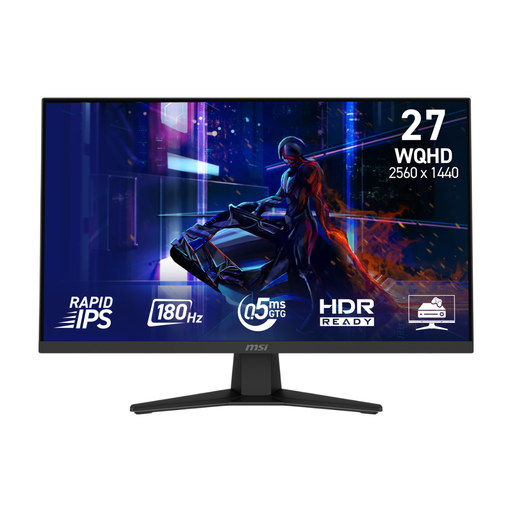 Image unavailable
MSI MAG 274QF 27-inch WQHD Rapid IPS monitor
This QHD model may suit chart and record viewing if you can position the screen appropriately at your standing desk.
The description lists HDMI and DisplayPort connections and a tilt-adjustable supplied stand. For more positioning freedom, check its stated VESA compatibility and whether you would need a separate mount.
View on Joybuy
Common questions
How should I position a monitor at a standing desk?
Set the screen and keyboard centrally in front of you, with the top of the screen at eye level and the screen about an arm’s length away, as advised by the Health and Safety Executive. Adjust both the desk and the monitor stand or arm; a height-adjustable stand will not necessarily reach the right position for every user.
When is a clamp-mounted arm worth considering?
Consider one if you need to move the monitor forwards, backwards and vertically as you switch between sitting and standing. LG Electronics UK lists those movements for the 27QN880’s Ergo stand; check that its clamp or grommet mounting method suits your desk. A conventional stand is sufficient when its adjustment range gives you the position you need.
Can one USB-C cable connect my laptop and charge it?
It can if the laptop supports video through the relevant USB-C port and the monitor supplies enough power for that laptop. Dell Technologies lists USB-C power delivery up to 90 W for the P2725DE, while HP Store UK lists 100 W for the 527pu; compare the exact laptop and monitor specifications before relying on one cable.
Does a standing-desk workstation need a display-screen assessment at work?
For workers who use display screen equipment daily as part of their normal work, continuously for an hour or more, the Health and Safety Executive says employers must carry out a workstation assessment. It covers the workstation, job and working conditions rather than the monitor alone.


