Detail-first map designers
If your maps contain small place names, fine boundaries or several GIS and design panels, screen detail and usable workspace are central to the choice.


For geography maps with fine labels and layered information, a 27-inch 4K IPS monitor with published sRGB or Rec.709 coverage and an adjustable stand is a sensible starting point. A 27-inch QHD monitor can suit less detail-intensive coursework, while a 31.5- or 32-inch 4K screen suits those who want physically larger map and reference panels and have room for it. If colour consistency matters to the finished work, check the exact model’s calibration claims as well as its colour-space coverage.
If your maps contain small place names, fine boundaries or several GIS and design panels, screen detail and usable workspace are central to the choice.
If thematic colours must remain consistent through assessment, digital publication or print review, look at the exact monitor’s stated colour space and calibration specifications.
If you design maps from a laptop, check its display connection and charging needs alongside the monitor’s inputs, stand adjustments and fit on your desk.
Choose when: Small map labels, fine linework and several open panels make detail a priority.
Check: Your computer must support the required 4K video output; colour specifications still vary by model.
Choose when: General map drafting matters more to you than the additional pixels of 4K at the same screen size.
Trade-off: A 2560 × 1440 display has fewer pixels than a 3840 × 2160 display; do not assume it has a factory-calibration claim.
Choose when: You prefer physically larger map panels beside reference material and have sufficient desk space.
Check: Desk depth and stand positioning matter; the larger diagonal alone does not establish colour accuracy.
| Concern | What to check | Who this matters to |
|---|---|---|
| Fine map detail | Compare native resolution and screen size, then confirm that your computer supports the required video output. | When my map has small labels and several reference panels, I want enough detail and room to work without constantly rearranging windows; around 42% of consumers put fine-detail workspace first. |
| Predictable colour | Check the exact model’s stated colour-space coverage and calibration or accuracy claim; establish the required output colour space first. | If thematic fills must look consistent for assessment or publication, I need more than a wide-gamut figure; roughly 33% of consumers make colour control their primary concern. |
| Laptop and desk fit | Match the laptop’s video and charging requirements to the monitor’s ports and power delivery, and check stand adjustment. | Working from a laptop at a fixed desk, I need connections and positioning that fit my setup; approximately 25% of consumers prioritise connection and workstation fit. |
A larger 4K screen gives you physically larger panels but takes more desk space. Size does not tell you whether the stand will let you position the display comfortably.
Measure your desk and compare the stand footprint, adjustment range and mounting options before choosing between 27-inch and larger models.
A stated colour-gamut percentage and a calibration or Delta E claim describe different characteristics. ASUS UK and BenQ UK publish both types of specification for the PA279CV and PD2705U respectively.
For colour-sensitive maps, match the required colour space to the exact model, then check its stated calibration and accuracy information separately.
A monitor’s USB-C connection will not necessarily carry video from, or supply enough power to, every laptop. BenQ UK specifies DisplayPort Alt Mode and 65W power delivery for the PD2705U, while LG UK specifies up to 90W power delivery for the 32U720A.
Check your laptop’s USB-C video capability and charging requirement against the exact monitor specifications.
Reflections and an awkward viewing position can affect a long map-design session even when the display specifications suit the task. The Health and Safety Executive’s display-screen guidance includes adjusting screens and lighting to avoid glare.
Consider stand adjustment or a suitable mount, and check how the screen will sit relative to your lighting.
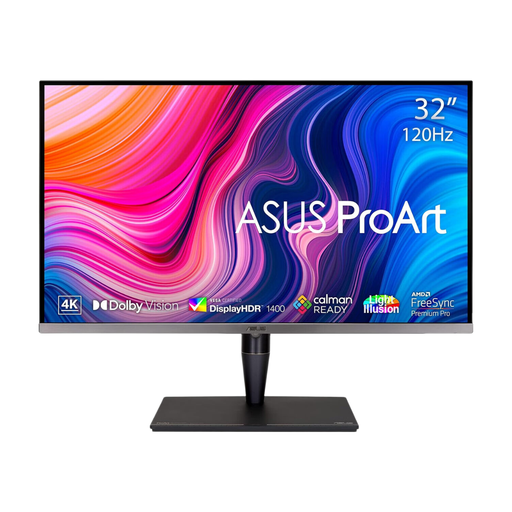
The ProArt PA279CV and PA279CRV are 27-inch 4K IPS models to compare if your map workflow calls for published colour specifications.
The Creative Pro PD2705U is a 27-inch 4K IPS option with published colour and connection specifications.
The S2725DC is a 27-inch QHD route for general map drafting where an adjustable workspace takes priority over 4K resolution.
The 32U720A represents a physically larger 4K option for map and reference panels.
These monitors cover 4K choices for detailed map work, including a larger-screen option and compact desktop displays. Compare each model’s connections, colour claims and stand against your own computer and map output.
 No image available
Consider this larger screen if you want physically larger map and reference panels and have room on your desk.
The product title specifies 4K resolution, an IPS Mini LED panel and a Delta E < 1 claim. Check the exact USB-C video and power specifications if a one-cable laptop setup matters to you.
 No image available
This 27-inch 4K option suits a desk where fine map detail matters and a height-adjustable display is useful.
Its title identifies USB-C connectivity and a Mac-focused design. Check compatibility with your exact computer, including video and charging needs; for colour-critical work, check the model’s calibration information.
 No image available
A 27-inch 4K display is worth considering when small map labels and a compact desk both matter.
If your work requires predictable colour or a USB-C laptop connection, check this exact model’s calibration, video and power-delivery specifications before choosing it.
 No image available
This 27-inch 4K screen is a choice for detailed map work if HDMI or DisplayPort suits your computer.
The title states 95% DCI-P3 coverage. For colour-sensitive output, check its sRGB or Rec.709 coverage and calibration information rather than treating that gamut figure as an accuracy result.
 No image available
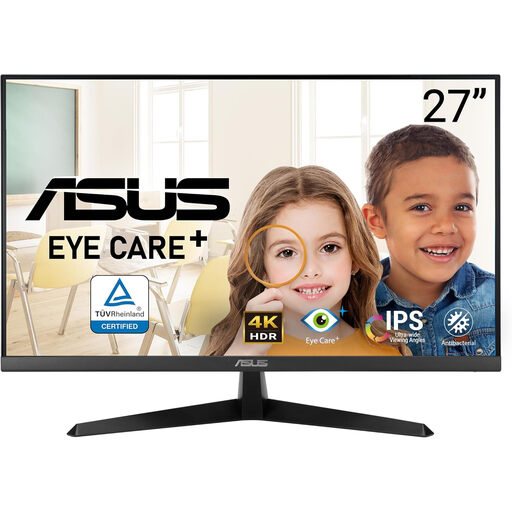
Consider this 4K model if resolution is your starting point for fine map detail.
Before choosing it for colour-controlled work or a laptop desk, check the exact model’s calibration, stand adjustment and connection specifications.
Not for every map task: a 27-inch QHD monitor can suit general drafting or coursework. Prioritise 4K when fine labels, dense layers or space for several panels are important, and confirm that your computer can provide the required output.
Consider one when you must judge map colours consistently for assessed work, publication or a managed print workflow. ASUS UK lists sRGB and Rec.709 coverage plus a Delta E < 2 claim for the PA279CV; BenQ UK lists those colour spaces and an average Delta E ≤ 3 claim for the PD2705U. Check the colour space your finished work requires rather than choosing by gamut percentage alone.
Only when your laptop supports the monitor’s USB-C video connection and its charging requirement fits the stated power delivery. BenQ UK specifies DisplayPort Alt Mode and 65W power delivery for the PD2705U; check both devices’ exact specifications before planning a one-cable setup.
No particular consumer monitor model is made suitable for every workplace by its specifications alone. The Health and Safety Executive states that display-screen equipment regulations concern employers whose workers regularly use such equipment as a significant part of normal work; workstation positioning and lighting also matter.