Report reviewers beside a window
You need to read text, tracked changes and tables while managing daylight reflections on the screen.


Start with the position of the screen: the Health and Safety Executive advises arranging the desk and display to avoid glare and bright reflections. For detailed reports, a 27-inch 4K monitor with an adjustable stand is worth considering, but resolution and brightness cannot remove a direct window reflection. Add specialist colour features only if judging the report’s images or artwork is part of the task.
You need to read text, tracked changes and tables while managing daylight reflections on the screen.
You review a report alongside reference files or email and need to consider workspace, laptop connections and screen positioning.
You also judge charts, images or branded material, so the monitor’s stated colour specifications matter alongside its suitability for reading text.
Work out how to keep the window out of the screen’s reflection before deciding how much resolution or laptop connectivity you need.
| Concern | What to check | Who this matters to |
|---|---|---|
| Window reflections | Check the proposed screen position and whether you can use blinds or curtains; check the stated screen finish. | If the window appears in the panel while I am reading edits, I need to change the light or screen position before relying on display specifications; around 42% of consumers put glare control first. |
| Text workspace | Compare screen size and native resolution, then check whether text remains comfortable at your preferred scaling. | When I review comments beside tables or references, I want enough detail without making text awkward to read; roughly 33% of consumers prioritise text workspace. |
| Laptop and desk setup | Check USB-C video and charging compatibility if needed, plus the stand’s adjustment range. | If my laptop anchors the workstation, I need a reliable display connection and a screen I can reposition; around 25% of consumers put desk integration first. |
A reflected window can obscure report text even when the monitor is bright. RTINGS.com notes that room lighting and reflection handling affect visibility alongside peak brightness.
Plan the screen position first. If daylight still reflects into the panel, consider a different desk layout or a window covering rather than expecting brightness to resolve it.
A monitor’s power-delivery rating does not establish that your laptop accepts video through its USB-C port or receives the power it requires.
Compare the laptop’s video and charging requirements with the monitor’s specifications, and check which cable the connection requires.
Wide-gamut and calibration specifications serve a different purpose from controlling a direct window reflection.
Prioritise screen placement, readable text and useful stand adjustment. Consider specialist colour specifications when the report also requires you to judge images, proofs or branded artwork.
The PD2706U is relevant if you want a 27-inch 4K IPS display with a stated matte coating for a document-reviewing desk.
The P2725QE is relevant to laptop-based report review where a 27-inch 4K IPS hub display and stand adjustment are useful.
The 27UP850K-W combines a 27-inch 4K IPS display with USB-C charging and stand adjustments.
The PA279CRV is relevant when report review includes judging colour-sensitive charts, images or proofs.
These monitors offer different screen sizes and resolutions for report review. Match the display to your document layout and desk space, then check how you will manage reflections beside the window.
 No image available
Consider this model for document review if WQHD resolution suits the way you arrange reports and references. It is not a 4K option; check the screen position and your laptop’s charging requirements before planning the desk around it.
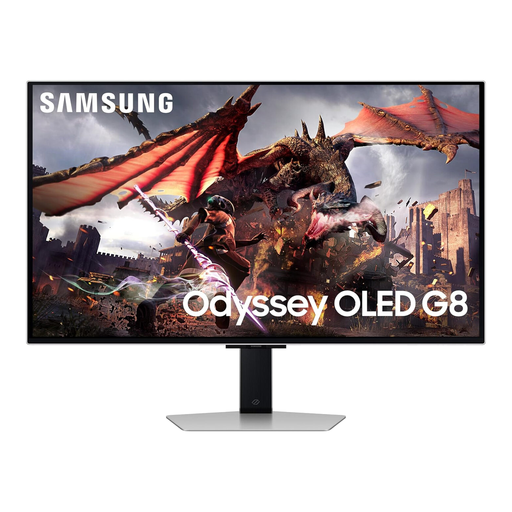 No image available
Consider the larger screen if a 32-inch display fits your report-reviewing desk. Assess the planned window position rather than relying on a glare-reduction claim to resolve direct reflections.
 No image available
Consider this 27-inch 4K display for detailed reports and tables. Check its screen finish for your window-facing setup and confirm laptop charging compatibility if you want a single-cable desk.
Not on its own: a direct reflection is different from general room brightness. Position the screen to avoid the reflected window, use blinds or curtains if needed, and consider reflection handling alongside brightness.
Not necessarily. A 4K display is worth considering for dense tables, comments or documents viewed side by side, provided text is comfortable at your chosen scaling; a lower-resolution monitor may suit simpler single-document review.
Confirm that the laptop’s USB-C port supports video, then compare its charging requirement with the monitor’s stated power delivery and check the cable requirements. Dell specifies up to 90W for the P2725QE, LG up to 90W for the 27UP850K-W and ASUS up to 96W for the PA279CRV; those figures alone do not establish compatibility with your laptop.
The Health and Safety Executive advises arranging the desk and screen to avoid glare or bright reflections. For a window-side desk, check where the window appears in the display from your normal viewing position before choosing a monitor or fixing its location.