Start with the desk position: the Health and Safety Executive advises arranging screens to avoid glare and bright reflections, so use placement or blinds before relying on monitor brightness. For fine grids, clue text and page proofs, a 27-inch 4K screen offers a compact, high-density option; give colour-management features or USB-C charging priority only if your artwork or laptop workflow calls for them. Check the screen surface, stand adjustment and laptop compatibility against your own setup.
Who this is for
Bright-desk puzzle editors
You revise clues, grids and answer pages near a window, where reflected daylight makes placement and screen-surface choice more pressing than gaming features. The Health and Safety Executive advises arranging the desk and screen to avoid glare and bright reflections.
Detail-led booklet proofreaders
You inspect small text, numbered cells and page alignment. ASUS and BenQ each specify a 27-inch 4K creative-monitor example at 163 PPI; defined colour modes become more relevant if the booklet also contains illustrations or branded graphics.
Laptop-first home publishers
You run layout software from a laptop and want a simpler desk connection. Check that the laptop supports the monitor’s video connection and that its charging requirement fits the stated USB-C power delivery before planning around one cable.
What matters when choosing
Settle where the screen can sit in relation to the window, then choose the detail, desk fit and connections your booklet workflow needs. A monitor surface cannot substitute for controlling a direct reflection.
| Concern | What to check | Who this matters to |
|---|
| Daylight glare |
Look for a matte, anti-glare or low-reflection surface, and check stand adjustment alongside the planned screen position. |
When daylight reflects across my clues, I need to move or shade the screen before I can proofread comfortably; around 36% of consumers put glare control first. |
| Fine text and grids |
Compare screen size with native resolution; ASUS and BenQ specify 163 PPI for their cited 27-inch 4K models. |
Small clue numbers and grid spacing need close inspection without taking over my desk; roughly 29% of consumers prioritise fine-detail proofing. |
| Laptop connection |
Match the laptop’s video-output support and charging requirement to the monitor’s USB-C or Thunderbolt connection and stated power delivery. |
If I connect a laptop each time I work on the booklet, I want video and charging through a compatible desk connection; about 21% of consumers place that need first. |
| Desk fit |
Measure the available width and depth, including the stand, and check height adjustment or compatible mounting. |
A larger page workspace is useful only if I can position the screen on my desk; around 14% of consumers make desk fit their primary concern. |
Buying pitfalls
-
Treating brightness as a cure for window reflections
A bright panel can still reflect a window. The Health and Safety Executive recommends arranging the desk and screen to avoid glare and using curtains or blinds to control intrusive light.
Check whether you can change the screen position before comparing stated brightness and surface treatments.
Blinds or a compatible monitor arm may be needed if the current position cannot avoid the reflection.
-
Choosing a 27-inch Full HD screen for fine proofing solely for its hub
LG specifies a 27-inch Full HD hub-monitor example, while the cited 27-inch 4K ASUS and BenQ models have a higher native resolution. That distinction matters when your main task is inspecting small clues and grid alignment.
Compare native resolution and screen size before giving USB ports or other desk features priority.
-
Assuming USB-C means suitable video and charging
The cited BenQ, LG and ASUS models have differing stated power-delivery levels, and a laptop also needs a compatible video-output path.
Check the laptop’s port and charging requirements against the exact monitor connection and cable you intend to use.
You may still need a separate charger, compatible cable or dock.
-
Moving to a larger 4K screen without measuring the desk
BenQ specifies its 31.5-inch PD3225U at 140 PPI, compared with 163 PPI for the cited 27-inch 4K examples. More physical screen area does not settle whether the size or text density suits your proofing setup.
Measure the monitor’s dimensions with its stand, available desk depth and viewing position before choosing the larger format.
Brands to consider
These product lines illustrate different specifications worth checking; the details below apply to the named models, not every monitor bearing the brand.
ASUS ProArt
Creative-focused 27-inch 4K options for detailed pages and colour-managed work.
- ASUS specifies the PA27UCGE with 163 PPI, an anti-glare/low-reflection surface, 600 cd/m² typical brightness and hardware-calibration features.
- Its colour-workflow features may be unnecessary for a booklet made only of text and monochrome grids.
Dell UltraSharp
Productivity and hub-monitor options for an adjustable laptop workstation.
- Dell specifies the 27-inch 4K U2725QE with an anti-glare/anti-reflective surface, ambient-light sensor and power-delivery options up to 140 W.
- UltraSharp specifications differ by model: Dell also offers the 27-inch QHD U2724DE, so check resolution and charging for the exact display.
BenQ PD
Designer-monitor options for page layout, defined colour modes and a USB-C desk connection.
- BenQ specifies the 27-inch 4K PD2705U at 163 PPI, with a matte coating, 99% sRGB and Rec.709 coverage, and 65 W USB-C power delivery.
- Its stated typical brightness is 250 nits; assess the room’s reflections rather than assuming it suits every sunlit position.
HP
Business-display options with conventional 4K detail and adjustable positioning.
- HP specifies the E27k G5 with a 27-inch 4K anti-glare screen, 350-nit brightness, ambient-light sensor and height, tilt, swivel and pivot adjustment.
- Check the colour specifications of the exact model if booklet artwork requires a defined colour workflow.
LG
Business-monitor options for a laptop-centred desk connection.
- LG specifies the 27BA850-B with USB-C power delivery up to 90 W, RJ45 and an adjustable stand.
- This model is Full HD rather than 4K, a consequential distinction if fine puzzle-grid detail drives your choice.
Monitor choices on Joybuy
These monitors offer 4K options for booklet layout and proofing, including a larger-screen choice. For a desk beside a bright window, weigh each screen surface and the room’s reflections separately from resolution; check laptop connections against your own computer.
 No image available
ASUS ProArt PA27DCE-K OLED 4K UHD
Consider this for detailed booklet pages if its screen position works with your window and desk.
The product name identifies an OLED 4K UHD model. Check typical brightness and the exact USB-C video and charging arrangement if those affect your setup.
View on Joybuy
 No image available
iiyama ProLite XUB2792UHSU-B6 27-inch 4K UHD
The 27-inch 4K format is worth considering when clue text and grid detail matter more than a larger physical display.
Check the screen’s reflection treatment for your window position, and confirm USB-C video compatibility and charging requirements before planning a one-cable laptop desk.
View on Joybuy
 No image available
BenQ MA270UP Nano Glossy 27-inch 4K USB-C
This model may suit detailed layout work with a compatible laptop, but assess whether a glossy screen will reflect your window.
The product name identifies a 27-inch 4K IPS display with USB-C and a height-adjustable stand. Check brightness, video support and charging against your desk and laptop.
View on Joybuy
 No image available
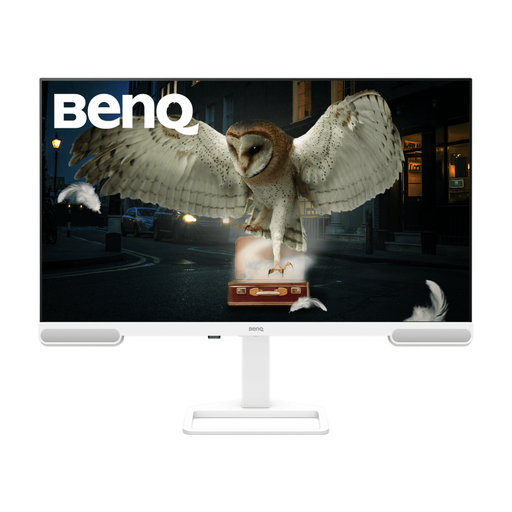
BenQ EW3290U 79.2 cm (31.2-inch) 4K UHD
Consider the larger display if you want more physical space for page layouts and have measured the available desk area.
The product name states 79.2 cm (31.2 inches) and 4K UHD; other supplied product details state 31.5 inches. Confirm the exact size and stand dimensions, as well as the screen surface and laptop connection, before choosing it for a bright-window desk.
View on Joybuy
 No image available
ASUS Eye Care VY27UQ 4K UHD 60Hz
This 4K option is worth assessing for detailed grids if its stand and screen surface let you manage reflections at your desk.
The product name specifies 4K UHD and 60Hz. Check the available stand adjustments, reflection treatment and laptop video connection before ordering.
View on Joybuy
Frequently asked questions
Can a brighter monitor solve glare from the window?
Not by itself. The Health and Safety Executive advises arranging the screen to avoid bright reflections and using curtains or blinds to control intrusive light; consider brightness and a low-reflection surface after checking the desk position.
Is 27-inch 4K a sensible choice for puzzle-booklet proofing?
Yes, if you want a high-density screen without a larger monitor footprint: ASUS and BenQ specify cited 27-inch 4K models at 163 PPI. A larger screen may give page layouts more physical space, so also check desk dimensions, viewing distance and the text size you prefer.
Will USB-C handle my laptop’s display and charging through one cable?
Only if the laptop and monitor support the same video connection and the monitor supplies enough charging power. Check DisplayPort Alt Mode or the applicable Thunderbolt connection, the laptop’s power requirement and the monitor’s stated power delivery for the exact models.
Can I cancel an online monitor order after delivery?
For covered UK distance sales, GOV.UK states that customers can cancel up to 14 days after delivery without giving a reason. Check the retailer’s cancellation instructions and return arrangements; change-of-mind cancellation is distinct from remedies if a monitor is faulty, damaged or misdescribed.


