Choose a compact monitor if fitting the desk and keeping laptop cables under control matter most. If you have measured room for a 27-inch screen, QHD or 4K gives you more detail for reviewing handbook pages; compare colour specifications for screen work, but check a physical proof before relying on colours in print.
Who needs which features?
Colour-conscious handbook designer
If you prepare logos, photographs or sponsor artwork, compare the stated colour space and calibration information for screen review. BenQ and LG publish specifications for their respective design-focused models, but a print proof is still needed for critical colours.
Small-desk laptop user
If cables and accessories crowd your workspace, a compact docking monitor may help. Check both its stand footprint and whether your laptop supports the video and charging functions you intend to use.
Layout-and-text-focused editor
If you spend most of your time arranging columns, checking small copy and reviewing PDFs, weigh screen resolution and usable desk space together rather than choosing by diagonal size alone.
What should you check?
Start with the space the monitor and its stand will occupy, then decide how much page detail you need and whether the laptop connection can handle your preferred setup.
Compact docking monitor
Choose it when: desk space and a tidier laptop connection take priority.
Trade-off: the 23.8-inch ViewSonic VG2456 and Philips 24B1U5301H/00 examples are Full HD, with less pixel detail for dense spreads than the QHD and 4K routes.
27-inch QHD design monitor
Choose it when: you can fit a larger screen and want room to review multi-column pages alongside stated colour specifications.
Trade-off: BenQ lists its PD2705Q at 614 mm wide and 230.7 mm deep with the supplied stand.
27-inch 4K monitor
Choose it when: on-screen detail for small type and images matters more than keeping the screen compact.
Trade-off: a 27-inch model still needs a desk-fit check, and its display colour specifications cannot establish how your handbook will print.
| Concern |
What to check |
Who this matters to |
| Colour and artwork |
Compare the exact model’s stated colour space and calibration information with your screen-review workflow; proof critical colours on the intended printer and paper. |
If I prepare logos and photographs, I want a dependable way to review them on screen without assuming the print will match. Around 42% of consumers put colour and artwork review first. |
| Desk fit and positioning |
Measure usable width and depth against the complete monitor-and-stand dimensions; check the available adjustments or a suitable mounting option. |
When my keyboard and paperwork share a narrow desk, the monitor needs to fit without making the working position awkward. Desk fit and positioning come first for around 33% of consumers. |
| Laptop connection |
Confirm USB-C video support, the laptop’s charging needs and any required docking ports before relying on one cable. |
If I move my laptop between workspaces, reconnecting the display and power with less cable clutter matters most. Around 25% of consumers prioritise the laptop connection. |
Mistakes to avoid
-
Choosing by diagonal size alone
A screen suited to page layouts can still crowd the desk. BenQ states that its 27-inch PD2705Q is 614 mm wide and 230.7 mm deep with the supplied stand.
Measure the space available for the monitor, keyboard and cables, then compare the model’s full dimensions and mounting options.
If the supplied stand will not fit, using an arm or reorganising the desk may add another setup task.
-
Assuming every USB-C port handles display and charging
For the Philips 24B1U5301H/00, Philips specifies DisplayPort Alt Mode for USB-C video and USB Power Delivery support for charging. Monitors also have different stated charging limits.
Check your laptop’s port capabilities and charging requirements against the exact monitor before planning a one-cable setup.
An incompatible connection may leave you using a separate charger or another display connection.
-
Treating colour coverage as a print guarantee
Stated colour coverage describes a display characteristic, not the result from your chosen printer, inks, paper and colour workflow.
Compare monitor specifications for screen review, then obtain a proof on the intended printer and paper before committing critical handbook colours to print.
Brands to consider for this setup
BenQ
The Creative Pro PD2705Q is a reference point for 27-inch QHD handbook work where stated colour specifications matter.
- BenQ lists 100% sRGB and 100% Rec.709 coverage, average Delta E ≤3, USB-C power delivery up to 65 W and a 100 × 100 mm VESA mount for this model.
- Its stated 614 mm width and 230.7 mm depth with the supplied stand call for a desk measurement.
Dell
The UltraSharp U2724D offers a 27-inch QHD option for reviewing layouts and documents.
- Dell lists an IPS Black panel and a 120 Hz refresh rate for the U2724D.
- Those display specifications do not establish a colour match with the printer used for your handbook.
LG
The UltraFine 27UP850K-W is a 27-inch 4K route for buyers prioritising on-screen detail and USB-C laptop connection.
- LG lists typical DCI-P3 coverage of 95%, height, pivot and tilt adjustment, and USB-C charging up to 90 W for this model.
- Check whether its 27-inch setup fits the desk; its colour specification does not verify a particular print result.
ViewSonic
The VG2456 represents a compact docking route for a laptop-based desk.
- ViewSonic specifies a 23.8-inch IPS display, USB-C, Ethernet, power delivery up to 60 W and stand adjustment.
- Its 1080p resolution provides less pixel detail for dense layouts than the QHD and 4K examples discussed here.
Philips
The business-monitor 24B1U5301H/00 combines a 23.8-inch Full HD IPS panel with USB-C docking and a pop-up 5 MP webcam.
- Its docking and webcam features may suit a desk also used for club administration.
- Philips specifies that USB-C video needs DisplayPort Alt Mode and charging needs USB Power Delivery support from the laptop.
Joybuy monitor choices
These monitors offer different ways to approach handbook layout work on a small desk, including QHD, 4K and USB-C options. Check the dimensions and connections of the exact model against your workspace and laptop.
 No image available
ASUS ProArt PA278CV IPS WQHD
Consider this for QHD handbook layouts if its complete setup fits your desk.
The product name identifies an IPS WQHD display. Check the stand dimensions and any USB-C charging requirement for your laptop.
View on Joybuy
 No image available
ASUS ProArt PA24ACRV IPS QHD
This QHD option is worth comparing when layout detail matters but desk space is limited.
The product name identifies an IPS QHD display. Confirm its dimensions with the stand and whether its USB-C functions match your laptop.
View on Joybuy
 No image available
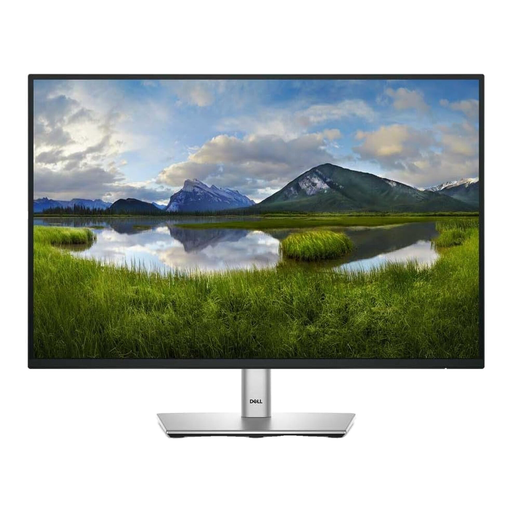
Dell P2425 24-inch Monitor
Consider this for document-focused handbook work if a 24-inch screen suits your desk.
Check its dimensions with the supplied stand and confirm the exact ports before planning a USB-C laptop connection.
View on Joybuy
 No image available
LG 27UP650K 27-inch 4K IPS
Consider this when you want 4K detail for handbook pages and have measured room for a 27-inch screen.
The product name states 95% DCI-P3 coverage and HDMI and DisplayPort connections. Check its stand footprint and your laptop’s display output; screen colour coverage does not guarantee a print match.
View on Joybuy
 No image available
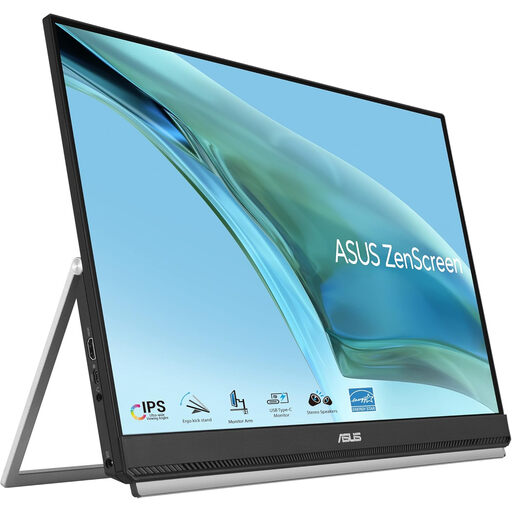
ASUS ZenScreen MB249C IPS USB-C
Consider this USB-C option if flexible placement could help free working space for handbook materials.
Confirm the mounting accessories, complete setup footprint and weight before choosing a position. Check laptop video and charging compatibility if you intend to use one cable.
View on Joybuy
Frequently asked questions
Should I choose a 24-inch or 27-inch monitor for a small desk?
Choose a compact screen when desk fit is the overriding concern; consider 27 inches when you have measured enough room and want more space for reviewing handbook layouts. For a concrete fit check, BenQ states that its 27-inch PD2705Q is 614 mm wide and 230.7 mm deep with the supplied stand.
Will a USB-C monitor work with any USB-C laptop?
No: the functions you want must be supported by the laptop as well as the monitor. Philips specifies that its 24B1U5301H/00 needs DisplayPort Alt Mode for USB-C video and laptop USB Power Delivery support for charging; check your laptop’s ports and charging requirements before relying on one cable.
Will the printed handbook match the monitor’s colours?
Monitor colour specifications alone cannot establish a match with your printed handbook. Use stated coverage to compare displays for screen review, then proof critical colours with the intended printer, inks and paper.


