Fine-detail record comparers
If you examine handwriting, marginal notes or scans alongside a transcription, a compact screen with room for detail may matter more than a larger diagonal. Dell UK lists a 23.8-inch QHD option in the P2425D.


A roughly 24-inch monitor is a useful starting point for comparing historical records beside paperwork, provided its stand fits your desk. Prioritise QHD for fine detail and adjacent windows, or a 16:10 screen and pivoting stand for long pages. A USB-C hub is worth considering for a compatible laptop, but check video output and charging requirements before relying on one cable.
If you examine handwriting, marginal notes or scans alongside a transcription, a compact screen with room for detail may matter more than a larger diagonal. Dell UK lists a 23.8-inch QHD option in the P2425D.
Registers, letters and catalogues can make a taller layout or portrait rotation useful. ASUS lists a 16:10, 1920 × 1200 panel and a pivoting stand for the PA248QV.
When a laptop shares limited desk space with documents, screen placement and the number of cables become practical considerations. Dell UK lists USB-C power delivery of up to 90 W for the P2425HE; whether a single connection works depends on the laptop.
Measure the space left after laying out your papers and input devices, then decide which one need would drive your choice: fine detail, document positioning, laptop connections or a simple compact setup.
| Concern | What to check | Who this matters to |
|---|---|---|
| Fine detail and workspace | Compare native resolution at the screen size you can accommodate, and check that your computer can output it. | When I compare faint handwriting with a transcription, I want enough screen detail and room for both views. Around 33% of consumers would put that need first. |
| Document positioning | Check stand height and pivot adjustment, or the VESA pattern if you plan to use an arm. | For long registers, I need to position the screen comfortably and may want to rotate a page into portrait view. That would be the leading concern for around 27% of consumers. |
| Laptop connections | Confirm the laptop’s USB-C video capability and charging requirement against the monitor’s connections and power delivery. | If my laptop sits beside the records, I would rather manage fewer cables than prioritise extra pixels. Around 20% of consumers would make a compatible connection their main requirement. |
| Compact setup | Compare with-stand width and depth with your usable desk space; check mounting compatibility if you might add an arm. | I need the monitor to leave room for papers now, with a way to change its position later if necessary. For around 20% of consumers, that straightforward fit would come first. |
The screen diagonal does not tell you how much space the monitor and stand occupy. BenQ UK lists a width of 540 mm for the 23.8-inch GW2490E.
Measure usable desk width and depth with your papers, keyboard and mouse in place, then compare them with the model’s with-stand dimensions.
Resolution and aspect ratio change the available document layout. Dell UK lists QHD for the P2425D and FHD for the P2425HE, while ASUS lists a 16:10, 1920 × 1200 panel for the PA248QV.
Choose between detail, a taller page view and connection convenience by checking resolution, aspect ratio and stand adjustment together.
Dell UK states that the P2425HE supplies up to 90 W, but the laptop must also support video through the relevant USB-C connection and accept suitable charging power.
Check the laptop’s port and charging specifications, as well as the cable required for the connection.
A separate charger or suitable cable may still be needed if the laptop cannot use the monitor connection for both video and charging.
An adjustable stand does not replace a workable desk layout. The Health and Safety Executive advises placing the top of the screen around eye level and the display about an arm’s length away.
Allow enough desk depth for that position and space for the records you need to consult beside the screen.
Dell UK lists compact P2425D and P2425HE monitors with different priorities: QHD document workspace and USB-C hub connectivity respectively.
The PA248QV is a 24.1-inch option for readers interested in a taller document layout.
The GW2490E offers a concrete size reference for planning a compact document desk.
These compact monitors offer different starting points for record work: a taller-format option, a 24-inch document screen, a QHD option for detailed views and a straightforward desktop model. Check each model’s footprint and connections against your own desk and computer.
 No image available
Consider this WUXGA IPS model if longer documents are central to your work. Check its stand position and footprint against your paper workspace; confirm laptop video and charging compatibility before planning a one-cable setup.
 No image available
This 24-inch P2425 is an option to assess for reading long records at a small workstation. Check its with-stand fit and the connections your computer needs; confirm USB-C video and charging capabilities before counting on a single cable.
 No image available
This QHD IPS model suits a shortlist focused on fine scan detail or adjacent reference windows. Measure the available space for its stand, and check laptop compatibility before relying on USB-C for display and charging.
 No image available
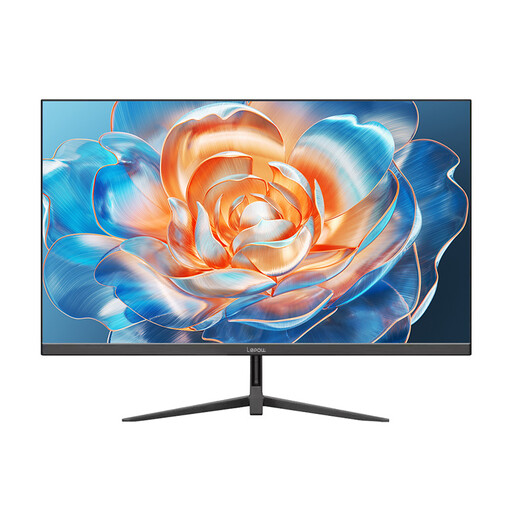
For straightforward record reading, assess this 24-inch model against the space available on your desk. Its described stand adjustment is tilt only, so check whether its screen position will work for longer sessions.
It can, but measure the usable desk width and depth rather than relying on the screen diagonal. BenQ UK lists its 23.8-inch GW2490E at 540 mm wide; compare the with-stand dimensions of the model you choose with the space left after setting out your documents and input devices.
Portrait mode can help when a tall page is your main reference, provided the stand pivots or you use a compatible mount. Dell UK lists pivot adjustment for the P2425D, and ASUS lists it for the PA248QV.
No: check that the laptop supports video output through its USB-C port and compare its charging requirement with the monitor’s power delivery. Dell UK states that the P2425HE provides up to 90 W, which does not establish compatibility with every laptop.
The Health and Safety Executive advises placing the top of the screen around eye level and the display about an arm’s length away. Check stand height and available desk depth so you can position both the screen and your paper records.
Ask the seller about its electrical-equipment take-back service before disposing of the old monitor. GOV.UK says retailers selling electrical equipment must offer to take back waste equipment of the same type as the item purchased; check the seller’s arrangements for using that service.