Bright-window comparison planners
If daylight reflects into the screen while you check bookings or itineraries, consider the screen finish and where the stand lets you position the panel before choosing by resolution.


For comparing holiday costs beside a bright window, start with reflections and where you can position the screen, then decide how much detail you need on display. A 27-inch 4K monitor gives you more pixels for dense tables than a 27-inch QHD monitor, but neither resolution removes direct window reflections; check the screen finish, stand adjustment and any laptop connection before choosing.
If daylight reflects into the screen while you check bookings or itineraries, consider the screen finish and where the stand lets you position the panel before choosing by resolution.
If you keep dates, fares, accommodation and total-cost columns open together, decide how much text and detail you want visible at once. A 27-inch 4K screen has more pixels than a 27-inch QHD screen, though your preferred text scaling also affects the usable workspace.
If you want one connection for the display and laptop charging, check that the laptop supports video over USB-C and that the monitor’s power delivery meets its charging requirements. An adjustable stand also gives you more options for positioning the screen away from reflections.
For a desk beside a bright window, plan how to keep direct light off the panel before comparing resolution or laptop connections. RTINGS identifies room lighting, brightness and reflection handling as separate influences on how an image appears.
| Concern | What to check | Who this matters to |
|---|---|---|
| Daylight readability | Look for a stated matte or anti-glare finish, and check whether you can angle the panel away from the window. Compare stated brightness separately from reflection handling. | When daylight obscures booking totals or controls, I need to deal with the reflection before adding more screen detail. Around 42% of consumers would put daylight readability first. |
| Space for detailed comparisons | Compare native resolution at the same screen size and consider whether your preferred text scaling leaves enough room for side-by-side pages. LG specifies 3840 × 2160 for its 27UP850K-W; Dell and BenQ specify 2560 × 1440 for the U2724D and GW2790QT. | If I compare several dates, fares and total-cost columns together, I want enough detail on screen without constant switching. Around 33% of consumers would make comparison space their primary concern. |
| Laptop and desk setup | Confirm USB-C video support and compare the monitor’s power delivery with your laptop’s requirements. Check the stand adjustments you need for your desk position. | For a laptop-based planning desk, I want a connection that suits my computer and a screen I can reposition. Around 25% of consumers would prioritise that setup. |
Extra pixels can help with detailed tables, but a direct window reflection can still obscure the image. RTINGS treats brightness and reflection handling as distinct factors.
Check the screen finish and plan its position relative to the window before making resolution the deciding factor.
A USB-C socket does not by itself establish that your laptop can send video through it or charge within the monitor’s power limit.
Check the laptop’s USB-C display capability and charging requirement against the exact monitor model.
You may still need a separate charger, cable or dock if those requirements do not match.
A product page can identify the monitor you want while marking that particular listing unavailable. The Joybuy pages for the Dell U2724D and LG 27UP850K-W were marked no longer available.
Check the current product-detail page and exact model number before making a purchase decision; a similarly named model may have different features.
If the desk must stay beside the window, the screen’s available height and angles affect where you can place it. The Health and Safety Executive advises arranging screens and lighting to avoid reflections and glare.
Check the included stand’s adjustments against the positions your desk allows, and consider mount compatibility if you plan to use an arm.
An arm or other mount may be needed if the included stand cannot reach a workable position.
Dell’s UltraSharp U2724D is a 27-inch QHD productivity model to consider if an anti-glare screen and stand adjustment matter more to you than 4K resolution.
LG’s 27UP850K-W is a 27-inch 4K IPS model for shoppers comparing dense tables and considering a USB-C laptop connection.
BenQ’s GW2790QT is a 27-inch QHD option for a laptop desk where a matte panel and adjustable stand are priorities.
These monitors offer different resolutions and desk setups for comparing holiday costs. For a bright-window position, assess the screen finish and placement for each model separately rather than treating resolution as a measure of glare control.
 No image available
Consider this WQHD model if you want room for comparison pages but do not need to choose solely by 4K resolution.
For a window-side desk, check where you can position the screen to avoid direct reflections. If you plan to connect a laptop over USB-C, confirm its video support and the charging power available from this model.
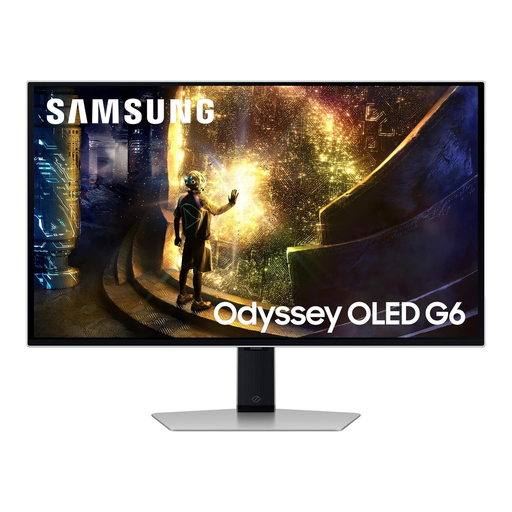 No image available
Its 27-inch QHD format is an option for desktop comparisons if you also want the OLED, 240 Hz gaming variant named in this listing.
Plan how to keep direct window light off the panel rather than assuming a screen-coating claim will settle daylight readability.
 No image available
This Full HD model suits shoppers whose holiday comparisons do not require the extra pixel detail of QHD or 4K at a similar screen size.
If you need to move the panel beyond its tilt position to avoid a window reflection, check the stand and mounting options before choosing it.
 No image available
The 27-inch 4K resolution is worth considering if you want more pixel detail for dates, prices and booking conditions displayed together.
Check the panel finish for your window-side position: resolution and a brightness figure alone cannot tell you how a direct reflection will appear.
 No image available
This 4K model is an option for detailed comparison work if you also want the Google TV variant and the USB-C connection named in its listing.
USB-C power delivery is stated as 65 W; check that your laptop supports USB-C video and can charge within that limit. For the bright-window desk, confirm the screen finish and brightness before deciding where it will sit.
Not on its own. RTINGS identifies brightness, room lighting and reflection handling as separate influences on the visible image; reposition the screen or manage the light source where possible, then compare the stated screen finish and brightness.
Choose 27-inch 4K if extra pixel detail is your priority for dense fares, dates and total-cost tables; QHD may be sufficient if you use fewer items side by side or prefer a different text-scaling setup. LG specifies 3840 × 2160 for its 27UP850K-W, while Dell and BenQ specify 2560 × 1440 for the U2724D and GW2790QT. Neither resolution choice replaces reflection control.
It can if your laptop supports video over USB-C and its charging needs fit the monitor’s power delivery. LG specifies up to 90 W for the 27UP850K-W and BenQ specifies 65 W for the GW2790QT; check your laptop and the exact monitor model rather than relying on the presence of a USB-C port.
Yes: the Health and Safety Executive advises arranging screens and lighting to avoid reflections and glare. Its workplace guidance also says employers must carry out a workstation assessment for workers who use display screen equipment daily and continuously for an hour or more.