For text-led interactive fiction in a shared bedroom, start with readable text, manageable reflections, a screen that fits the desk and a way to listen privately. A 23.8–24-inch monitor with adjustable viewing settings is a sensible starting point; consider higher resolution or laptop connectivity if you will also use it for reading or work, and check that those features suit your devices and viewing distance.
Who this setup suits
Evening interactive-fiction reader
Long passages and dialogue are central to your play. You want to adjust the image for evening reading and position the screen away from distracting reflections, rather than choose primarily for competitive-game motion specifications.
Shared-bedroom desk user
Your monitor needs to fit the available desk and viewing position. Stand adjustment, compatible connections and a plan for private audio matter when someone else may be sleeping or studying nearby.
Laptop-and-game hybrid user
You also use the display for laptop work, web reading or interface-heavy games. Resolution, stand flexibility and compatible laptop connections may therefore matter alongside ordinary gaming capability.
What to check before choosing
Check the room and reading position first, then confirm that the monitor connects to your devices and supports the other games or work you intend to use it for.
| Concern |
What to check |
Who this matters to |
| Evening reading comfort |
Check brightness controls and whether the screen can sit away from lamp or window reflections. Consider a reading mode if you want one. |
Long passages are harder to enjoy when the image feels too bright or reflections obscure the text; around 50% of consumers put comfortable evening reading first. |
| Shared-room practicality |
Measure desk space and check stand adjustment. Confirm how your connected device will send sound to headphones. |
If someone else uses the bedroom, I need a screen I can position comfortably and use without disturbing them. Roughly 30% of consumers prioritise that shared-room practicality. |
| Gaming and device versatility |
Match the input ports, resolution and refresh rate to your device; check USB-C display and charging functions separately if relevant. |
When the display also serves my laptop or other games, I need those connections and display settings to work with my devices; around 20% of consumers place versatility first. |
Common buying mistakes
-
Choosing esports features before checking the reading setup
A very high refresh rate can matter for competitive action games, but it does not resolve reflections, awkward screen placement or hard-to-read text in interactive fiction.
Check desk fit, positioning, brightness controls and device connections first. Treat extra motion capability as a separate requirement if you also play games that use it.
-
Treating eye-care branding as a guarantee
Reading and low-blue-light modes are settings, not proof that a monitor prevents eye symptoms. RNIB states that there is no evidence that blue light from screens harms the eyes.
Set a comfortable brightness, manage room lighting and reflections, and take breaks. Check the exact model for any viewing settings you want to use.
-
Relying on built-in speakers for quiet play
Monitor speakers may be convenient at a desk but can disturb someone sharing the bedroom. Headphone connections also vary between monitors and source devices.
Work out how your PC or console will send sound to wired or wireless headphones before choosing a monitor.
Your setup may require separate headphones or an audio adapter if its existing connections do not provide the route you need.
Relevant brands to consider
BenQ
The GW2490 range is relevant if you want a roughly 24-inch display with settings aimed at text reading as well as casual play.
- BenQ describes an ePaper reading mode for the GW2490; its GW2490E specifications list a 23.8-inch IPS panel, 1920 × 1080 resolution and 100Hz operation.
- Reading and low-blue-light settings do not establish protection against eye symptoms. Check the connections and stand on the exact variant you choose.
Dell
The P2425HE and P2425DE are relevant when the monitor will also serve a laptop desk and stand adjustment or USB-C connectivity matters.
- Dell lists USB-C power delivery up to 90W for the P2425HE and QHD resolution for the 23.8-inch P2425DE.
- Confirm that your laptop supports the display and charging functions you intend to use. Choose text size and operating-system scaling for your viewing distance rather than assuming QHD will feel more comfortable.
LG
The 24BA450-B is a reference point for a 23.8-inch Full HD monitor with stand adjustment and conventional display connections.
- LG lists Reader Mode, Flicker Safe, HDMI, DisplayPort and height, swivel, pivot and tilt adjustment for the 24BA450-B.
- Its built-in speakers are not a private-audio solution when quiet use is important; plan the headphone connection separately.
Monitors for text-led play
These Joybuy monitors offer different screen sizes, resolutions and gaming features for interactive fiction and other desk use. Check desk fit, your device connections and the route to headphones before settling on one.
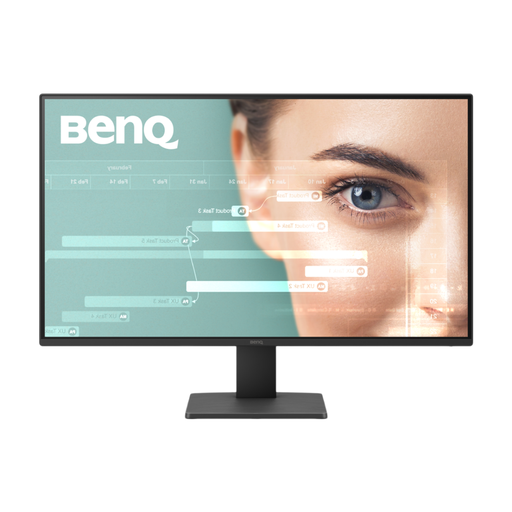 Image unavailable
BenQ GW2791 27-inch Full HD IPS 100Hz monitor
Consider this larger screen if your desk and viewing distance can accommodate 27 inches for text-led play.
The product name specifies Full HD, IPS, 100Hz and a 5ms response time. Confirm the exact connections, stand arrangement and headphone route for your setup.
View on Joybuy
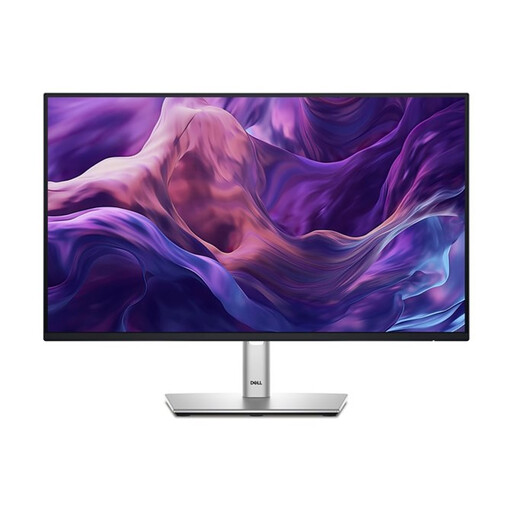 Image unavailable
Dell P2425H 24-inch Full HD IPS 100Hz monitor
This roughly 24-inch option is worth considering where desk space and connections for more than one type of device matter.
The product name lists 1920 × 1080 resolution, USB-C, DisplayPort, HDMI and VGA. Check which display or charging functions your computer supports over USB-C, and how you will connect headphones.
View on Joybuy
 Image unavailable
KOORUI MG24A12FV2 24-inch curved VA 180Hz monitor
Consider this model if you also play games where its higher refresh rate matters; text-led play alone does not require 180Hz.
The product name specifies Full HD, a 1500R curve, two HDMI inputs, DisplayPort, VESA compatibility and tilt adjustment. Check whether that positioning range suits your desk and how your device will send sound to headphones.
View on Joybuy
 Image unavailable
ASUS EYE CARE VY27UQ 4K UHD 60Hz monitor
Consider its 4K resolution if you also want a more detailed desktop for reading or other work, provided the screen size and scaled text suit your viewing position.
Check its dimensions, stand adjustment, source-device compatibility and headphone connection before using it in a shared bedroom. The eye-care name is not a guarantee of protection or comfort.
View on Joybuy
 Image unavailable
Gawfolk 24.5-inch 3000R curved Full HD 100Hz monitor
This near-24-inch option may suit text-led play if a curved screen fits your desk and preferred viewing position.
The product name lists built-in speakers, HDMI and 75 × 75 mm VESA mounting. Speakers will not provide private audio: check the headphone route, stand adjustment and exact response-time specification if those affect your choice.
View on Joybuy
Frequently asked questions
Do I need a high-refresh esports monitor for interactive fiction?
No, not for text-led play alone: readable text, placement and compatible inputs are more relevant starting points. Consider a higher refresh rate if you also play games where smoother motion matters and your device supports it.
Will a low-blue-light monitor protect my eyes?
Do not treat a low-blue-light setting as proof of protection. RNIB states that there is no evidence that blue light from screens harms the eyes; for comfortable viewing, adjust brightness, avoid reflections, use suitable room lighting and take breaks.
How should I use a monitor without disturbing someone sharing the bedroom?
Position the screen to limit reflections and plan to use headphones for late-night sound. Before choosing the monitor, check how your PC or console will connect to those headphones; built-in speakers alone do not solve the quiet-use requirement.
Should I choose Full HD or QHD at around 24 inches?
Full HD may meet your needs for interactive fiction, while QHD offers more desktop detail if you also read or work on the display. Check text size at your viewing distance and whether you are comfortable adjusting operating-system scaling; resolution alone does not determine reading comfort.


