For detailed inventory-icon work, start with a 4K IPS monitor and colour specifications for the exact model. A 27-inch display suits a more compact study desk; a 32-inch display gives you a larger physical canvas if you have room for it. Check the stand or mount and your laptop’s USB-C video and charging requirements before choosing either size.
Who this setup suits
Small-icon accuracy seekers
If you inspect compact shapes and colour fills closely, look for 4K resolution and colour specifications tied to the exact monitor. ASUS and BenQ publish such specifications for their respective creative-monitor models, but a display specification alone cannot establish how an icon will appear in every application.
Quiet-study desk organisers
If screen position and usable desk space shape your working day, check stand adjustments and how the monitor attaches to your desk. LG specifies a clamp or grommet mount for its 32UN880K-B, while ViewSonic lists height, tilt, swivel and pivot adjustments for the VP3256-4K.
Single-cable laptop creators
If you want video, peripherals and charging through USB-C, compare the laptop’s video output and power requirements with the exact monitor’s connections. A USB-C port by itself does not establish that the whole setup will work through one cable.
What matters when choosing
Decide how much desk space you can give the screen, then check its model-specific colour information and the connections your computer needs. Treat a USB-C connection as a separate compatibility decision, not as a substitute for choosing the right display size.
| Concern | What to check | Who this matters to |
|---|
| Icon detail and colour |
Check native resolution and the exact model’s stated colour-space coverage and calibration information. Match the colour space to where the icons will be used. |
When I inspect small outlines and colour fills, I want enough detail and a stated basis for colour decisions. Around 45% of consumers would put that detail-and-colour need first. |
| Screen position and desk space |
Check stand adjustments and the space a 27-inch or 32-inch screen needs. For a clamp or grommet mount, check the desk against the installation requirements. |
If my study desk is compact, I need to position the screen without losing useful working space. That would be the primary concern for around 33% of consumers. |
| Laptop connection |
Confirm USB-C video support, required ports and the monitor’s power-delivery rating against your laptop’s requirements. |
I want to connect my laptop without discovering that video or charging needs another arrangement. Around 22% of consumers would make that connection their first priority. |
Buying pitfalls
-
Assuming every USB-C port handles video and charging
Connection features and power delivery differ by model. ASUS specifies up to 96 W for the PA279CRV and LG specifies up to 60 W for the 32UN880K-B, but neither figure establishes compatibility with a particular laptop.
Check the laptop’s USB-C video capability and charging requirement against the exact monitor specification before ordering.
-
Choosing a clamp-mounted screen before checking the desk
LG’s 32UN880K-B uses a clamp or grommet mount. The desk must be suitable for the installation method, as well as leaving room to position the screen.
Check desk construction, thickness and clearance against the current installation manual.
-
Treating colour specifications as a guarantee for every output
Colour-space coverage and Delta E figures published by ASUS, BenQ and ViewSonic describe particular monitors. They do not establish matching across every app, device or print workflow.
Choose a colour space for the intended destination of your icons and use colour-managed software where your workflow requires it.
-
Relying on one USB-C wattage for the ViewSonic VP3256-4K
ViewSonic’s VP3256-4K information gives different charging figures in its product title and connector details.
Confirm the current manufacturer specification and your laptop’s charging requirement before making single-cable power a deciding factor.
Monitor lines to consider
These lines offer different ways to approach icon work, from compact colour-managed screens to larger adjustable displays. Specifications below apply to the named models, not every monitor in a brand’s range.
ASUS ProArt
A creative-monitor line with a compact 27-inch option for detailed work.
- ASUS specifies a 27-inch 4K IPS panel, 99% DCI-P3 and 99% Adobe RGB coverage, factory pre-calibration, Calman verification and USB-C power delivery up to 96 W for the PA279CRV.
- Check the laptop’s USB-C capability and the colour management used by your applications; the model’s calibration specification does not establish every workflow outcome.
Dell UltraSharp
A range containing both QHD and 4K options for productivity and creative work.
- Dell’s UK listing identifies the 27-inch U2724DE as QHD and the 27-inch U2725QE as 4K.
- Check resolution, colour specifications and connections by model rather than assuming that UltraSharp displays share the same configuration.
BenQ DesignVue / Creative Pro
A designer-monitor line with a larger display option and stated colour-space coverage.
- BenQ specifies 95% P3, 100% sRGB and 100% Rec.709 coverage, with Delta E ≤ 3, for the 32-inch PD3220U.
- Check the model you are considering: BenQ identifies the PD3226G as a successor, so PD3220U specifications should not be applied to it.
LG UltraFine Ergo
A larger-screen route when adjustable placement matters on a study desk.
- LG specifies a 31.5-inch 4K IPS panel, 95% typical DCI-P3 coverage, an adjustable Ergo mount and USB-C power delivery up to 60 W for the 32UN880K-B.
- Check whether the desk accepts its clamp or grommet mount and whether 60 W meets the laptop’s charging requirement.
ViewSonic ColorPro
A creative-monitor line with a 32-inch 4K option focused on stated sRGB coverage.
- ViewSonic specifies Pantone validation, 100% sRGB coverage, factory pre-calibration and height, tilt, swivel and pivot adjustments for the VP3256-4K.
- Confirm the current USB-C charging specification for this model before relying on it for laptop power.
Joybuy monitors for this setup
These monitors offer 27-inch and larger 4K options for an inventory-icon workspace. Choose by the screen size and connections you need, and check any colour or laptop-charging requirement against the exact model before buying.
 No image available
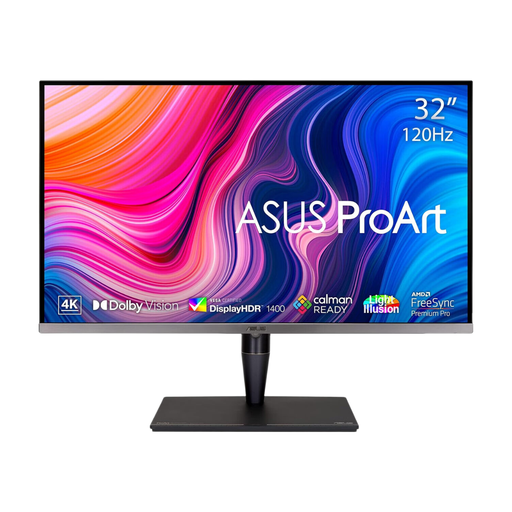
ASUS ProArt Display PA32UCG-K 32-inch 4K IPS Mini LED monitor
Consider this larger-format screen if you want room for an icon editor alongside reference material. Its product title states 4K, 120 Hz, 100% DCI-P3 and Thunderbolt 3; check the exact laptop connection and charging capability before planning a one-cable setup.
Joybuy
 No image available
BenQ MA270UP Nano Glossy 27-inch 4K IPS monitor
The 27-inch format is worth considering when desk space matters alongside detailed icon work. Its product title states 4K IPS, USB-C and a height-adjustable stand; check which Mac-oriented features and USB-C functions work with your computer.
Joybuy
 No image available
BenQ MA320UP Nano Glossy 32-inch 4K IPS monitor
Consider this larger screen if your desk can accommodate an icon editor and reference panels together. Its product title states 4K IPS, USB-C and a height-adjustable stand; confirm the Mac-oriented features and laptop connection you intend to use.
Joybuy
 No image available
iiyama ProLite XUB2792UHSU-B6 27-inch 4K monitor
This 27-inch option may suit a study desk where a compact 4K screen is the priority. Confirm the colour-calibration information you need and the exact USB-C video and charging functions before making either a deciding factor.
Joybuy
 No image available
LG 27UP650K 27-inch 4K IPS monitor
Consider this 27-inch screen if you want a compact 4K workspace and can connect through its stated HDMI or DisplayPort inputs. Its product title states 95% DCI-P3 coverage; check calibration details and any laptop connection requirements separately.
Joybuy
Questions about choosing a monitor
Which display specifications matter most for small inventory icons?
Start with native 4K resolution and an IPS panel, then assess colour specifications for the exact model if colour consistency matters to your work. ASUS specifies those display characteristics and factory pre-calibration for the PA279CRV; check that the stated colour space fits where your icons will be used.
Should I choose a 27-inch or 32-inch screen for a quiet study?
Choose a 27-inch 4K screen if a compact desk setup is your priority; consider 32 inches if you want a larger physical canvas and have room to position it. A model such as LG’s 32UN880K-B also requires a desk suitable for its clamp or grommet mount.
Can one USB-C cable carry video and charge my laptop?
It can when the laptop supports the required USB-C video connection and the monitor’s power delivery meets its charging needs. ASUS specifies up to 96 W for the PA279CRV and LG up to 60 W for the 32UN880K-B; compare the exact monitor, laptop and cable requirements.
What should I do with an old monitor?
Use an appropriate electrical-waste collection route rather than putting an old monitor in general household waste. The UK Waste Electrical and Electronic Equipment Regulations cover marking of electrical equipment and collection arrangements; check the disposal options available where you live.


