Dense-data analysts
Staff comparing loan records, spreadsheet columns and dashboard filters for sustained periods need to judge how much information remains readable at their usual display scaling.


For dense loan records and dashboards, start by checking whether an adjustable 27-inch 4K screen gives staff a usable view at the shared desk. Choose USB-C or Thunderbolt integration when the office laptops and their charging needs match the monitor; where docks or fixed PCs are already in place, a simpler display may meet the need. Screen choice is only one part of setting up a suitable workstation.
Staff comparing loan records, spreadsheet columns and dashboard filters for sustained periods need to judge how much information remains readable at their usual display scaling.
Staff who connect a laptop each time they use the desk may value fewer connection steps, provided the monitor’s video, data and charging functions work with their devices.
People setting up desks for different staff need to consider screen position alongside the chair, keyboard and desk. The Health and Safety Executive’s display screen equipment guidance concerns the complete workstation, not the monitor alone.
Decide whether the desk needs only a readable, adjustable display or whether repeated laptop connections and specialist report work justify additional monitor features.
Choose when: Staff regularly connect compatible laptops and need display, charging or desk peripherals through fewer connections.
Accept that: Video functions, charging requirements and any multi-display arrangement must be checked against each laptop.
Choose when: The desk switches between two computers or also produces colour-sensitive charts and reports.
Accept that: Switching and colour controls add setup decisions that a single-PC spreadsheet desk may not need.
Choose when: Fixed PCs or existing docks handle connections, leaving screen space and positioning as the main requirements.
Accept that: Separate equipment still handles laptop charging, peripherals or switching between computers.
| Concern | What to check | Who this matters to |
|---|---|---|
| Readable workspace | Check native resolution and test spreadsheet text at the office’s display-scaling setting. | When loan records, filters and charts share a screen, I need enough room to compare them without making text difficult to read. Around 36% of consumers would put readable workspace first. |
| Laptop connection | Check each laptop’s video connection and charging requirement against the monitor’s stated functions. | If I reconnect my laptop whenever I take this desk, I want a repeatable way to attach the display and any needed peripherals. Roughly 29% of consumers would make connection simplicity their primary concern. |
| Screen positioning | Check stand adjustment or a compatible mounting option, then assess the whole desk arrangement. | Sharing a workstation with colleagues of different heights makes it important that I can place the screen appropriately. About 21% of consumers would prioritise positioning and workstation setup. |
| Deployment simplicity | Match the monitor’s video inputs to existing PCs or docks and plan the desk’s cable arrangement. | Where our office already supplies docks or fixed PCs, I would rather use that equipment than change how every desk connects. Around 14% of consumers would put straightforward deployment first. |
Resolution does not determine whether the screen sits comfortably for each person. The Health and Safety Executive’s positioning guidance also considers viewing distance and the placement of the keyboard and screen.
Check adjustment or mounting options, then assess the screen, chair, keyboard and desk together for the people using the workstation.
A USB-C-shaped port alone does not establish the video, charging or multi-display functions needed at this desk. The connection described for LG’s 27UP850K-W, for example, is specific to that model and a suitable connected device.
Check representative office laptops against the exact monitor’s video functions, power delivery and intended peripheral arrangement before adopting one setup across desks.
BenQ lists KVM switching and colour-space specifications for the PD2705U, but those features serve different needs from viewing loan spreadsheets on one fixed PC.
Specify switching if staff use two connected computers, or colour controls if the reports and visualisations call for them.
Monitors are electrical equipment. The Office for Product Safety and Standards and the Department for Environment, Food & Rural Affairs describe UK waste electrical and electronic equipment rules as a way to reduce electrical waste sent to landfill.
Check the organisation’s approved collection arrangements or the supplier’s take-back terms when planning replacements.
Dell’s UltraSharp U2725QE is a 27-inch 4K Thunderbolt hub model to consider where shared-desk laptop connections are central to the choice.
BenQ’s PD2705U is relevant when the desk also serves two-computer work or colour-sensitive reports.
LG’s 27-inch UltraFine 4K models illustrate why exact model numbers matter when choosing between screen adjustment and laptop integration.
HP’s E27k G5 is a 27-inch 4K USB-C model to assess for an office desk that needs broad stand adjustment.
These 4K monitors are choices to assess for viewing library-loan records and dashboards at a shared desk. Compare the connection and positioning requirements of that desk with the exact model before choosing.
 Image unavailable
Consider this model for a desk where viewing dense records is the main task. Its title identifies a 27-inch 4K UHD display; check the required laptop video and charging connections, as well as screen positioning, for the shared workstation.
 Image unavailable
Consider this model where staff use compatible Macs and want a USB-C connection at the shared desk. The title specifies a 27-inch 4K IPS display, a height-adjustable stand and P3; confirm that the intended laptops support the USB-C functions the office needs.
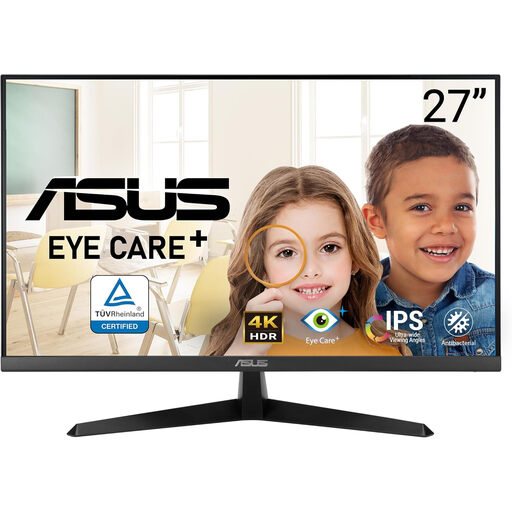 Image unavailable
Consider this model if the desk needs a 4K display without making laptop docking the main reason to choose it. The title specifies a 60Hz refresh rate; check how the screen can be positioned for different users before fitting it to a shared desk.
 Image unavailable
Consider this model if its display and USB-C features suit the office’s devices and the desk also has a use for its Smart features. The title identifies a 27-inch IPS display, USB-C 65W and Google TV; confirm video and charging compatibility before relying on a one-cable laptop setup.
 Image unavailable
Consider this model for loan-data work where an existing PC or dock can provide the connection. Its title specifies HDMI, DisplayPort and a 60Hz refresh rate; check this exact variant’s adjustment options and any required laptop connections before purchase.
The employer’s display screen equipment duties depend on how staff use the workstation, not simply on buying a monitor. The Health and Safety Executive says the DSE Regulations apply to workers who use display screen equipment daily for continuous periods of an hour or more; for those workers, the employer must assess the workstation and reduce risks.
Set up the screen for the person using the desk rather than relying on one fixed position for everyone. The Health and Safety Executive advises placing the top of the screen at eye level, about an arm’s length away, with the screen and keyboard central to the user; consider the chair and desk at the same time.
No: one-cable use depends on the exact monitor and laptop connection. LG describes 4K display, data transfer and up to 90W charging for its 27UP850K-W, but that model’s functions should not be assumed for other monitors. Check each laptop’s video capability and charging requirement against the chosen model.
Plan an appropriate collection or reuse route before removing the old screens. The Office for Product Safety and Standards and the Department for Environment, Food & Rural Affairs describe UK waste electrical and electronic equipment rules as addressing electrical waste; check the organisation’s approved process or the supplier’s take-back terms.