
24/7 Customer Support

Free returns

Same-day & Next-day Delivery

Quality Guaranteed

Unlock Your Welcome Offers: FREE Delivery | Up to 80% OFF | Free 30-day JoyPlus trial
Download the APP
As a Joybuy Product Recommendation Officer, my role is to help you navigate the crowded market of home and office accessories. This guide focuses on a single, transformative piece of kit: the monitor light bar.
If you spend significant hours at your desk, you're likely familiar with the discomfort of eye strain, the frustration of a cluttered workspace or the poor illumination from a standard desk lamp casting glare onto your screen. A monitor light bar is designed to solve these exact problems. It provides focused, glare-free light for your desk area without taking up any surface space. This article will walk you through what to look for in a computer monitor light and present a few carefully selected options to consider for your setup.
Selecting the right home office desk light involves more than just picking one that fits your monitor. Here are a few key factors to consider to ensure you get a product that genuinely improves your workspace.
The primary function of an eye-care monitor lamp is to provide high-quality, customisable light. Two specifications are crucial here:
The key innovation of a monitor light bar is its asymmetrical light projection. Unlike a traditional lamp that casts a wide cone of light, a well-designed bar directs light downwards and forwards onto your desk, but away from your screen. This prevents distracting reflections and glare, which are major causes of eye fatigue. Also, consider the mounting mechanism. A good clip should be sturdy, non-damaging and compatible with a range of monitor thicknesses, including modern curved displays.
Most monitor light bars are powered via USB, which helps maintain a minimalist desk. Look for models with a modern USB-C connection for convenience. Control methods vary from simple physical buttons and dials to wireless remotes and touch-sensitive controls. For those with a connected home, some advanced models offer smart integration, allowing you to control the light with voice assistants or through a smart home app, which can be a great feature for a light bar for gaming or a high-tech office.
Based on features, build quality and user-centric design, here are our recommendations for anyone considering a monitor light bar this year.
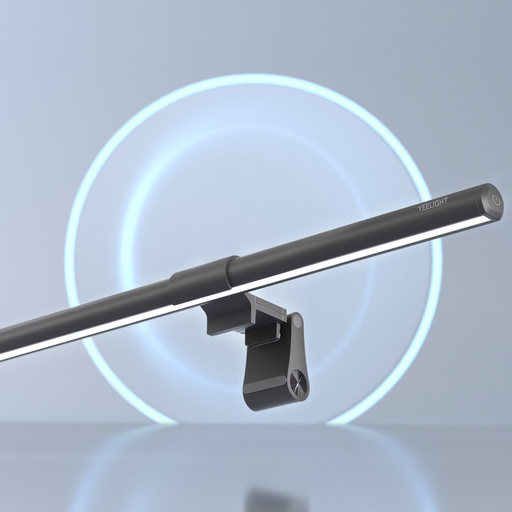
Why It Stands Out: The Pura Lite is an excellent entry point into the world of monitor lighting. It delivers the core benefits—glare-free illumination and desk space saving—in a straightforward, reliable package. It forgoes complex smart features for simple, intuitive controls, focusing on high-quality essential lighting.
Pros:
Who is it for? This is ideal for students, home office professionals and anyone seeking a no-fuss, effective lighting upgrade without the need for smart home integration.
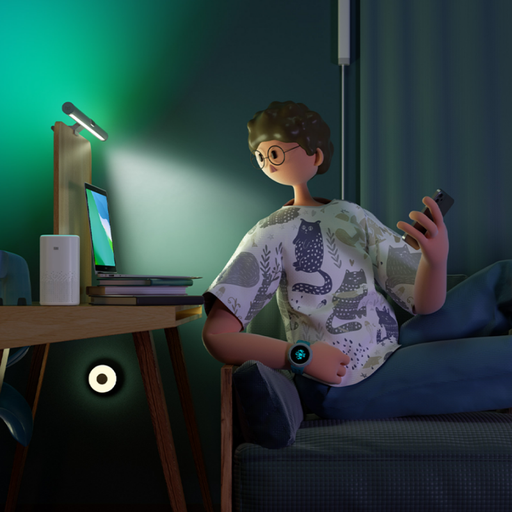
Why It Stands Out: The Pro model elevates the experience with smart functionality. Its integration with major smart home ecosystems and support for dynamic lighting effects make it a standout choice for tech enthusiasts and gamers. The wireless remote dial is a particularly refined touch, offering precise control without reaching up to the bar itself.
Pros:
Who is it for? Perfect for gamers who want to sync their lighting with gameplay, smart home users who value integrated control and anyone who appreciates the convenience of a wireless remote.
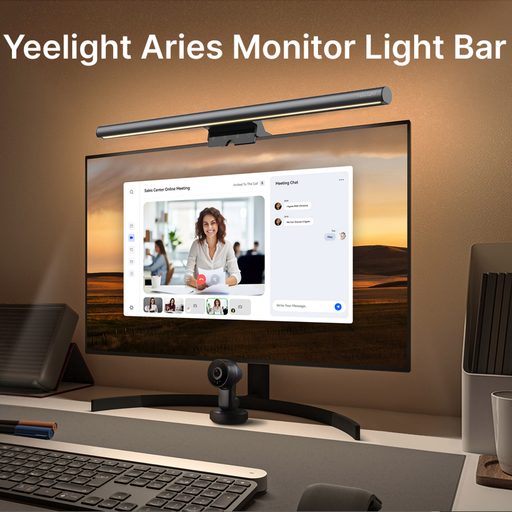
Why It Stands Out: The Aries model is built for professionals and creatives who demand superior light quality. Its standout feature is the very high Colour Rendering Index of Ra95, which ensures colours on physical documents, sketches, or product samples are rendered with exceptional accuracy. The full-metal construction also aids in durability and heat dissipation.
Pros:
Who is it for? Designers, artists, video editors and any professional whose work depends on accurate colour perception. It's also a great choice for those who simply want a premium, durable dimmable screen bar.
If the specific features of a monitor light bar aren't what you need, or if you'd like to browse a wider selection of workspace lighting, there are many other solutions available. From minimalist desk lamps to ambient strip lights, you can find a variety of ways to illuminate your space.
Explore our full collection of Dimmable LED Light solutions to find the perfect fit for your desk.
Yes, a well-designed eye-care monitor lamp can significantly reduce eye strain. It does this by decreasing the high contrast between a bright screen and a dark room, which forces your eyes to constantly readjust. The asymmetrical light also illuminates your workspace without shining directly into your eyes or creating glare on your monitor, both of which are common sources of visual fatigue.
Monitor light bars are specifically designed to be lightweight and safe for monitors. They use a counter-weighted clip system, often with soft silicone or rubber padding, that rests gently on the top bezel of your screen. It does not exert significant pressure and is engineered to avoid scratching or damaging the monitor frame or the screen itself.
While a traditional desk lamp illuminates your desk, it often does so inefficiently for computer work. It can create bright spots, cast shadows and cause significant glare on your screen. A monitor light bar provides more even, directed lighting across your workspace and, crucially, its asymmetrical design prevents screen reflections. Furthermore, it frees up valuable desk space, contributing to a cleaner, more organised setup.