
24/7 Customer Support

Free returns

Same-day & Next-day Delivery

Quality Guaranteed

Unlock Your Welcome Offers: FREE Delivery | Up to 80% OFF | Free 30-day JoyPlus trial
Download the APP
Long hours in front of a screen can leave your eyes feeling tired and your desk cluttered with a bulky lamp. Whether you're finalising a report, deep in a gaming session or perfecting a design, poor lighting can lead to discomfort and reduced focus. A monitor light bar offers a streamlined solution, illuminating your workspace without causing screen glare or taking up valuable desk real estate.
As the Joybuy Product Recommendation Officer, my role is to help you navigate the options. This guide will walk you through the key features to consider and present our top recommendations to help you find the right screen bar light for your setup.
Before diving into specific models, it's helpful to understand what makes a quality monitor light. Consider these factors to ensure you get a product that meets your needs.
The ability to tailor your lighting is crucial. Look for models that offer adjustable brightness and colour temperature.
A well-designed eye-care desk light should illuminate your desk, not your screen.
A monitor light bar should integrate seamlessly with your setup.
After analysing the market for functionality, user-friendliness and design, here are our standout recommendations for improving your workspace lighting.
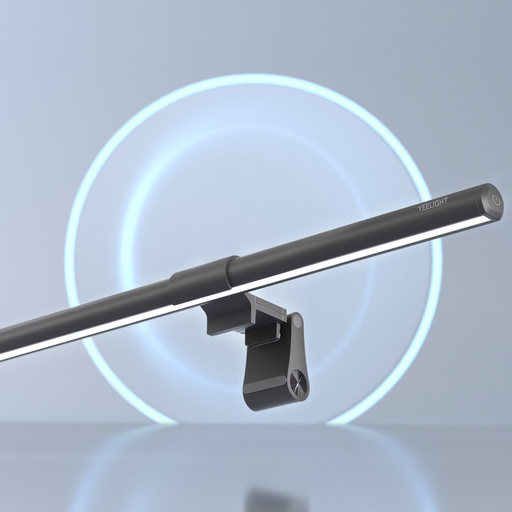
Why It Stands Out: The Pura Lite delivers the essential features of a high-quality monitor light bar in an accessible package. It focuses on providing excellent, adjustable lighting without unnecessary complexity, making it a fantastic starting point.
Pros:
Who is it for? This is an ideal choice for students, remote workers and anyone looking to upgrade their home office lighting with a reliable and straightforward solution.
View Details for Yeelight Pura Monitor Light Bar Lite
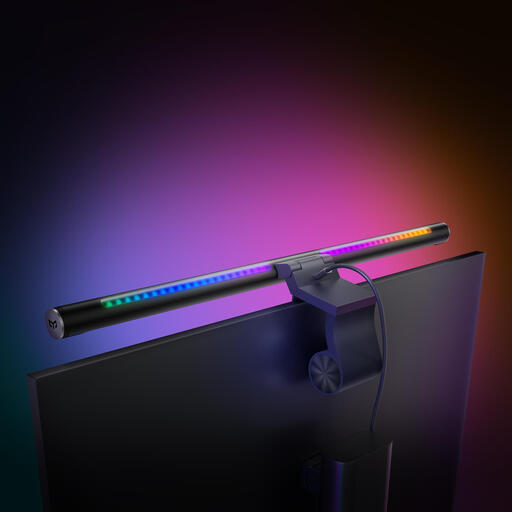
Why It Stands Out: The Libra 2 is built for the modern smart home and discerning user. Its standout feature is the wireless rotary knob, which provides a satisfying and intuitive way to control brightness and colour temperature. With Matter compatibility, it integrates seamlessly into your existing smart ecosystem.
Pros:
Who is it for? Perfect for tech enthusiasts, smart home users and gamers who value convenience, seamless integration and a premium user experience.
View Details for Yeelight Screen Light Bar Pro Libra 2
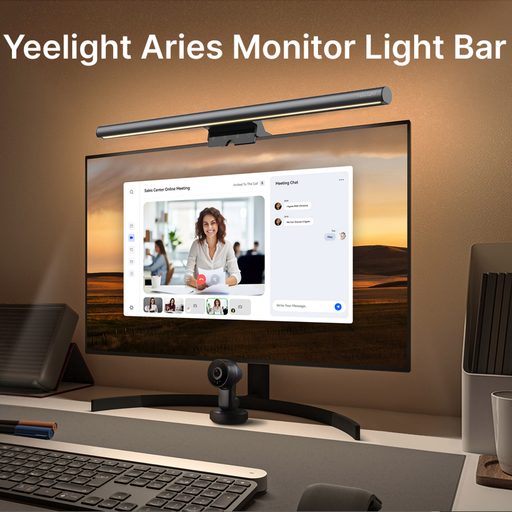
Why It Stands Out: The Aries model is engineered for professionals who demand colour accuracy. With a high Colour Rendering Index (CRI) of Ra95, it renders colours on your desk almost as they would appear in natural daylight. This is crucial for designers, photographers and content creators.
Pros:
Who is it for? An excellent choice for graphic designers, video editors, artists and any professional whose work depends on accurate colour perception.
View Details for Yeelight Aries Monitor Bar Light
If these recommendations aren't quite what you had in mind, or if you're interested in exploring a wider range of desk and ambient lighting, there are many other innovative designs available.
Discover more styles and solutions in our curated collection of lighting products.
Explore Our Full Range of Chinese Lamps
For those who spend significant time at their desk, a monitor light bar is a worthwhile investment. It helps reduce eye strain by providing controlled, glare-free illumination, frees up valuable desk space compared to a traditional lamp and contributes to a cleaner, more organised workspace.
No, a properly designed monitor light bar should not cause glare. They use an asymmetrical optical design that directs light down and away from the screen, illuminating your keyboard and desk area without creating distracting reflections on the monitor itself.
Many modern monitor light bars are designed with compatibility for curved monitors in mind. They typically use a weighted clip or counterweight system that rests securely on top of the monitor frame. It is always advisable to check the product specifications for the supported monitor thickness and curvature to ensure a proper fit. The Yeelight Aries, for example, is noted for its compatibility with a wide range of screen types.