
24/7 Customer Support

Free returns

Same-day & Next-day Delivery

Quality Guaranteed

Unlock Your Welcome Offers: FREE Delivery | Up to 80% OFF | Free 30-day JoyPlus trial
Download the APP
Staring at a screen for hours is a modern reality for many of us, whether for work, gaming and creative projects. The familiar discomfort of tired eyes, headaches from screen glare and a desk cluttered with lamps and cables is a common complaint. A monitor light bar, also known as a screen bar light, offers a streamlined solution, designed to illuminate your workspace without taking up precious desk real estate or causing distracting reflections.
As a Joybuy Product Recommendation Officer, my role is to help you navigate the available options. This guide will walk you through the key features to consider and present some carefully selected recommendations to improve your home office lighting and overall desk setup.
Choosing the right light involves more than just brightness. Here are a few practical points to consider to ensure you find a lamp that genuinely helps.
The primary goal of a monitor lamp is to reduce eye strain. Look for models with an asymmetrical light design. This feature directs light downwards and forwards onto your desk, illuminating your keyboard and documents without shining directly onto the screen or into your eyes, which is the main cause of glare. Additionally, some lamps offer RG0 certification, indicating they emit low levels of blue light, which can be beneficial for long sessions at the computer. Flicker-free technology is another important feature for a comfortable viewing experience.
For designers, video editors and anyone whose work depends on accurate colour perception, the Colour Rendering Index (CRI) is a critical specification. CRI is a scale from 0 to 100 that measures how accurately a light source reveals the true colours of an object compared to natural daylight. A high CRI light (rated at Ra95 or above) ensures that what you see on your desk—be it a print proof or a colour swatch—is represented faithfully, preventing costly mistakes and ensuring consistency with your on-screen work.
Not all monitor light bars fit all screens. Before purchasing, check the mounting mechanism. Most use a weighted clip system that rests on top of the monitor. Verify the supported monitor thickness to ensure a secure fit, especially if you own a light bar for curved monitor use, as these often require a more flexible mounting design. Good models also offer adjustable brightness and colour temperature (from warm to cool white), allowing you to tailor the lighting to the time of day or the task at hand. A simple USB desk light powered directly from your monitor or computer helps keep your setup tidy.
Based on features, user needs and overall function, here are our recommendations to enhance your desk environment.
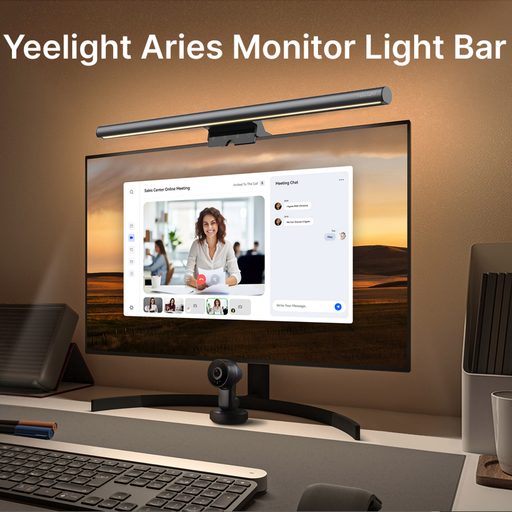
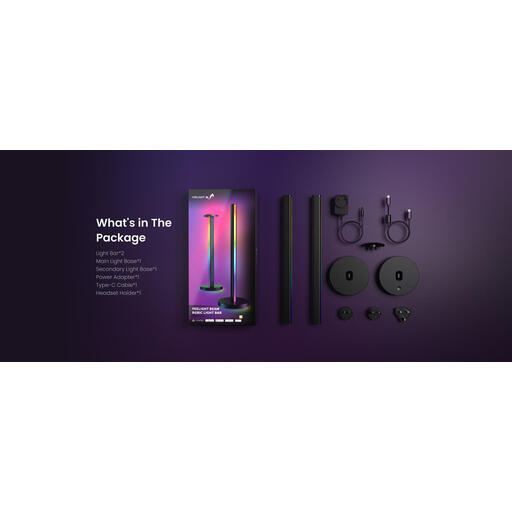
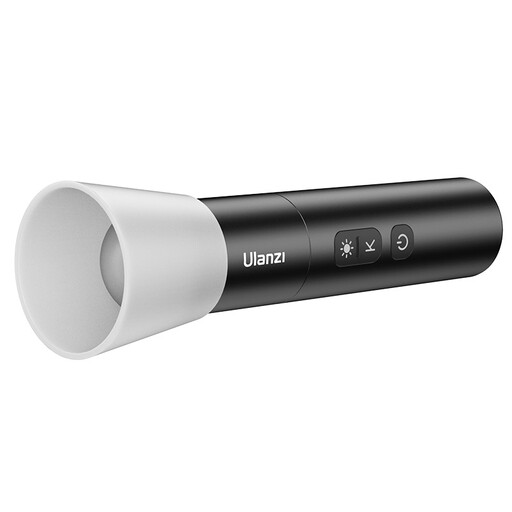
The recommendations above cater to specific needs, from focused task lighting to immersive ambient effects. If you're exploring different styles or require a more traditional desk lamp, you can find more options in our broader collection.
Browse our full range of Spotlight Fixtures to find the perfect fit for your space.
Q1: Is a monitor light bar worth it? A: For many users, yes. It saves valuable desk space, reduces eye strain by eliminating screen glare and provides focused light on your work area. This can lead to improved comfort and focus during long hours at the computer.
Q2: Can a screen bar light damage my monitor? A: Reputable monitor light bars are designed with this in mind. They typically use a counter-weighted clip with soft padding that rests gently on the top bezel of the monitor. It does not apply significant pressure to the screen itself. Always check the manufacturer's specifications for supported monitor thickness to ensure a safe and stable fit.
Q3: How does a monitor light bar help with eye strain? A: It helps primarily through its asymmetrical optical design. This technology directs light onto the desk surface without casting light onto the monitor screen. This prevents reflective glare, which is a major cause of eye fatigue. By balancing the light between your screen and the immediate surroundings, it creates a more comfortable viewing environment.