What to check when choosing
Choose the screen space and positioning you need for papers and notes, then decide whether laptop docking or two-computer switching will be part of the regular desk routine.
| Concern |
What to check |
Who this matters to |
| Document workspace |
Compare QHD with a taller 3:2, higher-resolution screen; check text scaling at your viewing distance. |
When I read a paper beside notes and citations, I want enough usable space without making the text awkward to read. Around 36% of consumers would put document workspace first. |
| Shared connections |
Check USB-C video support and charging power against the laptop; look for KVM only if peripherals must switch between computers. |
If laptops take turns at the desk, reconnecting the display and accessories needs to be straightforward. Shared connections would be the primary concern for around 29% of consumers. |
| Screen repositioning |
Check the stand’s height and angle adjustments, then assess the chair, lighting and available desk space. |
With different people using the same seat, I need to reset the screen rather than keep someone else’s position. Around 21% of consumers would prioritise repositioning. |
| Straightforward QHD |
Compare the exact inputs and included accessories; decide whether a separate laptop charger is acceptable. |
If one laptop handles most sessions, I may want QHD document space without making monitor-led charging or KVM a requirement. For around 14% of consumers, that simpler setup would come first. |
Joybuy monitor choices
These monitors offer QHD or 4K screen options for literature-review work. Compare their size with the shared desk, and confirm the exact stand adjustments and laptop connections needed by its users.
 No image available
Dahua 32-inch curved 4K OLED monitor, 165Hz
Consider this larger curved screen if the desk has room for papers and notes on one display; check its footprint before choosing it for a shared position.
The product name specifies 3840 × 2160 resolution, 165Hz and USB-C with 65W power delivery. Confirm USB-C video compatibility and whether 65W meets the intended laptop’s charging needs.
View on Joybuy
 No image available
ASUS ProArt PA278CFRV QHD IPS monitor, 100Hz
This QHD option is worth checking when people sharing the desk need to reposition the screen for document work.
The product name specifies an IPS panel and 100Hz refresh rate. Check the stand’s adjustment range and the exact SKU’s USB-C ports and charging support before planning a one-cable laptop setup.
View on Joybuy
 No image available
ASUS ProArt Display PA32UCG-K 32-inch 4K monitor
Consider this larger display when the desk can accommodate a 32-inch screen for working across documents; check the available space before ordering.
The product name specifies a 4K IPS Mini LED display and Thunderbolt 3. Confirm the exact connection and laptop-charging requirements rather than assuming the port supplies the power your laptop needs.
View on Joybuy
 No image available
MAG 274QP QD-OLED X24 27-inch QHD monitor
This conventional-size QHD option can be considered for document work where different users need to reset the screen position.
The product name specifies 2560 × 1440 resolution and 240Hz. Check the exact USB-C connections before relying on docking; the technical details state that KVM is not supported.
View on Joybuy
 No image available
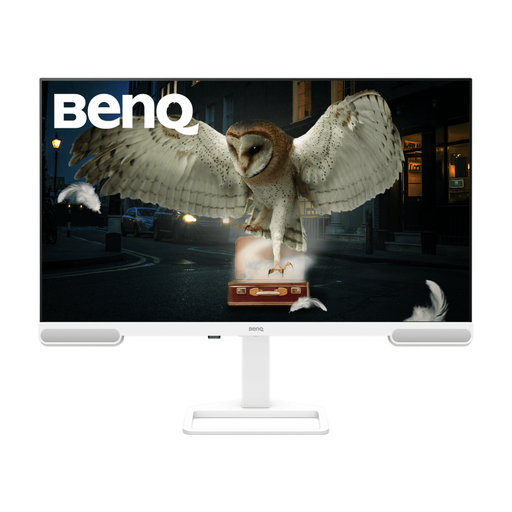
BenQ EW3290U 79.2 cm (31.2-inch) 4K monitor
Consider this larger 4K screen if document space is the priority, provided it fits the shared desk.
The product name specifies 3840 × 2160 resolution. Check the stand’s positioning range and confirm USB-C video and charging compatibility with the intended laptop before using it as a shared docking screen.
View on Joybuy
Frequently asked questions
Does UK display screen equipment guidance cover a shared desk?
It can cover the arrangement when the desk is used for work. The Health and Safety Executive says the Display Screen Equipment Regulations apply to workers who use display screen equipment daily for continuous periods of an hour or more; its guidance includes hot-desking and calls for a basic risk assessment when workers change desks regularly. This is an employer-duty question, not a condition on a private monitor purchase.
Is a height-adjustable monitor enough for a shared workstation?
No: it helps users reposition the display, but the Health and Safety Executive says workstation assessment should also consider equipment, furniture, working conditions, the task and individual requirements. Check the chair, screen position and lighting for each user.
Will any USB-C monitor charge my laptop through one cable?
No; charging power and display compatibility depend on the exact monitor and laptop. LG specifies up to 15W for the 27U631A-B, while BenQ specifies 65W for the BL2790QT and 90W for the RD280U. Compare the laptop’s USB-C display support and charging requirement with the model you intend to buy.
Do two people sharing a desk need a KVM monitor?
Not merely because they use the desk at different times. KVM is relevant when the same display and peripherals regularly switch between two computers; BenQ lists that function on the RD280U. If users instead reconnect one laptop at a time, focus on compatible connections and a screen they can reposition.
Can I daisy-chain another monitor from a Mac using the BenQ BL2790QT?
Not through the BL2790QT’s stated MST feature alone. BenQ says Mac users require a Thunderbolt dock or another compatible device for daisy-chaining, so check the exact Mac, dock and planned display configuration before buying a second screen.


