Bright-desk magazine editors
If you lay out pages near a window, reflections and changing daylight make screen finish, brightness adjustment, stand movement and desk position worth considering together.


For magazine layout beside a bright window, start with a matte or anti-glare 4K screen that you can position away from reflections; a high brightness figure will not make direct light on the panel disappear. If you approve colour for print, prioritise a suitable colour-management and calibration workflow; if arranging spreads is the main task, weigh a larger screen against the desk space it needs.
If you lay out pages near a window, reflections and changing daylight make screen finish, brightness adjustment, stand movement and desk position worth considering together.
If you approve images or colour for print, the printer’s profiles, your calibration method and the display’s stated colour coverage matter alongside screen size. Adobe describes ICC profiles as part of managing colour across devices.
If you work with two-page layouts, tools and reference material at once, consider physical screen area and desk space as well as resolution. Laptop connections may also shape the setup.
For a magazine-layout desk beside a bright window, decide whether controlling daylight, judging print colour or arranging spreads and laptop connections is your primary need. Then check the other requirements before choosing a screen.
| Concern | What to check | Who this matters to |
|---|---|---|
| Reflections and daylight | Check the screen finish and brightness adjustment, then whether the stand and desk position let you keep direct light off the panel. | I need to read pages comfortably as daylight changes, without a window reflection covering the work. Around 42% of consumers put controlling glare and daylight first. |
| Screen-to-print colour | Ask the printer which ICC profiles and proofing conditions apply; check the display’s stated gamut and how it will be calibrated. | When I approve images for print, I need a repeatable colour workflow rather than relying on the factory setting alone. Roughly 33% of consumers make print-colour confidence their primary concern. |
| Spread workspace and laptop setup | Measure the usable desk area and compare screen sizes; confirm the laptop’s video, port and charging requirements. | I want room for a spread and its tools, but the monitor still has to fit my desk and connect to my laptop. About 25% of consumers prioritise workspace and connectivity. |
Even a monitor with a high stated brightness can be difficult to use when direct light or a reflected window reaches the panel. A poor viewing angle can also make the desk uncomfortable.
Choose a suitable screen finish and adjustable stand, then position the display and window covering to keep direct light and reflections off the screen.
A factory setting does not by itself account for the printer, profiles and conditions used for your magazine. Adobe recommends a colorimeter for objectively accurate monitor colour.
Get the printer’s profile and proofing requirements, and plan how you will calibrate the monitor in its working environment.
You may need a separate colorimeter if the monitor does not have an integrated calibration sensor.
A larger panel may leave too little room for documents, a keyboard or comfortable positioning on a shallow desk.
Measure usable width and depth, including the stand’s footprint, before choosing a monitor for spread layouts.
These product lines illustrate different ways to equip a magazine-layout desk; their stated features do not make every model in each brand equally suited to print proofing or bright-window use.
EIZO positions its ColorEdge CG line for colour-managed creative and prepress work. The 27-inch 4K CG2700X is a route to consider when repeatable colour decisions take priority over a larger physical canvas.
BenQ’s PD3225U is a 31.5-inch 4K designer display to consider when arranging spreads and tools on one screen is the main task.
Dell’s 27-inch UltraSharp U2725QE is a 4K hub-monitor option for a laptop-centred layout desk where screen placement matters.
These 4K monitors offer different starting points for magazine layout: compact desks, larger spreads and varied screen finishes. For a position beside a bright window, check reflections at the intended desk angle; for print approval, confirm the colour workflow independently of screen size.
 No image available
Consider this for a 4K creative-work desk where you can position the screen to manage window light. Its OLED panel and 4K resolution are identified in the product name; confirm the screen finish and calibration workflow against your reflection and print-proofing needs.
 No image available
The 32-inch 4K format is worth considering if physical room for spreads is your priority and the desk can accommodate it. The product name identifies an IPS Mini LED panel and hardware-calibration capability. Confirm the exact model’s brightness specification before using it to judge daylight suitability.
 No image available
This 27-inch 4K option suits consideration where desk space is tighter than it would be for a larger spread display. Check the panel’s reflection behaviour at your window-facing desk: ‘Matte Black’ in the product name describes its colour, not necessarily its screen finish. Confirm print-colour and calibration requirements with the printer if you will approve proofs.
 No image available
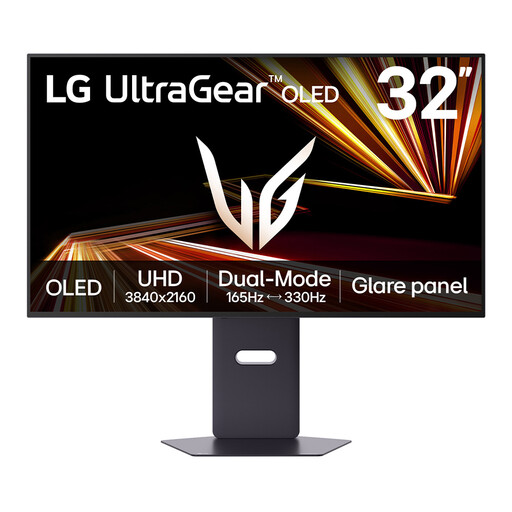
The 32-inch 4K format offers a larger physical workspace for spreads, provided it fits your desk. For layout work with persistent toolbars or other static elements, take account of the product’s OLED image-retention warning. Check its normal-use brightness and print-calibration suitability rather than relying on an HDR peak figure.
 No image available
This larger 4K display is an option for spreads and a compatible Mac setup, but its Nano Glossy finish makes screen position especially important beside a window. The product name identifies an adjustable stand and USB-C connection; check laptop compatibility and the printer’s colour requirements before choosing it for those uses.
No: brightness adjustment may help you read the screen, but it does not remove a reflected window or direct light on the panel. Reposition the monitor or desk, or control the window light, before choosing on brightness alone.
A matte or anti-glare finish is a sensible feature to check when reflections reach the desk, but it cannot replace careful positioning. Also check whether the stand lets you set a comfortable screen angle as daylight changes.
For objectively accurate monitor colour, Adobe says to use a colorimeter rather than rely on adjustment by eye. A monitor with an integrated calibration sensor may cover that measurement step, but you still need the profiles and proofing conditions appropriate to the intended print workflow.