Start with the desk position and window light: a monitor alone cannot reliably overcome direct daylight reflections. For frequent work on dense equations and tables, a roughly 24-inch QHD display offers more pixels than a similarly sized Full HD screen; Full HD remains an option when you usually work in one document and accept less workspace. In either case, check the screen finish, stand adjustment and connection to your computer before buying.
Who is this for?
Bright-window worksheet creator
If you regularly write or check worksheets near a window, start with reflections and screen placement. The Health and Safety Executive advises positioning the desk and screen to avoid glare rather than relying on the display surface alone.
Dense-document accuracy seeker
If your worksheets contain small symbols, aligned equations, tables or several panes, compare resolution as well as screen size. Dell UK lists a 2560 × 1440 QHD panel for the 23.8-inch P2425D.
Simple Full HD desk upgrader
If you usually work in one document and can control the window light, a 23.8-inch Full HD screen may provide enough workspace. BenQ UK and ASUS UK list Full HD models with matte or anti-glare surfaces, but those surfaces do not replace sensible screen placement.
What matters when choosing?
Check whether you can keep daylight off the screen before deciding how much resolution or stand adjustment you need.
| Concern |
What to check |
Who this matters to |
| Window reflections |
Check the desk angle, daylight control and whether the screen surface is specified as matte or anti-glare. |
If window reflections obscure my worksheet, I need to reposition the screen or control the light before a display upgrade will help. Around 37% of consumers would put glare control first. |
| Equation detail and workspace |
Compare the stated resolution at a similar screen size; consider display scaling if choosing QHD. |
When I arrange small notation and reference material side by side, extra pixels matter more to me than a simple single-page layout. Roughly 27% of consumers would prioritise document detail and workspace. |
| Positioning and connections |
Check the stand movements or VESA pattern, plus the video output on your computer. |
I need the screen at a workable height and angle, with a connection my computer can use. Around 18% of consumers would make physical fit and connectivity their primary concern. |
| Routine document use |
Decide whether Full HD workspace is sufficient, then compare screen finish and stand movement. |
If I mainly create one worksheet at a time, I may prefer a straightforward display once I can manage the window light. Roughly 18% of consumers would put a simpler document setup first. |
Mistakes to avoid
-
Expecting an anti-glare label to solve direct daylight
A matte or anti-glare surface does not establish that a screen will remain easy to read when it faces a bright window. The Health and Safety Executive advises arranging the desk and screen to avoid glare and bright reflections.
Check whether you can turn the screen away from the window and control the brightest light with curtains or blinds before choosing a model.
You may still need to move the desk or add a window covering.
-
Choosing Full HD without considering worksheet density
At a similar screen size, the 2560 × 1440 Dell P2425D listed by Dell UK has more pixels than the 1920 × 1080 GW2490E and VA24EHF listed by BenQ UK and ASUS UK. That difference matters when you need room for equations, tables and reference material.
Compare the exact resolutions against your usual document layout, and consider whether you would adjust display scaling on a QHD screen.
-
Assuming the supplied stand adjusts in height
Dell UK lists height, swivel and pivot adjustment for the P2425D, while ASUS UK lists tilt but no height adjustment for the VA24EHF. Screen size alone does not tell you how you can position the panel.
Check the stand movements and any VESA mounting pattern for the exact model you intend to buy.
A separate arm or riser may be needed if the supplied stand cannot reach a suitable height.
-
Putting refresh rate ahead of the worksheet setup
A refresh-rate figure does not tell you whether daylight will reflect off the screen or whether you will have enough space for dense documents.
Settle screen placement, resolution, surface finish and positioning needs before comparing refresh rates.
Brands and model lines to consider
Dell
The Dell Pro 24 Plus QHD P2425D illustrates a document-focused QHD option with an adjustable stand.
- Dell UK lists a 23.8-inch IPS panel with 2560 × 1440 resolution, anti-glare treatment and 150 mm height adjustment, plus tilt, swivel and pivot.
- Those specifications apply to the P2425D, not every Dell monitor. Its surface treatment does not remove the need to control direct window reflections.
BenQ
The BenQ GW2490E illustrates a matte Full HD option for document work.
- BenQ UK lists a 23.8-inch IPS panel, 1920 × 1080 resolution, a matte surface and typical brightness of 250 nits.
- The listed stand tilts only. Full HD also has fewer pixels than QHD at a similar size, and a matte surface cannot substitute for controlling window light.
ASUS
The ASUS VA24EHF illustrates a 23.8-inch Full HD IPS option with an anti-glare surface.
- ASUS UK lists anti-glare treatment and 100 × 100 mm VESA mounting for the VA24EHF.
- Its supplied stand tilts but does not adjust in height, and its listed input is one HDMI port. Check the intended computer connection and mounting arrangement.
Joybuy monitor options
These Full HD, QHD and WUXGA monitors offer different amounts of worksheet workspace. For a desk beside a bright window, check each model’s screen finish and positioning alongside its resolution.
 No image available
Dell P2425H 24-inch Full HD monitor
Consider this model if Full HD provides enough space for your usual worksheet layout. Its listed specifications include a 24-inch IPS display, 1920 × 1080 resolution and USB-C, DisplayPort, HDMI and VGA connections.
Check that your computer has a compatible video output, and position the screen to limit window reflections.
Joybuy
 No image available
ASUS ProArt PA247CV Full HD monitor
This is another option when your worksheet work fits within a Full HD display. The product name specifies an IPS panel and a 75 Hz refresh rate.
Check the screen finish and stand movements against your bright-window desk arrangement.
Joybuy
 No image available
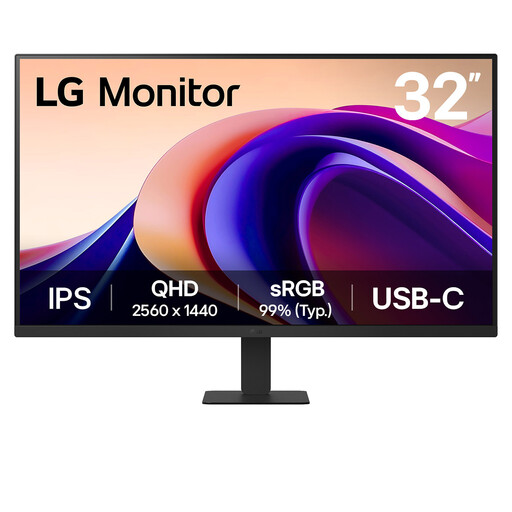
LG 32U631A 32-inch QHD monitor
Consider this larger screen if you have room for it and want a QHD option for worksheet work. Its product name specifies a 32-inch IPS display, QHD 1440p resolution, USB-C and HDMI.
Check desk space, viewing distance and the stand’s height range; do not assume the stated Matte Black colour describes the screen surface.
Joybuy
 No image available
ASUS ProArt PA24ACRV QHD monitor
Consider this QHD option if denser worksheets or multiple panes make resolution a priority. Its product name specifies an IPS panel and QHD resolution.
For a bright-window position, confirm the screen finish, stand adjustment and video connection before choosing it.
Joybuy
 No image available
ASUS ProArt PA248CRV WUXGA monitor
Consider this WUXGA option if you want to compare its document layout with Full HD and QHD alternatives. Its product name specifies an IPS panel and WUXGA resolution.
Confirm the exact resolution, screen finish and stand movements against your worksheet layout and window position.
Joybuy
Common questions
Will an anti-glare monitor solve reflections from a bright window?
No, not by itself. The Health and Safety Executive advises arranging the desk and screen to avoid glare and bright reflections; a matte or anti-glare surface supports that setup but does not replace control of intrusive daylight.
Is QHD worth choosing over Full HD for maths worksheets?
QHD is worth considering if you regularly arrange small equations, tables or several panes and want more pixels at roughly the same screen size. Dell UK lists 2560 × 1440 for the 23.8-inch P2425D, while BenQ UK and ASUS UK list 1920 × 1080 for the similarly sized GW2490E and VA24EHF; Full HD may be sufficient for simpler, single-document work.
When would I need a VESA monitor mount?
Consider a VESA mount when the supplied stand cannot put the screen at a suitable height or angle. ASUS UK lists 100 × 100 mm VESA mounting for the VA24EHF but no height adjustment on its supplied stand; check that any arm matches the exact monitor’s mounting pattern and weight.


