What to check before buying
For a desk beside a bright window, deal with the reflection path first; then choose the workspace, laptop connection and adjustment range that fit your debugging routine.
| Concern |
What to check |
Who this matters to |
| Window reflections |
Check the exact screen finish and whether the stand or mount lets you angle the panel away from the window. Plan for blinds or curtains if daylight remains intrusive. |
If reflected light makes small text difficult to inspect, I need control over both the screen position and the light reaching it; roughly 36% of consumers put reflection control first. |
| Pixel workspace |
Compare native resolution at your preferred operating-system scaling, and confirm that your laptop and dock can drive it. |
When code, DevTools and responsive previews compete for space, I want a layout I can read without constant window rearrangement; around 29% of consumers prioritise pixel workspace. |
| Laptop connections |
Match video-input support, USB-C power delivery and any required hub connections to your laptop and cable. |
If I connect a laptop each day, I want the display and peripherals to work with my intended cable setup; approximately 21% of consumers make laptop connectivity their primary concern. |
| Physical adjustment |
Measure desk depth and stand clearance; check the relevant height, tilt, swivel or mounting options. |
At a restricted desk, I need to move the panel as the light changes without losing a usable viewing position; about 14% of consumers put placement flexibility first. |
Joybuy monitor options
These monitors offer different ways to arrange a desktop debugging workspace, from 27-inch 4K panels to larger formats. For each one, weigh desk fit and window reflections alongside the connection your laptop needs.
 No image available
ASUS ProArt PA27DCE-K 4K OLED
Consider this for a 4K debugging workspace if its position and screen finish work at your desk. The product information cautions against prolonged static images because of OLED image retention, which matters when code and tool panels stay on screen. Confirm the brightness and USB-C charging capability you need.
View on Joybuy
No image available
ASUS ProArt Display PA32UCG-K 32-inch 4K IPS Mini LED
Consider the 32-inch format if your desk has room for the panel and lets you angle it away from the window. The product title identifies a 4K IPS Mini LED display. Confirm its brightness specification for the exact variant rather than relying on the differing peak-brightness figures in its product information, and check laptop charging compatibility.
View on Joybuy
 No image available
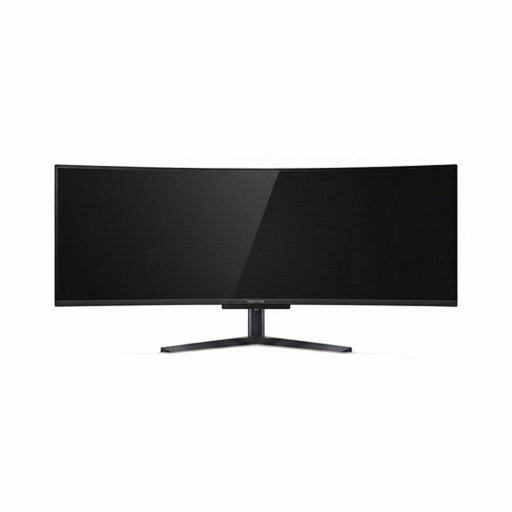
Acer X Predator X49X 49-inch curved QD-OLED
This 49-inch, 32:9 format is worth assessing if you want to arrange several debugging windows across one screen. Its size and 1800R curve make desk depth and the intended viewport layout important checks. Position it away from direct window reflections and confirm its daylight suitability for your room.
View on Joybuy
 No image available
iiyama ProLite XUB2792UHSU-B6 27-inch 4K UHD
The 27-inch 4K format is a route to consider for code and browser tools on one panel. For a desk beside a window, check the screen surface itself: the Matte Black wording in the product name describes the finish of the monitor, not necessarily its display coating. Also confirm whether its USB-C connection meets your laptop’s charging needs.
View on Joybuy
 No image available
LG UHD Monitor 27UP650K 27-inch 4K IPS
Consider this 27-inch 4K display if its connections fit your desktop or laptop arrangement; its product name lists HDMI and DisplayPort. Check the screen coating and typical brightness for your window-side position, and confirm how you would connect and charge a laptop. Its DisplayHDR 400 label does not establish reflection handling.
View on Joybuy
Questions about the setup
Will an anti-glare monitor solve window reflections on its own?
No: an anti-glare or low-reflection surface is only part of the setup. The Health and Safety Executive advises arranging the desk and screen to avoid glare and bright reflections, including avoiding a position directly facing bright windows or lights where possible. Check the screen angle and daylight control before relying on a coating description.
Should I choose a 4K or 5K monitor for mobile-layout debugging?
Consider 5K if a denser 27-inch workspace matters to you and your laptop, dock and scaling setup can use it; ASUS specifies 5120 × 2880 for the PA27JCV. Choose between 4K options by checking whether your editor, DevTools and previews fit comfortably at your preferred scaling, then weigh connections and screen positioning.
Can Chrome Device Mode replace testing on a phone?
No. Chrome for Developers describes Device Mode as a first-order approximation of a mobile device. Use it to iterate on viewports at your desk, then test important layout, touch and browser behaviour on the physical devices relevant to your release.


