What matters when choosing?
Start with the space available for the screen and your usual two-text layout. Then decide whether horizontal text density, vertical page space, fewer laptop cables or screen positioning is the constraint you most need to solve.
| Concern |
What to check |
Who this matters to |
| Readable text side by side |
Compare native resolution and screen dimensions, then try your usual application layout at a comfortable text size. |
If two documents and their formatting controls must stay visible, I need enough usable screen space without a wider monitor taking over the desk. Around 36% of consumers put compact, readable side-by-side text first. |
| Vertical document space |
Check aspect ratio and vertical resolution; confirm pivot adjustment and clearance if you plan to rotate the screen. |
When I am checking long passages and notes, seeing more of each page can matter more than fitting another pane across. Roughly 29% of consumers prioritise vertical document space. |
| Laptop cable clutter |
Check the laptop’s USB-C video and charging capabilities against the monitor’s ports, power delivery and intended cable. |
With a laptop and documents already on the desk, I want to avoid separate adapters where compatible docking can simplify the setup. About 21% of consumers make single-cable connectivity their primary concern. |
| Screen position |
Measure desk depth and check the stand’s height, tilt and other adjustments you would use. |
If the desk leaves little room to move the display, I need a stand that lets me place the screen directly in front of me at a workable distance. Around 14% of consumers put adjustable positioning first. |
Relevant brands to consider
These product lines illustrate different compact-monitor features; compare the exact model and its connections rather than assuming every monitor from a brand has the same specifications.
Dell
Dell lists compact office monitors spanning Full HD, QHD and 16:10 formats.
- Dell’s P2425D is a 23.8-inch QHD option, while the P2425E provides a 16:10 format with USB-C hub functions, according to Dell UK.
- The P2425H is Full HD rather than QHD. Check each model’s connections separately: a USB-C port does not by itself establish laptop video output and charging compatibility.
Samsung
Samsung’s ViewFinity S60UD is a compact QHD monitor with USB-C workstation features.
- Samsung UK lists USB-C charging up to 90W for the S60UD, alongside data transfer.
- Before choosing it for a one-cable desk, check whether your laptop supports the required video and charging functions and whether you would use its additional connections.
Lenovo
The ThinkVision P24h-30 is Lenovo’s 23.8-inch QHD USB-C docking option for a laptop workstation.
- Lenovo UK specifies a 2560 × 1440 IPS display for the P24h-30.
- Check the exact laptop connection requirements and the space needed for the stand before building a compact desk setup around its docking features.
BenQ
BenQ’s RD240Q is a 24.1-inch WQXGA monitor positioned for text-focused work in a 16:10 format.
- Its compact 16:10 format is worth examining if vertical document space is a priority.
- Treat its programming-oriented display modes as BenQ’s positioning, not a substitute for checking resolution, physical fit and connections against your own text layout.
Joybuy monitors for compact document work
These compact-monitor choices cover QHD, WUXGA and Full HD approaches to side-by-side or long-document work. Compare each model with your available desk space, preferred text size and laptop connections rather than treating screen size alone as a fit test.
 No image available
ASUS ProArt PA24ACRV IPS QHD
Consider this QHD model if keeping two text panes visible is your priority. Check that text remains comfortable at your preferred scaling, and confirm laptop video and charging compatibility before relying on USB-C.
View on Joybuy
 No image available
ASUS ProArt PA248CNV IPS WUXGA
Consider this WUXGA model when working through long documents is more important than maximising side-by-side pixel space. If you plan to dock a laptop, check its USB-C video and charging requirements against the exact listing and included cable.
View on Joybuy
 No image available
Dell P2425 24.0-inch monitor
Consider this compact model for long-document formatting if its exact screen format suits your layout. Confirm the resolution and stand adjustments, and check the physical ports and their functions before planning a USB-C connection.
View on Joybuy
 No image available
Dell P2425H 24-inch Full HD IPS
This 1920 × 1080 model is an option when basic document work fits your preferred layout. For dense parallel texts, check whether Full HD leaves enough room for both panes; verify video and charging functions before relying on the USB-C wording in the product name.
View on Joybuy
 No image available
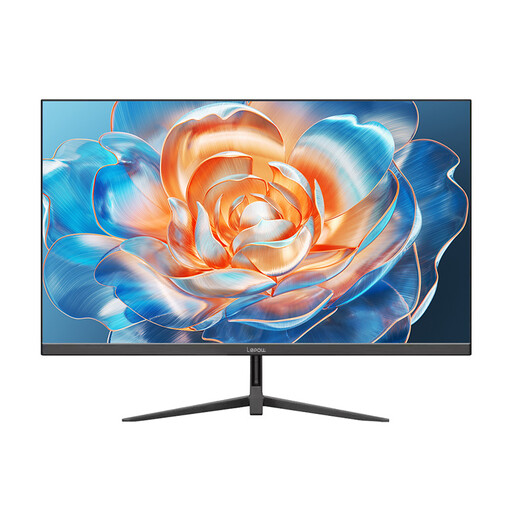
Lepow HC-24Z2 24-inch monitor
Consider this compact model for a simpler text layout rather than assuming it will accommodate dense side-by-side formatting. Check its native resolution, connection and stand adjustments against the space and position you need.
View on Joybuy
Common questions
Is a 24-inch monitor large enough for parallel texts?
It can be if your two document panes remain readable at a comfortable text size. Compact QHD models offer 2560 × 1440 pixels, as shown in specifications from Samsung UK, Lenovo UK and Dell UK, but try your usual application layout and scaling before deciding that the available space works for you.
Should I choose QHD or 16:10 for long documents?
Choose according to what limits your work: QHD is worth considering when two panes and controls compete for pixel space, while 16:10 is worth considering when you want more page height than a comparable Full HD 16:9 layout. Check the exact resolution as well as the aspect ratio; Dell UK, for example, lists a 1920 × 1200 16:10 U2421E alongside separate QHD models.
Will a USB-C monitor charge my laptop?
Only if the laptop accepts the relevant USB-C charging connection and the monitor provides sufficient power for it. For a one-cable setup, also check laptop video output, the monitor’s USB-C functions and the cable you intend to use.
How should I position a monitor on a small desk?
Place it directly in front of you at a distance your desk can accommodate. The Health and Safety Executive advises positioning the top of the screen around eye level and the screen about an arm’s length away; check the stand’s adjustment range and account for reflections when arranging your workspace.


