Who this setup suits
The useful monitor features depend on whether reflected light, score layout or a laptop-based workflow is your main difficulty.
Window-side score readers
If you read dense notation beside daylight for long sessions, plan the screen position and room lighting before relying on a display label. The Health and Safety Executive advises arranging screens and lighting to avoid reflections and glare.
Digital annotators with a laptop
If you mark up scores or keep notation software open on a laptop, check the page and tool layout at your usual viewing distance. Stand adjustment matters when you need to move the display away from reflected light; USB-C charging matters only when your laptop supports it.
Space-conscious home musicians
If a large display would crowd your desk, a 27-inch monitor is one size to consider. Check whether a full score page remains comfortable to read at the zoom level and seating distance you intend to use.
What to check before choosing
Deal with the window reflection first, then check score size in your software and finally decide which connections and stand movements your workstation needs.
| Concern |
What to check |
Who this matters to |
| Window reflections |
Check whether the screen can be angled away from the window and whether its surface is stated to be matte or anti-glare. Plan how to control daylight if it falls directly on the display. |
When daylight catches my score, I need to move the screen or soften the light before judging its finish; around 40% of consumers would put reflection control first. |
| Notation layout |
Try a score page and annotation controls at your normal viewing distance, using the system scaling and application zoom you would actually keep. |
If the page and tools feel cramped, I need readable notation without giving up too much working space; roughly 30% of consumers would prioritise score detail. |
| Connections and position |
Check the stand movements your desk allows. For one-cable laptop use, confirm USB-C video support, charging compatibility and the required wattage. |
With a laptop at the desk, I need a screen I can position comfortably and a connection that suits my computer; about 30% of consumers would put connectivity and adjustment first. |
Relevant brands for reference
These examples describe particular monitor models, not a consistent screen finish or feature set across each brand.
BenQ
The PD2706U is a 27-inch creative-display option for a desk where score layout, screen positioning and compatible laptop charging all matter.
- BenQ lists a matte 3840 × 2160 IPS panel, 350-nit typical brightness, 90 W USB-C power delivery, 90-degree pivot and 110 mm height adjustment for the PD2706U.
- Those specifications do not establish how well the PD2706U handles a direct reflection from your particular window.
Dell
The S2725QS is a 27-inch 4K productivity-display option to consider when screen adjustment and an anti-glare surface matter more than monitor-based laptop charging.
- Dell lists 3840 × 2160 resolution, anti-glare treatment and height, pivot, swivel and tilt adjustment for the S2725QS.
- Do not use those features alone to predict its performance against direct window light; arrange the screen and lighting for your desk.
LG
The 27UP850K-W is a 27-inch 4K IPS option for someone who wants an adjustable stand and USB-C connections for a compatible laptop.
- LG specifies height, pivot and tilt adjustment, plus USB-C display, data and charging support of up to 90 W for the 27UP850K-W.
- Its DisplayHDR 400 designation does not establish resistance to reflected window light. Check the exact model and current product details before purchasing.
Joybuy monitor choices
These monitors offer different screen sizes and display features for a piano-notation desk. Check each model against your window position, available space and computer connections rather than treating the list as a glare-performance ranking.
 No image available
iiyama ProLite XUB2792UHSU-B6 27-inch 4K monitor
Consider its 27-inch 4K format if you want a desk-sized display for score pages. Check how its screen position works beside your window; the Matte Black wording in the product name should not be treated as a screen-surface specification.
View on Joybuy
 No image available
ASUS ProArt PA27DCE-K OLED 4K monitor
Its OLED 4K display is an option to assess if you also use the desk for visual creative work. Try your usual score layout at a comfortable size, and check its screen-surface and brightness specifications rather than assuming the panel type will resolve window reflections.
View on Joybuy
 No image available
BenQ MA270UP Nano Glossy 27-inch 4K USB-C monitor
Consider this model for a Mac-based notation desk if its USB-C connection suits your computer. Its named Nano Glossy finish makes window placement particularly important; check laptop video and charging compatibility before planning a one-cable setup.
View on Joybuy
 No image available
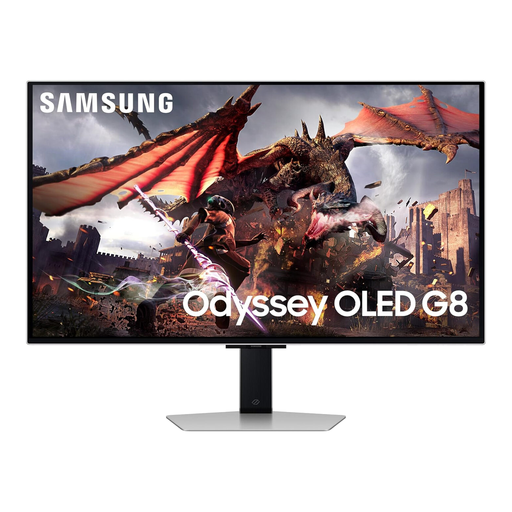
Samsung Odyssey OLED G8 LS32DG802SUXXU 32-inch 4K monitor
Its 32-inch 4K format is worth assessing if you have room for a physically larger score display. Measure the desk and viewing distance, and do not assume the OLED panel will prevent a direct window reflection.
View on Joybuy
 No image available
LG UltraGear G8 27G850A 27-inch 4K Nano IPS monitor
Its 27-inch 4K format may suit a desk that also serves for gaming. For piano notation beside a window, check the screen-surface specification and whether the score remains legible at your intended position; gaming refresh-rate features do not answer those questions.
View on Joybuy
Frequently asked questions
Will a brighter monitor solve glare from a bright window?
Not on its own: a direct reflection still needs attention. The Health and Safety Executive advises arranging screens and lighting to avoid reflections and glare, so change the screen angle or control the daylight before relying on brightness or a matte finish.
Is a 27-inch 4K monitor large enough for piano notation?
It can work for a desk-sized score display if the notation remains readable at your usual distance. Try a representative page with your preferred system scaling and score zoom before deciding whether the physical page size suits you.
Do I need USB-C charging from the monitor?
Choose monitor-based charging if you want a single cable and your laptop supports compatible USB-C video and charging. BenQ specifies up to 90 W power delivery for the PD2706U, and LG specifies up to 90 W for the 27UP850K-W; check your laptop’s required wattage and video-output capability separately.
What should I check once the monitor is on the desk?
Set its angle and height with the window light in place, then open a full score page at your normal seating distance. Check the notation, annotation controls and zoom you actually use; if connecting a laptop, also confirm that the intended cable carries the required video signal and charging power.


